21 results for:


Hermes Agent Desktop: Full Setup + Real Use Cases
IntermediateIn this episode, I sit down with Alex Finn for a full, screen-shared walkthrough of Hermes Desktop, the new desktop home for the Hermes AI agent. I open with a clear challenge: by the end, sell me on installing Hermes Desktop, show me real ways to make money and stay productive, and explain his move from OpenClaw. Alex tours every major surface — sessions, profiles, artifacts, skills, cron jobs, and sub-agents — and shares money-saving tactics at each step. We close on the idea that matters most to me: aiming these agents at other people's challenges as the clearest path to real value. Timestamps 00:00 – Intro 04:04 – Sessions and Context Management 06:10 – Profiles Explained 08:49 – Model-Based vs Role-Based Profiles 12:58 – Artifacts as a Second Brain 14:32 – Why Alex Switched From OpenClaw 17:32 – Skills, Tools, and Tool Sets 19:19 – Messaging and Cron Setup 21:44 – Reverse Prompting and the Brain Dump 28:09 – Sub-Agents vs Profiles 32:12 – Putting It Together: Solving Challenges 32:38 – The Daily Business Opportunity Scan 37:05 – Local Models: Mac Studio vs DGX Spark 39:03 – Reframing Cost as Investment 41:59 – The Real Way to Make Money With Hermes 42:51 – Closing Thoughts Key Points * Hermes Desktop pulls sessions, profiles, artifacts, skills, and cron jobs into one polished, Apple-style interface. * Smart session and context management keeps each message slim and keeps monthly costs low. * Profiles map to different models — Opus 4.8 for strategy, ChatGPT 5.5 for coding, a local Qwen model for free research — so each task runs on its best fit. * Reverse prompting plus a personal brain dump produces far stronger prompts, cron jobs, and outputs. * Sub-agents handle one skill across many parallel tasks; profiles handle work where each step needs a distinct skill set. * The biggest opportunity: aim your agent at Reddit and X to surface real problems you are positioned to solve. Numbered Section Summaries 1. The Moment Hermes Overtook OpenClaw Alex shares his screen and calls Hermes Desktop the best AI agent experience available right now, framing the recent release as the moment Hermes pulled ahead. He compares the focused, polished Hermes updates to Apple and the broader OpenClaw approach to Android, and notes his switch came purely for the love of the game. 2. Sessions and Context Management Alex shows how each new chat opens its own session, keeping context clean and separated by topic. He explains that slim context keeps every message small, and small messages keep monthly bills modest — his top money-saving tip. 3. Profiles Mapped to Models Profiles are separate Hermes agents, each with its own skills, a soul.md personality, and its own memories. Alex organizes his by model — Opus 4.8 for high-level strategy, ChatGPT 5.5 for coding, and a local Qwen model for free, fast research — and picks the profile whose strengths match the task. 4. Artifacts as a Productized Second Brain Artifacts gathers every link, image, and file you send your agent into one searchable place. Alex drops links to his "Librarian" profile and lets Artifacts file them automatically, which turns the agent into a tidy, searchable second brain. 5. Skills, Tools, and the Cron Section Alex walks the Skills interface, where 150-plus skills ship out of the box and you keep only the ones you use to trim context and cost. He highlights tool sets as a fresh way to group skills together, and praises the Cron section for giving one-click confirmation that scheduled tasks truly exist. 6. Reverse Prompting and the Brain Dump My favorite tip from Alex: brain dump everything about yourself — interests, goals, skills — then ask the agent for the best prompt to use. He demos it live by building a morning brief, and the reverse prompt returns a detailed, well-formatted instruction that pulls fresh, real headlines, prices, and scores from the last 24 hours. 7. Sub-Agents vs Profiles Alex clarifies the difference: sub-agents are copies of your main agent that share its skills, ideal for running one skill across many parallel tasks, like building several features of a micro-SaaS at once. Profiles each carry distinct skill sets and memories, ideal when a job needs a researcher, a writer, and a designer working in sequence. The #1 tool to find startup ideas/trends - https://www.ideabrowser.com/ LCA helps Fortune 500s and fast-growing startups build their future - from Warner Music to Fortnite to Dropbox. We turn 'what if' into reality with AI, apps, and next-gen products https://latecheckout.agency/ The Vibe Marketer - Resources for people into vibe marketing/marketing with AI: https://www.thevibemarketer.com/ FIND ME ON SOCIAL X/Twitter: https://twitter.com/gregisenberg Instagram: https://instagram.com/gregisenberg/ LinkedIn: https://www.linkedin.com/in/gisenberg/ FIND ALEX ON SOCIAL Youtube: https://www.youtube.com/@AlexFinnOfficial/videos X/Twitter: https://x.com/AlexFinnX Creator Buddy: https://www.creatorbuddy.io/


OpenClaw Tutorial for Beginners - Crash Course
BeginnerOpenClaw previously known as moltbot or clawdbot is the latest AI model agent you can run locally on your own PC that is autonomous connects to MCP like Zapier https://bit.ly/4tgTFlK and runs 24/7 and was just recently supported by OpenAI as open source project. With the logo of a lobster, and created by Peter Steinberger, it is written in typescript and people are buying mac mini's to run it non stop! In this video I'll explain how to set it up and start using it on your own system. We will configure it with WhatsApp, Telegram and Ollama to run your own local models too. Connect Zapier as our MCP server: https://bit.ly/4tgTFlK 00:00 - Chapter 1 - OpenClaw Tutorial 00:20 - Chapter 2 - OpenClaw Installation 00:34 - Chapter 3 - OpenClaw Setup AI Models (Clade, OpenAI, etc) 01:22 - Chapter 4 - OpenClaw TUI (Terminal UI) 01:40 - Chapter 5 - OpenClaw Web UI 02:15 - Chapter 6 - OpenClaw Channels (Messaging) 02:28 - Chapter 7 - OpenClaw WhatsApp Setup 02:50 - Chapter 8 - OpenClaw Telegram Setup 03:53 - Chapter 9 - OpenClaw MCP Tools (Zapier, Gmail, etc) 05:07 - Chapter 10 - OpenClaw Security and Risks 05:50 - Chapter 11 - OpenClaw Costing and Price 06:04 - Chapter 12 - OpenClaw Run Local AI Models (with Ollama) 07:08 - Chapter 13 - OpenClaw Workspace (in VS Code or Cursor) 07:43 - Chapter 14 - OpenClaw Final Thoughts and Conclusion #openclaw #openai #zapier Want to learn web design? ⭐ Check out my course! ⭐ 📘 Teach Me Design - Course: https://www.enhanceui.com/
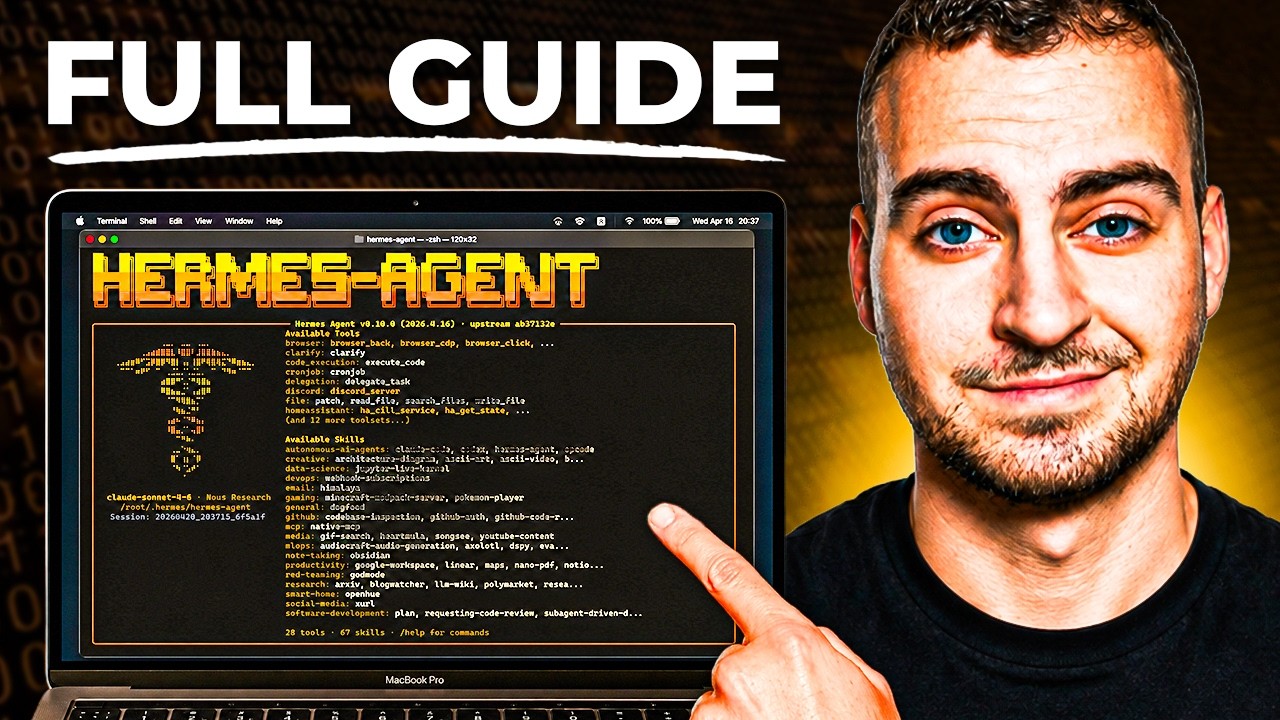
Hermes Agent - Full Course & Setup Guide - For COMPLETE Beginners
BeginnerDeploy Hermes Agent with Hostinger here: https://www.hostg.xyz/SHJWj Use code "techwithtim" for 10% off. Hermes Agent is the most popular personal AI assistant framework right now. In this full beginner course, I'll walk you through every single step to get it set up, configured, and actually useful from scratch. No coding experience needed. No complicated setup. By the end of this video you'll have a fully functioning AI agent running 24/7 on a virtual private server, connected to your email, calendar, and more, that gets smarter the more you use it. Want to make real money with coding? I share high-signal insights on careers, monetization, and leverage in my free newsletter. Join here and get my guide "How to Make Money With Coding" instantly: https://techwithtim.net/newsletter 🚀 Tools I Use Get 10% off with code techwithtim Openclaw setup: https://www.hostinger.com/techwithtim VPS setup: https://www.hostinger.com/techwithtim10 Wispr Flow (Best AI Dictation): https://ref.wisprflow.ai/TechWithTim-jun26 🎞 Video Resources 🎞 Hermes Docs: https://hermes-agent.nousresearch.com/ ⏳ Timestamps ⏳ 0:00 Overview 00:53 What is Hermes Agent? 02:43 Pre-Requisites 03:21 How Hermes Agent Works 06:48 Understanding Memory & Skills 08:17 Agent Soul 10:14 Security Disclosure & Risks 13:52 VPS Setup & Deployment 18:30 Hermes Setup Options 26:20 Telegram Message Setup 29:40 Browser Tools & Setup 32:20 Basic Usage and TUI 34:23 Telegram Usage 37:40 Setting the User Preferences & Soul 39:00 GitHub Backup & Setting Credentials 47:28 Voice & TTS 48:38 Fixing Browser Control 49:58 How to Connect ANY Tool (Gmail, Meta, etc.) 54:56 Scheduled Automations #HermesAgent #AIAssistant #AIAgents UAE Media License Number: 3635141
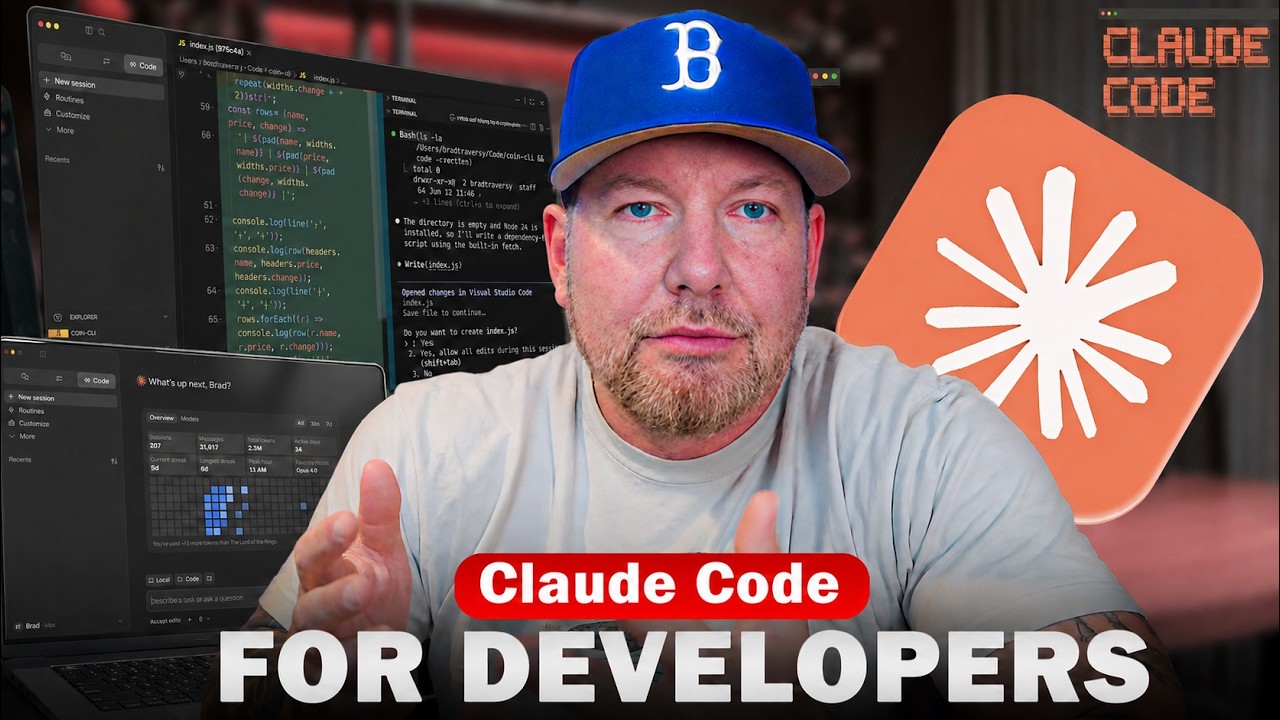

Claude Code Crash Course For Developers
BeginnerAn overview and starting point for Claude Code. Check out my coding with AI course: https://www.codingwithaicourse.com/ Get the Neon free plan: https://get.neon.com/6uuwMG3 Follow Neon to not miss course giveaways: - X/Twitter: https://x.com/neondatabase - Linkedin: https://www.linkedin.com/company/neondatabase Github Gist With Prompts: https://gist.github.com/bradtraversy/9937e0ecfc8a5b269ce6a885636670dc Crypto Dash Repo: https://github.com/bradtraversy/crypto-dash Timestamps: 0:00 - intro 2:23 - What Is Claude Code 3:56 - Installing Claude 6:43 - First Launch 7:26 - Models & Usage Limits 10:44 - Effort 11:14 - Using Claude In VS Code 12:16 - The First Prompt 16:10 - Shell Mode 17:30 - Modes 19:15 - Settings & Permissions 22:55 - VS Code Extension 24:05 - Refactoring Code 27:03 - Context, Tokens & Clearing 29:20 - Global Sessions 33:14 - Working on an Existing Project 35:48 - Claude.md File & /init 39:28 - Plan Mode 44:58 - Adding Favorites Feature 48:05 - Skills 53:27 - MCPs 57:51 - Sub-Agents
![Curso OpenCode Completo - Use IAs GRATUITAMENTE! [Do ZERO]](https://i.ytimg.com/vi/Q9bH393Bq64/maxresdefault.jpg)

Curso OpenCode Completo - Use IAs GRATUITAMENTE! [Do ZERO]
Beginner🔥 Entre para a minha comunidade de automação - https://link.devaprender.com/entrar Curso Claude Code - https://youtu.be/KoFOPpUWi98 Curso Github Copilot - https://youtu.be/uW5OzVgtofU ✅Quer pedir um orçamento de um BOT(robô) ou sistema? - Solicite aqui: https://devaprender.com/orcamentos/ ✅Curso lógica de Programação: https://youtu.be/epf-WQdVis0 Links mencionados no video ------------------------------------------------------------------------------------------ nodejs download - https://nodejs.org/en/download opencode download - https://opencode.ai/download opencode mcp - https://opencode.ai/docs/mcp-servers/#context7 Skills - https://skillsmp.com/ ------------------------------------------------------------------------------------------ Resumo⤵️ Nesse curso completo de OpenCode, eu vou te mostrar como usar essa ferramenta de IA, para se conectar a qualquer provedor de IA, como o OpenAI, Claude Code, DeepSeek, OpenRouter. Ou seja, tanto opções pagas, como opções gratúitas! Aqui você irá aprender a usar o OpenCode do zero, desde de como instalar, configurar um provedor e personalizar e usar as principais funcionalidades como escolher modelos, nível de raciocínio, usar skills, usar servidores mcp e até mesmo como monetizar esse conhecimento. CONTATO COMERCIAL(não respondo dúvidas de videos) ------------------------ jhonatan@devaprender.com 00:00 - O que iremos aprender 00:50 - Como instalar OpenCode 03:18 - Por que usar OpenCode vs Claude Code ou outros? 04:39 - Como instalar qualquer provedor PAGOS 08:43 - Como instalar qualquer provedor GRATUITO 11:33 - Como usar Servidores MCP 14:49 - Como personalizar o OpenCode 16:25 - Como usar SKILLS 19:09 - Quando usar OpenCode no meu fluxo de trabalho? 20:10 - Como monetizar o conhecimento de criação de apps/automações?(parte 1) 20:51 - Como usar o modo Plan/Edit 21:05 - Como monetizar o conhecimento(parte 2) 21:48 - O que estudar a partir de agora?


OpenCode Full Course
BeginnerMaster OpenCode from scratch and learn how to build real-world AI applications using multiple models—without vendor lock-in or expensive subscriptions. This complete OpenCode course covers everything you need to go from beginner to advanced, including setup, model integration, agent workflows, and real project building. You’ll learn how to use OpenCode with tools like Ollama for running models locally, and OpenRouter for accessing multiple cloud models—all in a single workflow. We’ll also explore how to use powerful open models like Gemma 4 and optimize cost using model switching strategies. 🔥 What you’ll learn: OpenCode setup (Windows, Mac, Linux) Local AI with Ollama Cloud models via OpenRouter Multi-agent workflows (Plan vs Build mode) Cost optimization techniques Building real apps (REST APIs, UI apps, automation tools) Sessions, debugging, and workflow management 🎯 Who this is for: Developers & engineers AI enthusiasts Startup founders Anyone building AI-powered applications If you want full control over your AI stack—this is the course to start with.


OpenCode Tutorial for Beginners: Setup, Agents, Skills & MCP
BeginnerVisit sintra.ai/leonvanzyl or use my promo code leonvanzyl at checkout to receive limited time offer of 72% off on all plans 🚀 Free resources: source code, prompts, workflows + peer discussion https://skool.com/leonvanzyl 🧪 Agentic Labs: AI coding courses, live Q&A, weekly builder challenges, direct access to me + a serious builder community https://skool.com/agentic-labs OpenCode is the open source coding agent that is quickly becoming a serious alternative to Claude Code. In this opencode tutorial, you will learn how to install OpenCode, connect free AI models through OpenCode Zen or premium providers like OpenAI, and master advanced features including agent skills, sub agents, MCP servers, and background agents. ⏱️ CHAPTERS: 00:00 - OpenCode intro and overview 00:39 - Installing OpenCode in seconds 01:25 - Connecting providers and OpenCode Zen 02:20 - Free AI coding models walkthrough 03:46 - Scaffolding a Next js project 04:55 - Subscriptions vs API keys 06:00 - Connecting OpenAI and GPT 5 07:30 - Installing agent skills from skills sh 10:30 - AGENTS md memory file setup 13:00 - Sub agents and context window protection 15:30 - Design system for consistent UI 15:50 - Sponsor message 18:00 - Building the AI Project Planner app 22:30 - Saving plans for future sessions 24:30 - Creating custom sub agents 28:30 - Playwright MCP server setup 30:30 - Auto testing the app with browser MCP Business & sponsorship enquiries: leon.vanzyl@gmail.com #opencode #agenticcoding
![Claude Agent SDK [Full Workshop] — Thariq Shihipar, Anthropic](https://i.ytimg.com/vi/TqC1qOfiVcQ/maxresdefault.jpg)

Claude Agent SDK [Full Workshop] — Thariq Shihipar, Anthropic
IntermediateLearn to use Anthropic's Claude Agent SDK (formerly Claude Code SDK) for AI-powered development workflows! https://platform.claude.com/docs/en/agent-sdk/overview https://x.com/trq212 **AI Summary** This workshop by Thariq Shihipar (Anthropic) details the architecture and implementation of the **Claude Agent SDK**. The session moves from high-level theory—defining "agents" as autonomous systems that manage their own context and trajectory—to a live-coding demonstration. Shihipar builds an agent "Harness" from scratch, implementing the core **Agent Loop** (Context Thought Action Observation), integrating the **Bash tool** for general computer use, and demonstrating **Context Engineering** via the file system to maintain state across long tasks. **Timestamps** 00:00 Introduction: Agenda and the "Agent" definition 05:15 The "Harness" concept: Tools, Prompts, and Skills 10:10 Live Coding Setup: Initializing the Agent class and environment 15:45 implementing the "Think" step: Getting the model to reason before acting 25:20 The Agent Loop: connecting `act`, `observe`, and `loop` 33:10 Tool Execution: Handling XML parsing and tool inputs 42:00 The "Bash" Tool: Giving the agent command line access 49:30 Safety & Permissions: "ReadOnly" vs "ReadWrite" file access 58:15 Context Engineering: Using `ls` and `cat` to build dynamic context 01:05:00 The "Monitor": Viewing the agent's thought process in real-time 01:12:45 Handling "Stuck" States: Feedback loops and error correction 01:21:20 Multi-turn Complex Tasks: Building a "Research Agent" demo 01:35:10 Refactoring patterns: "Hooks" and deterministic overrides 01:48:39 Q&A: Reproducibility, helper scripts, and non-determinism 01:50:31 Q&A: Strategies for massive codebases (50M+ lines) 01:52:00 Closing remarks and future SDK roadmap * **Evolution of AI Capabilities:** Shihipar argues we are shifting from **LLM Features** (categorization, single turn) to **Workflows** (structured, multi-step chains like RAG) to **Agents**. He defines agents as systems that *"build their own context, decide their own trajectories, and work very autonomously"* rather than following a rigid pipeline. * **The Claude Agent SDK Architecture:** The SDK is built directly on top of **Claude Code** because Anthropic found they were *"rebuilding the same parts over and over again"* for internal tools. * **The Harness:** A robust agent requires more than just a model; it needs a "Harness" containing Tools, Prompts, a **File System**, Skills, Sub-agents, and Memory. * **Opinionated Design:** The SDK bakes in lessons from deploying Claude Code, specifically the "opinion" that general computer use (Bash) is often superior to bespoke tools. * **The Power of the Bash Tool:** A key technical insight is that the **Bash tool** is often the most powerful tool for an agent. Instead of building custom tools for every action (e.g., a specific API wrapper for a file conversion), giving the agent access to the shell allows it to use existing software (like `ffmpeg`, `grep`, or `git`) to solve problems flexibly, similar to how a human developer works. * **Context Engineering:** Shihipar introduces the concept of **Context Engineering** via the file system. Instead of just "Prompt Engineering," the agent uses the file system to manage its state and context. * **Files as Memory:** The agent can write to files to "remember" things or create its own documentation (e.g., `CLAUDE.md`) to ground future actions. * **Verification:** The file system serves as a ground truth for the agent to verify its work (e.g., checking if a file was actually created). * **The Agent Loop & Intuition:** Building a successful agent loop is described as *"kind of an art or intuition"*. The loop generally follows a **Gather Context Take Action Verify Work** cycle. Shihipar emphasizes that this loop allows the agent to self-correct, a capability missing from rigid workflows. * **Strategies for Determinism (Hooks):** During the Q&A, a technique for controlling agent behavior is discussed: **Hooks**. * If an agent hallucinates or skips a step (e.g., guessing a Pokemon stat instead of checking a script), a hook can intercept the response and inject feedback: *"Please make sure you write a script, please make sure you read this data."* * This enforces rules like "read before you write" without retraining the model. * **Scaling to Large Codebases:** For massive codebases (50M+ lines), standard tools like `grep` or basic context window stuffing fail. * **Semantic Search Limitations:** Shihipar notes that while semantic search is a common solution, it is *"brittle"* because the model isn't trained on the specific semantic index. * **Solution:** He recommends good **"Claude MD"** files (context files) and starting the agent in a specific subdirectory to limit scope, rather than trying to index the entire 50M lines at once.


The Complete Bash Scripting Course - Full Length Guide to learning the Bash Shell
BeginnerBash scripting course and guide created by Dave Eddy of ysap.sh. Learn the Bash Shell and master beginner all the way up to advanced Bash scripting techniques. Check out the course website below for all materials, source code, referenced material, etc. for the course. Course Website → https://course.ysap.sh Discord → https://ysap.sh/discord Patreon → https://patreon.com/YouSuckatProgramming - $ cat socials Instagram → https://www.instagram.com/yousuckatprogramming/ YouTube → https://www.youtube.com/@yousuckatprogramming - $ cat credits • Course made by Dave Eddy • Course presented by Dave Eddy • Music by Dave Eddy • Graphics by Annie G. (https://www.anniegee.com) - $ cat chapters-and-sections 00:00:00 00-00 Introduction 00:05:17 01-00 Terminal and Finder 00:12:22 01-01 Basic File Manipulation 00:19:51 01-02 Hidden Files 00:23:36 01-03 Searching in Files 00:33:31 01-04 Paging Files 00:36:53 02-00 Man Pages 00:47:08 02-01 Programs and Commands 00:51:48 02-02 Basic Variables 00:56:31 02-03 vim Crash Course 01:05:39 02-04 File Permissions 01:09:55 03-00 Finally Scripting 01:15:38 03-01 User Input 01:23:06 03-02 Functions 01:29:21 03-03 Conditionals 01:38:47 03-04 For Loops 01:42:10 03-05 Input / Output 01:51:23 03-06 Chapter 3 Recap 01:58:47 04-00 Case Statements 02:06:53 04-01 Indexed Arrays 02:19:20 04-02 Associative Arrays 02:24:56 04-03 IFS Variable 02:29:00 04-04 Command Substitution 02:39:45 04-05 Arithmetic Expression 02:53:03 04-06 Process Substitution 03:04:21 04-07 Chapter 4 Recap 03:13:44 05-00 cut and tr 03:18:06 05-01 sed, awk, and grep 03:35:04 05-02 Find Command 03:41:38 06-00 Bash Arguments 03:51:30 06-01 Pipe Status 03:56:27 06-02 Timing Commands 04:00:41 07-00 Sourcing Code 04:10:48 07-01 Curlies vs. Parens 04:15:36 07-02 Return vs. Output 04:22:12 07-03 Chapter 7 Recap 04:26:50 08-00 Parameter Expansion 04:40:41 08-01 Array Expansion 04:44:13 09-00 Basic Globbing 04:48:00 09-01 Extended Globbing 04:53:28 09-02 Glob Shell Options 05:01:05 10-00 Brace Expansion 05:05:03 10-01 Braces and Globbing 05:08:21 10-02 Numeric Brace Expansion 05:13:35 11-00 Understanding printf 05:23:29 11-01 Date Formatting 05:28:36 11-02 Regular Expressions 05:36:15 11-03 Using mapfile 05:41:33 12-00 Brackets vs. Test 05:48:36 12-01 Special Strings 05:52:07 13-00 Trap Signals 05:58:27 13-01 Named Pipes 06:06:39 14-00 Color Output 06:23:30 14-01 Cursor Commands 06:29:41 14-02 Is a TTY 06:35:54 15-00 PS1 Variable 06:47:12 15-01 Customizing Bash 06:56:33 15-02 Readline Shortcuts 07:00:10 16-00 Pitfall: ls 07:04:04 16-01 Aliases with Arguments 07:06:48 16-02 Pitfall: String Length 07:08:55 17-00 Forkbomb 07:18:10 Credits 07:18:49 Bonus Debugging Session - $ cat more-links Website → https://ysap.sh Discord → https://ysap.sh/discord TikTok → https://ysap.sh/tiktok Patreon → https://ysap.sh/patreon Ko-fi (donate) → https://ysap.sh/ko-fi - $ cat keywords you suck at programming #programming #devops #bash #linux #unix #software #terminal #shellscripting #tech #stem


Understanding CSV Files
Beginnerhttps://macmost.com/e-2922 CSV files are plain text files that contain spreadsheet data. They are useful for importing or saving data regardless of the spreadsheet app you are using. FOLLOW MACMOST FOR NEW TUTORIALS EVERY DAY ▶︎ YouTube — http://macmost.com/j-youtube (And hit the 🔔) ▶︎ YouTube Email Notifications — http://macmost.com/ytn ⭐️ ▶︎ MacMost Weekly Email Newsletter — https://macmost.com/newsletter ✉️ SUPPORT MACMOST AT PATREON ▶︎ https://macmost.com/patreon ❤️ 00:00 Intro 00:20 What Are CSV Files? 01:11 Both a Text File and a Spreadsheet File 02:01 Setting the Default App To Open a CSV File 03:46 Quotation Marks In CSV Files 04:28 Exporting To a CSV File #macmost #mactutorial

Learn TOML in 10 Minutes (Tutorial)
BeginnerIn this tutorial we're going to be learning what TOML is, and how it works. We will be using it in Python, but it works for practically any programming language you can think off. TOML docs: https://toml.io/en/ ▶ Become job-ready with Python: https://www.indently.io ▶ Follow me on Instagram: https://www.instagram.com/indentlyreels 00:00 What is TOML? 00:54 Creating a TOML file 02:03 Loading TOML 04:16 Learning TOML 09:28 Timestamps 10:30 Conclusion


AWS Certified Cloud Practitioner Certification Course (CLF-C02) - Pass the Exam!
Beginner⚠️ Watch the updated course: https://youtu.be/7HKot-brXFE Prepare for the AWS Certified Cloud Practitioner Certification (CLF-C02) and pass! ✏️ Developed by Andrew Brown of ExamPro 🔗 https://twitter.com/andrewbrown Get your Free Practice and Downloadable Cheatsheets 🎁 https://www.exampro.co/clf-c02 ❤️ Support for this channel comes from our friends at Scrimba – the coding platform that's reinvented interactive learning: https://scrimba.com/freecodecamp ⭐️ Course Contents ⭐️ ☁️ 00:00:00 Introduction ☁️ 00:46:02 Cloud Concepts ☁️ 01:19:34 Getting Started ☁️ 01:52:15 Digital Transformation ☁️ 02:00:18 The Benefits of Cloud ☁️ 02:06:32 Global Infrastructure ☁️ 02:49:18 Cloud Architecture ☁️ 03:12:40 Management and Developer Tools ☁️ 04:50:13 Shared Responsibility Model ☁️ 05:09:10 Compute ☁️ 06:02:37 Storage Services ☁️ 06:40:15 Databases ☁️ 07:10:28 Networking ☁️ 07:32:16 EC2 ☁️ 08:23:59 EC2 Pricing Models ☁️ 08:42:58 Identity ☁️ 09:28:44 Application Integration ☁️ 09:40:11 Containers ☁️ 09:51:00 Governance ☁️ 10:19:27 Provisioning ☁️ 10:40:22 Serverless ☁️ 10:44:52 Windows on AWS ☁️ 10:53:33 Logging ☁️ 11:07:26 ML AI BigData ☁️ 11:44:41 AWS Well Architected Framework ☁️ 12:06:24 TCO and Migration ☁️ 12:22:30 Billing and Pricing ☁️ 13:17:39 Security ☁️ 14:02:57 Variation Stud 🎉 Thanks to our Champion and Sponsor supporters: 👾 davthecoder 👾 jedi-or-sith 👾 南宮千影 👾 Agustín Kussrow 👾 Nattira Maneerat 👾 Heather Wcislo 👾 Serhiy Kalinets 👾 Justin Hual 👾 Otis Morgan 👾 Oscar Rahnama -- Learn to code for free and get a developer job: https://www.freecodecamp.org Read hundreds of articles on programming: https://freecodecamp.org/news

Kubernetes Zero to Hero: The Complete Beginner’s Guide (2025 Edition)
Beginner*Start Learning Kubernetes the Right Way — Try Alta3 Academy FREE for 3 Days!* 👉 https://alta3.com/academy/aa-cka?utm_source=youtube&utm_campaign=k8s-course *The Ultimate Kubernetes Training Platform: CKA, CKAD, and 14+ DevOps Courses!* *Includes hands-on labs, expert video instruction, and a real Kubernetes cluster to practice in!* *Your Kubernetes Journey Starts Here:* This full-length course takes you from absolute beginner to confident Kubernetes user. Whether you're prepping for the CKA or CKAD, or you're just getting started with containers and orchestration, this is the foundation you need. We walk through real-world examples, practical commands, and exam-focused tips — all taught by a certified instructor who’s helped thousands of students succeed. *Timestamps* 📌 0:01:42 – K8s Architecture & Purpose 📌 0:21:02 – YAML 📌 0:24:52 – Manifests 📌 0:28:55 – Making Pods 📌 0:34:00 – Namespaces 📌 0:38:58 – API Versioning 📌 0:41:43 – Resource Monitoring 📌 0:44:56 – Requests & Limits 📌 0:51:01 – Probes 📌 0:58:20 – kubectl exec & cp 📌 1:05:34 – ConfigMaps 📌 1:09:49 – Volume Mounting 📌 1:18:05 – Secrets 📌 1:21:16 – Viewing Logs 📌 1:28:11 – Labels 📌 1:36:01 – Deployments 📌 1:52:34 – Storage 📌 2:08:12 – Service Basics 📌 2:15:08 – Network Policies 📌 2:26:29 – Service Port vs. TargetPort 📌 2:29:19 – ClusterIP Services 📌 2:36:48 – NodePort Services 📌 2:39:15 – LoadBalancer Services 📌 2:41:00 – NodePort Service Demonstration 📌 2:45:14 – Continued Training! *Why Learn Kubernetes?* Kubernetes is the backbone of modern DevOps and cloud-native applications. Mastering it opens doors to better jobs, higher salaries, and real technical confidence. This course gives you the exact tools, examples, and mindset to build your Kubernetes skills from the ground up — and sets you on the path to certification. 🔔 Subscribe to https://www.youtube.com/@Alta3Research for weekly DevOps and Kubernetes content! 👍 Like what you see? Give it a thumbs up, leave a comment, and don’t forget to subscribe for more *certification-ready Kubernetes training and career-building tips!


Learn Linux - The Full Course
BeginnerSo many developers go years before understanding the basics of shells, terminals, and Linux (or more generally Unix-like systems). Here you'll learn to navigate files and directories, install dependencies, configure your PATH, and use powerful CLI tools like grep, find, and pipes. Never fear the command line again, make it fear you. Use code "BOOTS" for 25% off your first payment. Learn Linux - https://www.boot.dev/courses/learn-linux Learn back-end development - https://www.boot.dev Timestamps: 00:00 - Introduction to the Course 04:03 - Chapter 1 - Terminals and Shells 20:43 - Chapter 2 - Filesystems 51:18 - Chapter 3 - Permissions 01:13:31 - Chapter 4 - Programs 01:38:33 - Chapter 5 - Input/Output 02:18:43 - Chapter 6 - Packages Like & subscribe for the algo if you enjoyed the video!

Introduction to Linux – Full Course for Beginners
BeginnerIf you're new to Linux, this beginner's course is for you. You'll learn many of the tools used every day by both Linux SysAdmins and the millions of people running Linux distributions like Ubuntu on their PCs. This course will teach you how to navigate Linux's Graphical User Interfaces and powerful command line tool ecosystem. 🔗 Linux Installation guide: https://courses.edx.org/asset-v1:LinuxFoundationX+LFS101x+1T2020+type@asset+block@Preparing_Your_Computer_for_Linux_Training.pdf ✏️ Course taught by @beau 🏗 The Linux Foundation provided a grant to make this course possible. It provides this and other courses at https://training.linuxfoundation.org/training/introduction-to-linux/ ❤️ Support for this channel comes from our friends at Scrimba – the coding platform that's reinvented interactive learning: https://scrimba.com/freecodecamp ⭐️ Contents ⭐️ ⌨️ (0:00:00) Introduction ⌨️ (0:01:38) Chapter 1. Introduction to Linux Families ⌨️ (0:07:39) Chapter 2. Linux Philosophy and Concepts ⌨️ (0:16:37) Chapter 3. Linux Basics and System Startup ⌨️ (1:05:36) Chapter 4. Graphical Interface ⌨️ (1:34:29) Chapter 5. System Configuration from the Graphical Interface ⌨️ (2:04:27) Chapter 6. Common Applications ⌨️ (2:12:57) Chapter 7. Command Line Operations ⌨️ (3:25:50) Chapter 8. Finding Linux Documentation ⌨️ (3:36:53) Chapter 9. Processes ⌨️ (4:07:51) Chapter 10. File Operations ⌨️ (4:31:11) Chapter 11. Text Editors ⌨️ (4:49:25) Chapter 12. User Environment ⌨️ (5:13:32) Chapter 13. Manipulating Text ⌨️ (5:40:04) Chapter 14. Network Operations 🎉 Thanks to our Champion and Sponsor supporters: 👾 Nattira Maneerat 👾 Heather Wcislo 👾 Serhiy Kalinets 👾 Erdeniz Unvan 👾 Justin Hual 👾 Agustín Kussrow 👾 Otis Morgan -- Learn to code for free and get a developer job: https://www.freecodecamp.org Read hundreds of articles on programming: https://freecodecamp.org/news