Courses
22 results for:


Start a 1-Person Business with Claude (4 HOUR COURSE 2026)
Beginner🔥 Start an AI Business in 30 Days: https://www.skool.com/top1percent ⭐️ All My Claude Skills: https://www.skool.com/freegroup Softwares Used (Some are affiliate links) ⤵️ Instantly AI: https://refer.instantly.ai/305ykhekal4k 30 Days Free Go High Level: https://www.gohighlevel.com/ai-automation?fp_ref=abh-agency10 Claude Code: https://code.claude.com/docs/en/quickstart Visual Studio Code: https://code.visualstudio.com/ Upwork: https://www.upwork.com/ Instantly MCP: https://docs.google.com/document/d/1kuZD1rl8CdQ1Qkj4Tk1LDm_SazrH6GZpBBhuh3V3atc/edit?usp=sharing Summary ⤵️ This is the FREE 4-hour course on how to build a 1-Person business with Claude Code. And don't worry, you don't have to be technical. After watching this video, you will be able to run an entire business and automate 90% of your work, from inside of Claude Code. I walk you through how to install Claude the right way to your computer. How to build out your AIOS (AI Operating system), and how to build your first projects (beautiful websites, automations, and full web apps). We take it slow, so you will understand it, even if you are non technical. We also go over the most important part, which is "How do you actually get clients". I show you how to build both an outbound and inbound client getting system by using a mix of Cold email + Upwork, to destroy the competition. This is the only video you need, if you want to build a business with Claude Code. Hope you enjoy the tutorial! ⭐️ Join our Free Community with 150,000 AI entrepreneurs ⤵️ https://www.skool.com/freegroup/about?ref=7d5cbcf54aab413dbb6f07aed198c208 Follow Me On Socials ⤵️ https://www.instagram.com/albert.olgaard/ https://www.youtube.com/@albertolgaard Chapters 00:00:00 Introduction to Claude Code Course 00:01:50 Why you should learn AI in 2026 00:04:00 The World is adapting to AI 00:05:00 The Excitement Curve 00:10:00 Setting up Claude Code and Visual Studio Code 00:14:00 Install Claude Skills 00:17:35 Set up Github 00:19:50 How to land clients 00:23:40 The 3 Levels of Service Delivery 00:25:03 Finding your First Client 00:27:00 Getting clients with Upwork 00:57:00 Getting clients with Cold Email 01:18:00 How to Close Clients on Calls 01:40:04 Building Websites with Claude 01:50:25 Building Automations 02:11:19 Building Full AI Systems 02:56:48 How to Build Things with No Experience 03:15:28 How to Price your AI Services 03:29:41 What to do now

The Ultimate Beginner’s Guide to Claude AI
BeginnerThe complete Claude AI tutorial for beginners: climb all 6 levels, from your first prompt to Claude working while you're away. Files, deep research, projects, connectors, Cowork, and building real websites with Claude Code. ✅ Omnisend (30% for 3 Months with Code MM30): https://meticsmedia.com/omnisend-MSK In this Claude AI tutorial for beginners you'll learn: ✔️ What Claude AI is and how to create a free Claude account ✔️ How to write AI prompts that get great results (context, task, format) ✔️ Claude models explained (Sonnet, Opus, Haiku) plus usage limits and effort settings ✔️ Uploading files and images for AI document analysis ✔️ Web search and Deep Research: cited AI research reports ✔️ Creating Excel spreadsheets, Word documents, and interactive web pages with AI ✔️ Claude Projects, personal instructions, memory, and importing your ChatGPT memory ✔️ The Claude mobile app and desktop app ✔️ Connecting Claude to your apps with connectors and MCP (Google Calendar, Omnisend email marketing) ✔️ Installing Claude Skills ✔️ Cowork: letting an AI agent work on your computer autonomously ✔️ Scheduled tasks: AI automation that runs every day ✔️ Claude Design for website design and Claude Code for building real websites and apps — no coding required 🔗 Links Mentioned in Video Claude signup: https://claude.ai Omnisend MCP server URL: https://mcp.omnisend.com/v2/mcp Deploy video: https://www.youtube.com/watch?v=S60kl9RfzDg Shopify guide: https://www.youtube.com/watch?v=wQGabloRalM $10K website video: https://www.youtube.com/watch?v=VMvZuhcDdnw 📍 Exclusive Deals & Discounts: https://meticsmedia.com/deals ⏱️ Timestamps 00:00 Intro: The 6 Levels of Claude 00:57 Level 1 — Talk To Claude 01:01 What Is Claude AI? 01:50 Create Your Free Claude Account 03:52 How to Write Good Prompts 07:18 Pick the Right Model 09:38 Level 2 — Give Claude Your World 09:42 Upload Files & Images 11:56 Web Search & Deep Research 16:39 Level 3 — Make Real Things 17:06 Create Documents, Spreadsheets & Web Pages 20:16 Level 4 — Make Claude Know You 20:20 Organize Your Work with Projects 22:20 Make Claude Remember You 25:29 Claude on Your Phone & Desktop 28:54 Level 5 — Connect Your Apps 29:05 Connect Claude to Your Apps 37:00 Install & Use Skills 39:47 Level 6 — Claude Works Without You 40:10 Let Claude Work While You're Away 43:46 Schedule Claude to Work Every Day 46:40 The Final Evolution: Claude Code 47:35 Design a Website with Claude Design 52:14 Build the Website with Claude Code 57:07 Build Your Own App with Claude Code 📄 Disclosure Some of the links are affiliate links. If you make a purchase through them, we earn a small commission at no extra cost to you. This helps us keep our videos free for everyone.
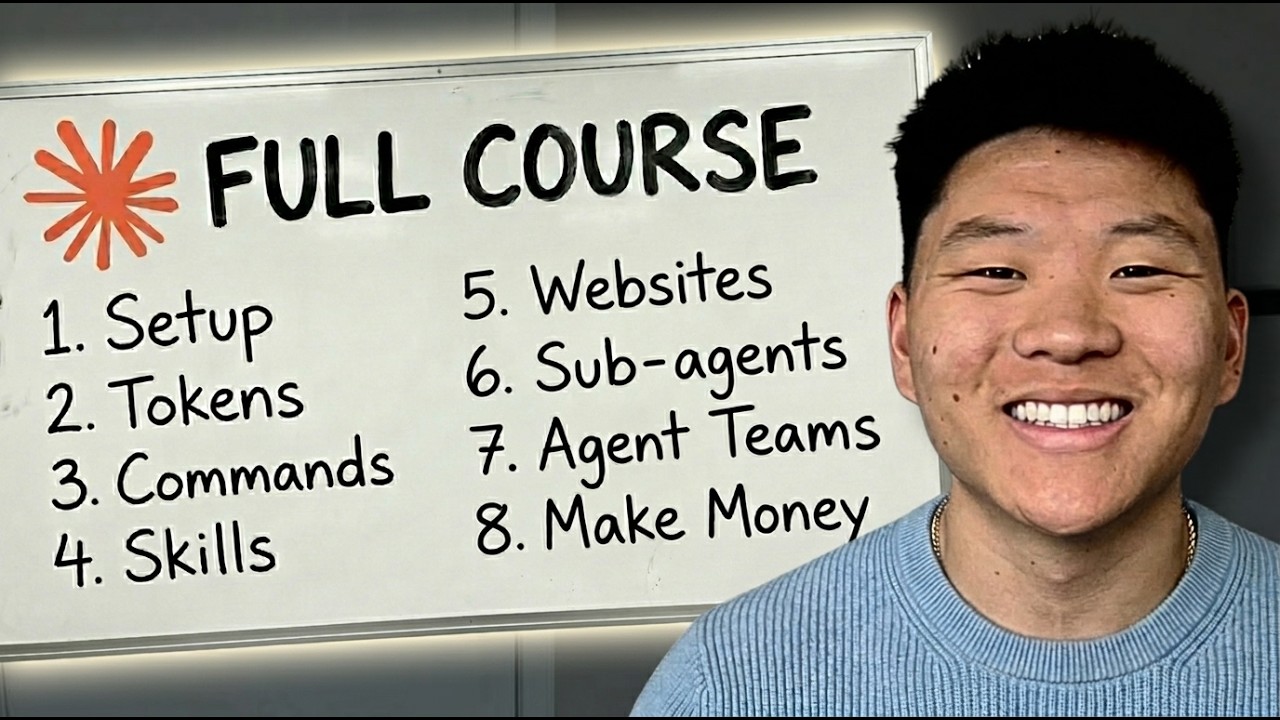

Build & Sell with Claude Code (10+ Hour Course)
BeginnerMy FREE AI OS Course: https://www.skool.com/ai-automation-society/about?el=10-hour-course&hcategory=youtube-videos&utm_campaign=free-group Full courses + unlimited support: https://www.skool.com/ai-automation-society-plus/about?el=10-hour-course&hcategory=youtube-videos&utm_campaign=ais-plus Apply for my YT podcast: https://podcast.nateherk.com/apply Work with me: https://uppitai.com/ My Tools💻 FREE MONTH voice to text: https://get.glaido.com/nate Code NATEHERK for 10% off VPS (annual plan): https://www.hostinger.com/vps/claude-code-hosting This is the complete Claude Code course. Trust me, save this for later. I start from zero and walk you through everything: setup, building workflows, deploying websites, creating agent teams, browser automation, finding clients, pricing your work, and way more. To make it even better, we don’t ever write a single line of code. By the end, you'll know how to use Claude Code at a professional level and how to actually turn those skills into income. Whether you've never opened a terminal or you're looking to go deeper, this course covers it all in one place. Sponsorship Inquiries: 📧 nate@smoothmedia.co Connect with me: https://www.linkedin.com/in/nateherkelman/ https://x.com/nateherk https://www.instagram.com/nateherk/ TIMESTAMPS 00:00 Course Outline 01:14 Why Learn This 26:08 Getting Set Up 41:25 Operations 50:53 Tokens and Context Windows 55:10 Claude.md 58:57 Building Your First Workflow 1:25:05 Building Second Workflow 1:50:43 Deploying Automations 3:05:46 Project Architecture & Commands 3:17:39 RAG 3:32:59 Turning n8n Workflow into App 4:12:42 Website Building Hacks 4:40:07 3D Animated Websites 5:00:02 APIs and MCPs 5:28:16 Google CLI 5:39:42 Building Your Own Executive Assistant 6:08:03 Skills 6:51:30 Sub-agents 7:11:20 Agent Teams 7:27:30 Browser Automation 7:42:30 Permissions & Context Management 7:50:09 GitHub & Worktrees 7:56:45 Fun Hacks 8:25:06 The Selling AI Mindset 8:39:41 Finding Clients 8:54:01 First Client in 7 Days 9:14:56 Pricing AI Workflows 9:35:36 Delivering AI Projects 9:58:55 Thank You! Join AIS FREE
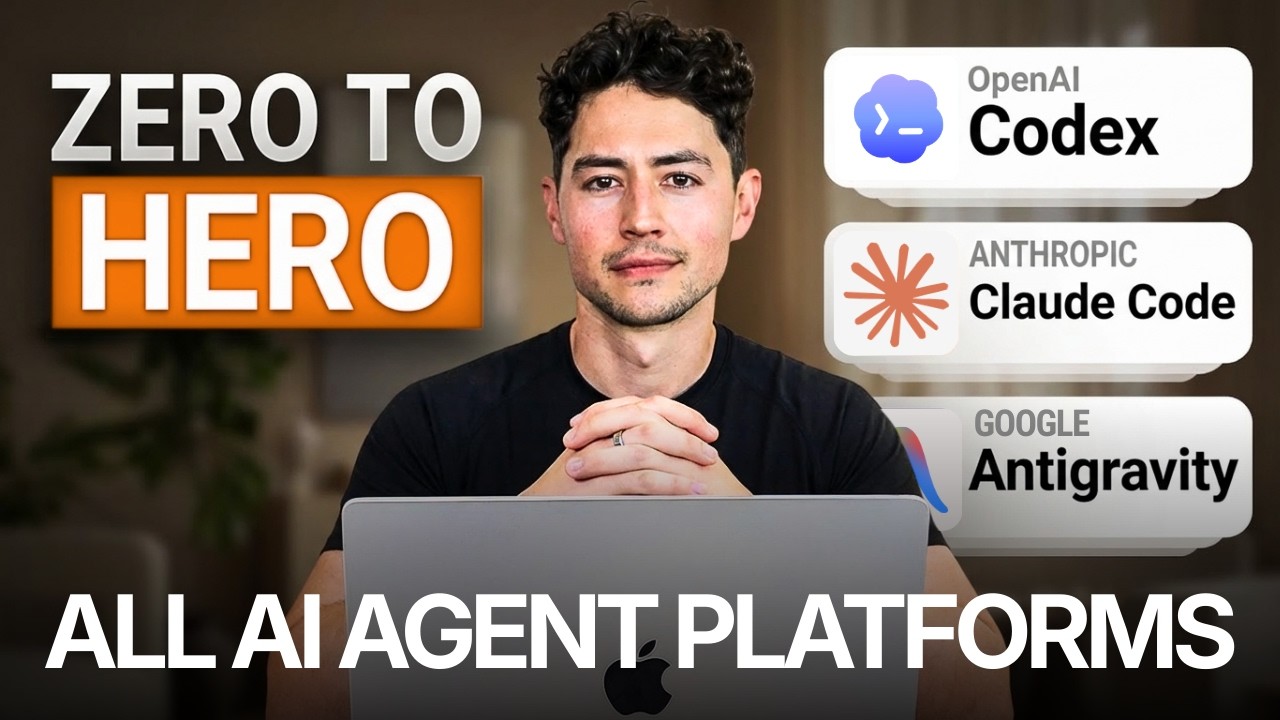

AI Agents Full Course 2026: Master Agentic AI (2 Hours)
Beginner🔥 Join Maker School & get customer #1 guaranteed: https://skool.com/makerschool/about 💎 Check out my SaaS, Clairvo (we 2x your pickup rate): https://clairvo.io?s=nick ➡️ Get all AI agent course resources 100% free: https://skool.com/maker-zero/about If this is your first video: I'm Nick Saraev. I run LeftClick, an AI growth agency. We've done work for large brands you're likely familiar with, like Mr. Beast, Anthropic, OpenAI, and a few others. In plain English: I help people build systems that generate leads, close deals, and scale businesses, mostly using new AI models like Claude. I also make videos about how to do all of that here on YouTube. It hasn't always been this way. My family immigrated from a Soviet bloc country (People's Republic of Bulgaria) in the 90s. They worked extremely hard, and we were broke for a very long time. I grew up wishing for more security, stability, and freedom over my own life. I don't have a programming degree, and never took formal education for IT or workflows. I learned it all myself from YouTube videos like you're watching now. As for my path: I started my first business at 19 in college. We threw events (mostly parties) at campus bars, and charged people for entry. That failed to provide me enough money to pay my bills, so at 21, I started another business, a door-to-door marketing agency. From there, every year, I would start several companies, over 10 in total. I did this in a variety of industries, like e-commerce, photography, videography, SaaS, credit repair, etc. Each grew slightly more profitable, until, at 25, I would start 1SecondCopy, a content writing company. A friend and I eventually scaled that to over $90,000/m. It was my first taste of financial independence, and the reason I'm here today. Since starting my journey, I've grown a fair bit of capital. To diversify my income, at 30, I began investing in other businesses and advising companies on how to grow in the AI era. These include SaaS businesses, like Clairvo, agencies like Dental Connect, and more. Collectively, the businesses that I own outright or are a part of generate over $10 million per year. This returns far more than the 5-10% you would get in the stock market, but also requires a lot of my active time. There's a tradeoff there, but I greatly prefer active investing, where I have control over the entities I'm a part of. It wasn't easy to get here. But I did in the end! For anyone on their own entrepreneurial journey: I wish you luck, happiness, and perseverance. You can make it! Summary ⤵️ Hey, this is an end to end, extremely comprehensive course all about AI agents. It covers the three modern agentic AI tools: Codex, Claude Code, and Antigravity, and is agnostic to whichever you use. I will guide you through initial setup; workspace configuration; and then a variety of foundational to prompting techniques like self modifying agent instructions, multi agent MCP orchestration, video-to-action pipelines, agent chatrooms, subagent verification loops, prompt contracts, reverse prompting, and even more! By the end, you will have learned, no fluff, both foundational AI agent design and advanced prompt engineering both. You will also have mastered a bunch of key agentic AI principles, like context management and token usage optimization! Thanks and happy watching! My software, tools, & deals (some give me kickbacks—thank you!) 🚀 Instantly: https://link.nicksaraev.com/instantly-short 📧 Anymailfinder: https://link.nicksaraev.com/amf-short 🤖 Apify: https://console.apify.com/sign-up (30% off with code 30NICKSARAEV) 🧑🏽💻 n8n: https://n8n.partnerlinks.io/h372ujv8cw80 📈 Rize: https://link.nicksaraev.com/rize-short (25% off with promo code NICK) Chapters 00:00 Introduction to AI Agent Full Course 02:14 Multi-Agent Chrome MCP Workflow Demonstration 04:28 Core Agent Workflow 09:09 Understanding AI Agent Architecture 13:18 The Three Major AI Agent Platforms (Codex, Claude Code, Antigravity) 22:29 Platform-Specific Performance Insights 25:43 Self-Modifying System Prompts 34:57 Standardizing Workflows with Agent Skills 39:03 Multi-Agent Orchestration Strategies 47:20 Video-to-Action Pipeline 56:07 Implementing Stochastic Multi-Agent Consensus 1:04:44 Agent Suggestions Unveiled 1:05:08 Consensus Reports and Insights 1:06:05 Harnessing Multiple Agents 1:07:41 Agent Chat Rooms Explained 1:10:34 Debate and Collaboration Among Agents 1:13:25 Sub-Agent Verification Loops 1:17:32 The Mixture of Experts 1:20:56 Prompt Contracts Introduced 1:24:23 Crafting Effective Prompt Contracts 1:27:40 Reverse Prompting for Clarity 1:31:41 Context Management Strategies 1:37:34 Multi-Agent Chrome Automation 1:48:49 Understanding MCP Tools and Skills 1:53:34 Context Compression Techniques 1:59:19 Optimizing Token Usage 2:06:46 Cost-Efficient Multi-Agent Strategies 2:11:30 LLM Pricing Principles


Learn Full Excel Course from Basic to Advanced with AI | Excel AI Masterclass 2026
BeginnerLearn Full Excel Course from Basic to Advanced with AI | Excel AI Masterclass 2026 #SD108 If you want to become confident in Microsoft Excel and learn practical Excel skills used in real jobs, this masterclass is for you. In this complete course, you will learn Excel step by step from beginner level to advanced level with practical examples and AI-powered productivity techniques. This Excel Masterclass is specially designed for: ✔️ Students ✔️ Office Employees ✔️ MIS Executives ✔️ Data Analysts ✔️ Freelancers ✔️ Business Owners ✔️ Job Seekers Important Links 👉All Practice Files : https://edu.skillcourse.in/free-video/8 🔴Freelancing Mastery Program : https://edu.skillcourse.in 👉Excel Beginners to Advance Masterclass Exam & Certificate Link (Instructions Given in the Video) : https://edu.skillcourse.in/dashboard/tests/30 🚀Excel AI Automation Masterclass Video : https://youtu.be/Zykv4eaVzcQ?si=m_hai456XzR5GVbU Lesson 1-Excel Introduction - 05:58 Lesson 2-Data Entry in Excel - 43:41 Lesson 3-Essential Formulas - 01:13:10 Lesson 4-IF Formulas in Excel - 01:30:35 Lesson 5-Nested IF and IFS Formula - 01:51:25 Lesson 6-Conditional Formatting - 02:13:29 Lesson 7-Sort Data in Excel - 02:38:40 Lesson 8-Filter Data in Excel - 02:52:42 Lesson 9-Sort and Filter Formula in Excel - 03:14:26 Lesson 10-Data Validation - 03:36:12 Lesson 11-Remove Duplicate,Text to Columns, Flash Fill - 03:49:44 Lesson 12-Paste special & GoTo Special - 04:03:57 Lesson 13-31 Excel Formulas - 04:41:38 Lesson 14-Pivot Table Masterclass - 06:20:46 Lesson 15-PowerPivot Table - 09:46:44 Lesson 16-Office 365 and Latest formulas - 11:46:38 Lesson 17-AI Use in excel - 12:58:26 Lesson 18-Claude AI Extension in Excel - 14:07:39 Lesson 19-Freelancing - 14:40:01 🎯 This course will help you: ✔️ Improve productivity ✔️ Work faster in Excel ✔️ Build professional reports ✔️ Handle large datasets ✔️ Learn automation techniques ✔️ Prepare for office jobs and interviews ✔️ Improve Data Analysis skills Whether you are learning Excel for jobs, freelancing, office work, reporting, dashboards, or data analysis, this complete Excel course will help you master Excel professionally. 🔔 Subscribe for more Excel, Power BI, SQL, Python & AI tutorials Trainer: Satish Dhawale #Excel #ExcelCourse #AdvancedExcel #MicrosoftExcel #ExcelTutorial #ExcelMasterclass #AIinExcel #DataAnalysis #PivotTable #ExcelFormulas Get Free Notification for Upcoming Videos = https://forms.gle/5Jz1WJSki3nJrb6v7 ------------------------------------------------------------------------------------------------------------------------------ Learn Satish Sir courses with Certificate Course Website :https://skillcourse.in/ ------------------------------------------------------------------------------------------------------------------------------ Follow us on LinkedIn : https://www.linkedin.com/in/satish-dhawale/ ------------------------------------------------------------------------------------------------------------------------------ Check our latest blogs: https://learnmoreindia.in/ ------------------------------------------------------------------------------------------------------------------------------ Social media Pages: Skill Course LinkedIn : linkedin.com/company/skill-course/ Facebook Page Link: https://www.facebook.com/learnmoreeasily/ Instagram Page Link: https://www.instagram.com/_learn_more_pro_/ Telegram channel: https://telegram.me/learnmoreindia Follow us on X : https://x.com/Satish_Dhawale_ ------------------------------------------------------------------------------------------------------------------------------ My Other Channels: Satish Dhawale: ✅ https://www.youtube.com/@Satish_Dhawale Real Tutorial: ✅ https://www.youtube.com/@realtutorial550 Complete Technology:✅ https://www.youtube.com/@CompleteTechnology Learn more shorts:✅ https://www.youtube.com/@LearnMoreShorts Satish Tech (Marathi):✅ https://www.youtube.com/@Satish_Tech Tally Tutorial:✅ https://www.youtube.com/@TallyTutorial I Love Excel by Skill Course:✅ https://www.youtube.com/@Excel_Tutorial Learn More:✅ https://www.youtube.com/@Learn_More_Pro Curiosity: ✅ https://www.youtube.com/@curiosity9432 ------------------------------------------------------------------------------------------------------------------------------ My YouTube Gears : Best Mic for Recording (Condensor Mic): https://amzn.to/2UUMDnH Best Mic for Recording (Dynamic Mic ): https://amzn.to/3pQgyvD My DSLR Camera Canon 200D: https://amzn.to/39ciw3E My Laptop (Video Editing): https://amzn.to/2UXQj8h Laptop (Office Use/ Home use / Budget Laptop) : https://amzn.to/3l0pniw Antivirus: https://amzn.to/3l3TIgi Screen Recording Software: https://bit.ly/2J39n2j Video Editing Software: https://bit.ly/3nOPlri Green screen with Stand: https://amzn.to/2KAl1Cu

CLAUDE CODE FULL COURSE 4 HOURS: Build & Sell (2026)
Beginner🔥 Join Maker School & get customer #1 guaranteed: https://skool.com/makerschool/about 📁 Get all Claude course resources 100% free: https://skool.com/maker-zero/about ➡️ If this is your first video: I'm Nick Saraev. I run LeftClick, an AI growth agency. We've done work for large brands you're likely familiar with, like Mr. Beast, Anthropic, OpenAI, and a few others. In plain English: I help people build systems that generate leads, close deals, and scale businesses, mostly using new AI models like Claude. I also make videos about how to do all of that here on YouTube. It hasn't always been this way. My family immigrated from a Soviet bloc country (People's Republic of Bulgaria) in the 90s. They worked extremely hard, and we were broke for a very long time. I grew up wishing for more security, stability, and freedom over my own life. I don't have a programming degree, and never took formal education for IT or workflows. I learned it all myself from YouTube videos like you're watching now. As for my path: I started my first business at 19 in college. We threw events (mostly parties) at campus bars, and charged people for entry. That failed to provide me enough money to pay my bills, so at 21, I started another business, a door-to-door marketing agency. From there, every year, I would start several companies, over 10 in total. I did this in a variety of industries, like e-commerce, photography, videography, SaaS, credit repair, etc. Each grew slightly more profitable, until, at 25, I would start 1SecondCopy, a content writing company. A friend and I eventually scaled that to over $90,000/m. It was my first taste of financial independence, and the reason I'm here today. Since starting my journey, I've grown a fair bit of capital. To diversify my income, at 30, I began investing in other businesses and advising companies on how to grow in the AI era. These include SaaS businesses, like Clairvo, agencies like Dental Connect, and more. Collectively, the businesses that I own outright or are a part of generate over $10 million per year. This returns far more than the 5-10% you would get in the stock market, but also requires a lot of my active time. There's a tradeoff there, but I greatly prefer active investing, where I have control over the entities I'm a part of. It wasn't easy to get here. But I did in the end! For anyone on their own entrepreneurial journey: I wish you luck, happiness, and perseverance. You can make it! Summary ⤵️ The end-to-end, definitive course on Claude Code for beginners! I'll take you through a full four-hour masterclass where I start by teaching you how to set up and install Claude Code in a tutorial, how to configure your IDE or integrated development environment (we'll use Antigravity), how to utilize your CLAUDE.md file as your project brain, how to build your first project in Antigravity using Claude Code in under 15 minutes, advanced Claude Code functionality including hooks, slash commands, and more. I also teach you how to spin up multiple Claude Code instances and have them work on your behalf; how to parallelize work using sub-agents; how to use Git work trees to accomplish many hours of work in just a few minutes; how to conserve tokens and use context management to crush your coding and software projects; how to deploy things to the cloud using Modal and related services, and in general... how to be awesome at Claude Code! Hope you enjoy the tutorial. Chapters 00:00:00 Introduction to the Claude Code Tutorial 00:01:07 Learning the Basics of Claude Code 00:03:44 Setting Up Claude Code 00:08:05 Terminal vs. Graphical User Interface 00:12:23 Understanding IDEs 00:13:53 Exploring Visual Studio Code 00:19:11 Getting Started with Antigravity 00:24:01 Building Your First Web App with Claude Code 00:30:29 Utilizing the CLAUDE.md File (Project Brain) 00:34:40 Approaches to Website Design in CC +Antigravity 00:41:47 Importance of Verification in AI 00:54:42 Advanced Claude Code Functionality 00:55:13 Understanding the .claude Directory 02:01:24 Adjusting the Proposal Design 02:01:55 Testing Payment Functionality 02:05:20 Leveraging GitHub for Project Management 02:06:12 Setting Up the Project 02:07:50 The Power of Automation 02:13:53 Context Management Explained 02:19:56 Understanding MCP Tools 02:27:23 Strategies for Token Management 02:35:29 Creating Skills for Efficiency 02:41:15 The Structure of Skills 02:44:39 Building a New Skill 02:50:58 Introduction to Model Context Protocol 02:58:15 Evaluating Token Usage in MCPs 03:09:07 Exploring Claude Code Plugins 03:11:08 Introduction to Sub-Agents 03:12:15 Transforming Skills into Sub-Agents 03:14:14 Scaling Email Classification 03:18:54 Creating Useful Sub-Agents 03:26:27 Understanding Agent Teams 03:32:59 Enabling and Using Agent Teams 04:02:34 Utilizing Git Worktrees 04:03:08 Deploying APIs with Modal

Excel Zero to Hero Tutorial with AI 🚀 | 18 Hours Detailed Tutorial
Beginner🔥 In this complete course, you will learn Excel fundamentals, interface, formatting, formulas, functions, data handling, charts, conditional formatting, sorting, filtering, data validation, text functions, logical functions, lookup functions, date and time functions, financial functions, Pivot Tables, Pivot Charts, dashboards, what-if analysis, advanced data tools, printing setup, page layout, protection, automation basics, and many complex real-world Excel concepts in a step-by-step practical way. 👉Download practice stuff - "Kindly check PIN Comment" ✅Advance Excel LIVE Course (Basic to Advance) - https://web.accountsexpertapp.com/new-courses/1 ✅Checkout Our Website - https://web.accountsexpertapp.com/ ✅Install our App from Playstore - https://play.google.com/store/apps/details?id=co.tarly.wugze ━━━━━━━━━━━━━━━━━━━━━━━ 🌟 🔥 SALE IS LIVE! 🔥 🌟 🎯 Flat 10% OFF on ALL Courses 🎟 Use Coupon Code: WELCOME10 at checkout ⏳ HURRY! Limited Time Offer! ━━━━━━━━━━━━━━━━━━━━━━━ 🚀 How to Enroll? (Super Easy!) 🚀 📲 Via App: Download Accounts Expert from Play Store 📥 💻 Via Website: www.accountsexpertapp.com 🌍 📞 Call/WhatsApp: +91 8804949888 (Get Instant Support!) ☎📩 ━━━━━━━━━━━━━━━━━━━━━━━ 💡 What Do We Offer? 💡 🔹 📊 Advance Excel Live Course – Master formulas, automation & data visualization like a PRO! 🖥📈 🔹 🏢 SAP Live Course – Learn Enterprise Resource Planning (ERP) & boost your corporate career! 🏆💼 🔹 📚 Tally Live Course – Become an expert in GST, accounting & business management! 📖📊 🎯 And Many More! Upgrade your skills & level up your career today! 🚀 ━━━━━━━━━━━━━━━━━━━━━━━ ✅TimeStamp : - 00:00:00- Introduction 00:03:24- Video Overview 00:11:25- What is Data & Its theory 00:19:51- Excel Version 00:24:50- Interface Overview 00:50:31- Movement Shortcut keys 01:04:26- Data Entry 01:25:40- formatting 02:13:23- number format 02:33:12- basic formulae 03:03:56- conditional formatting 03:23:37- A.I Conditional Formatting 03:29:20- Data Creation with A.I 03:31:22- Clipboard 03:36:57- filter 03:45:43- sorting 03:53:30- table creation 04:17:21- Fill Series 04:47:16- Go to special 05:15:03- Paste special 05:35:46- Find & Replace 05:48:29- Clear 05:53:47- Promtion Video 05:54:45- Cell Referencing 06:32:28- text formulas 07:29:24- Rand , Rand between , Rand Array 07:41:09- Large , Small 07:46:45- Round , Roundup , Round down,Int, Trunc 07:59:16- Floor , M round , Ceiling , Mod ,Abs , Power , Sqrt 08:03:42- Current Date & Time 08:11:06- Day , Month , Year , Date , Time , Hour , Minute , Second 08:20:39- Days, Days360, Netwrokdays, Networkdays.intl 08:32:28- Workday, Workday.intl 08:40:10- Edate, ,Eomonth 08:48:47- Datedif , Yearfrac 08:52:47- Weeknum , 08:56:55- IF - Logical formulae 09:22:33- And , Or , ,Nested If and , Nested If Or 09:35:20- IFS 09:41:41- Switch , Iferror , Ifna , Isblank , Isnumber , etc 09:51:58- Sumif ,Average if , Countif 10:14:06- Attendance Tracker Prep (Normal + 365) 10:23:55- Report Creation - Yearly , Monthly though Sumifs , Averageifs , Countifs 10:42:03- lookup & refrence formulas Theory 10:58:02- Theory of Vlookup 11:18:59- Various kind of Vlookup Practical application 11:31:52- Vlookup in multiple sheets & Workbooks 11:36:37- Multiple Values in Vlookup 11:39:00- Reverse Vlookup 11:47:13- Vlookup with true condition 11:49:54- Vlookup with dynamic heading (vlookup + match) 11:57:10- index , match , index + match 12:08:15- Hlookup 12:11:10- Xlookup & With Multiple Values 12:19:05- filter formula multiple conditions 12:27:28- Advance Filter Feature 12:32:02- Financial Formulas - Pmt , Ipmt , Ppmt 12:40:55- Vtsack ,Hstack , Sequence , Transpose , Remove duplicates ,free alternative of 365 12:47:26- Add Developer Tab in Excel 12:49:08- Add Addins in Excel - Formula ai aided tool Bar 12:52:35- Chat Bot Assistants , Prompt Creation 13:16:41- Formula Creation through ai, Copilot 13:21:14- Formula Creation through ai Claude 13:31:24- Pagelayout Tab- All Print Settings 13:44:55- View Tab- Freeze Panes , Views 13:51:41- Review Tab- Sheet Protection 13:56:54- Text To Columns 13:59:33- Data Validation 14:05:49- Consolidation 14:09:23- Power Query 14:23:26- Pivot Table Theory 14:29:54- Pivot Table Creation 14:35:46- Pivot Design Option 14:44:30- Pivot Table Options 14:53:51- Pivot Shows as option 14:59:48- Pivot Slicer 15:02:18- Pivot Timeline 15:05:03- Pivot Chart Element Theory 15:13:39- Bar / Column Chart 15:18:29- Line and Trend Chart 15:21:50- Pie/ Donut Chart 15:24:18- Funnel 15:27:20- Treemap / Sunburst Chart 15:31:08- Map / Radar Chart 15:36:13- Promotion Video 15:37:11- Dashboard Theory 15:42:58- Data Check Overview 15:46:53- Dashboard Creation Planning 15:53:51- KPI Creation 16:08:32- Visual Creation 16:22:42- Dashboard Creation 17:01:22- Report & Dashboard through claude 17:12:10- Prensentation through ai 17:23:33- Assignment Answers keys 17:31:15- Interview Questions 17:33:01- How to Download the Data


Claude Code for Beginners Tutorial [Full Course]
BeginnerLearn all about Claude Code. This is the ultimate guide to turning Anthropic’s Claude into a seamless part of your development workflow. Whether you're scaffolding a brand-new project or navigating a complex, multi-file codebase, this is how you code faster without sacrificing quality. 🔗 IMPORTANT LINKS 🔬 Practice with Hands-On Labs: https://kode.wiki/claude-code 🎓 Get the Full Course here: https://kode.wiki/claude-code-course ❤️ Support for this channel comes from our friends at Scrimba – the coding platform that's reinvented interactive learning: https://scrimba.com/freecodecamp ⭐️ Contents ⭐️ 0:00:00 Introduction 0:00:30 Prerequisites and Initial Setup 0:09:25 Start your first session 0:23:58 Understanding Codebases with Claude 0:32:21 Installing Claude on Ubuntu Virtual Machines 0:49:34 Building a project from scratch 0:49:34 Getting project ready for public release 0:56:49 Creating Unit Tests for our Project 1:03:20 Autonomous Task Completion 1:17:11 Environment and Configuration Management 1:30:17 Managing Long Sessions Effectively 2:07:52 Writing Effective Development Prompts 2:23:39 Multi-file Project Navigation 2:32:10 Working with APIs and External Services 2:46:16 Initial Project Analysis 2:56:24 Design Pattern Implementation Review 3:05:50 SOLID Principles Evaluation 3:24:04 Error Handling & Resilience Audit 3:36:04 Exception Flow Analysis 3:52:12 Resilience & Fault Tolerance 3:53:09 Code Quality Metrics & Standards 4:02:17 Code Duplication Detection 4:12:14 Naming Conventions & Readability 4:19:23 Test Coverage & Quality Analysis 🎉 Thanks to our Champion and Sponsor supporters: 👾 @omerhattapoglu1158 👾 @goddardtan 👾 @akihayashi6629 👾 @kikilogsin 👾 @anthonycampbell2148 👾 @tobymiller7790 👾 @rajibdassharma497 👾 @CloudVirtualizationEnthusiast 👾 @adilsoncarlosvianacarlos 👾 @martinmacchia1564 👾 @ulisesmoralez4160 👾 @_Oscar_ 👾 @jedi-or-sith2728 👾 @justinhual1290 -- Learn to code for free and get a developer job: https://www.freecodecamp.org Read hundreds of articles on programming: https://freecodecamp.org/news


Hermes Agent is the greatest AI tool ever made. Here's how to set it up
IntermediateHermes Agent is the best AI tool out there. Here is your COMPLETE tutorial. FULL Hermes Agent bootcamp in the Vibe Coding Academy coming up: https://www.skool.com/vibe-coding-academy 2nd Youtube Channel: https://youtube.com/@AlexFinnLabsOfficial Sign up for my free newsletter: https://www.alexfinn.ai/subscribe Follow my X: https://x.com/AlexFinn Henry Intelligent Machines (my new startup): https://meethenry.ai My $300k/yr AI app: https://www.creatorbuddy.io/ Prompts: I want you to schedule a task for yourself to do every single night at 2am. It should be a micro app, UI, or system that helps us get closer to my personal goals and ambitions. It should save us time, make us more productive, or just be generally useful. Make sure this is scheduled for every single night at 2am. hermes-agent.nousresearch.com Timestamps: 0:00 Intro 1:50 What Hermes Agent is 3:13 Hermes vs OpenClaw 5:17 Hermes vs Claude Code 7:57 Hermes installation 9:28 Choosing a model 13:44 First things to do 18:02 Hermes dashboard 21:00 Hermes Kanban board 23:15 Use case 1 25:40 Use case 2 27:47 Use case 3 29:40 Memory and skills 34:30 Mission control 37:38 Troubleshooting 38:42 Security

FULL Claude Tutorial For Beginners in 2026! (FULL COURSE)
Beginner🚀 Join Ai Foundations - https://aifoundations.io/go/claude-1 This is the only Claude tutorial you’ll ever need. With this guide you can go from beginner to pro using Claude. I cover the basics like signing up, settings, memory, prompting and we work our way up to the intermediate features like Claude projects, artifacts, inline visualizations, data analytics and more. Then we finally dive into Claude desktop, where I teach you how to use Claude Cowork with computer use, scheduled tasks, and connectors for Notion, Gmail and Google Calendar. I even show you how to build Claude skills from scratch. After you have a beginner's understanding of Claude we dive into Claude Code. I show you how to deploy a real website in Netlify and even control Claude through a remote environment on Anthropics servers. We cover github, environment variables, pretty much everything you need, explained in beginner terms. I even cover exporting your ChatGPT memories and bringing them over to Claude. If you've been hearing about Claude AI, Claude Cowork, or Claude Code and wondering how it all fits together: this is the video you’ve been searching for. I walk through everything step-by-step leaving no stone unturned. Utilize the chapters and resources below to get the most out of this video. If it’s your first time watching, I recommend watching all the way through at least once, then coming back to spend extra time on specific chapters! Resources Mentioned: Join Ai Foundations - https://aifoundations.io/join-carter DBS Framework Skill - https://aifoundations.io/resources/the-dbs-framework-skill Claude Code Mastery - https://aifoundations.io/products/claude-code-mastery Sign up for Claude - https://claude.ai Chapters: 0:00 - Claude Tutorial Intro 0:25 - How to Use This Guide 0:40 - Claude Pricing Comparison 1:22 - Sign Up for Claude 1:49 - Claude Onboarding 3:10 - Claude Chat Layout 3:50 - General Settings 4:53 - Notifications 6:00 - Claude Appearance 6:35 - Claude Voices 6:51 - Privacy and Billing 8:02 - Claude Memory 8:26 - Exporting Memories from ChatGPT 9:21 - Tool Settings 10:14 - Claude Artifact Settings 11:23 - Code Permissions 12:10 - Connector Settings 13:00 - Language Settings 13:15 - Claude Status and Support 13:50 - Gifting Claude 14:23 - Keyboard Shortcuts 14:40 - Claude Models 16:15 - Attachments and Connections 17:10 - Writing Styles in Claude 17:53 - Talking to Claude Voice 19:00 - Organizing Chats 19:40 - Incognito Chats 20:20 - GCAO Prompt Template 21:50 - Prompting Claude 24:50 - Ai Foundations Offers 25:38 - Claude Chat Search 26:34 - Claude Projects Guide 27:18 - Project Instructions 29:40 - Projects Guide Continued 30:56 - Claude Artifacts Library 32:37 - Creating Claude Artifacts 36:40 - Sharing Artifacts 37:15 - Mini App Artifacts 38:35 - Inline Visualizations 39:00 - Visualizing Data Analytics 41:15 - Claude Desktop 42:45 - Claude Cowork Setup 44:00 - Claude Quick Chat 45:00 - Cowork Settings Continued 47:00 - Organizing Files in Cowork 48:20 - Claude Computer Use 49:30 - Cowork Scheduled Tasks 51:22 - Cowork Projects 52:40 - Cowork Prospecting Project 55:00 - Claude in Chrome Extension 56:10 - Cowork Project Results 57:05 - Claude Dispatch Setup 57:50 - Cowork Connectors 58:20 - Claude Notion MCP Connector 59:30 - Using Connectors 1:00:18 - Claude Gmail Connector 1:02:40 - Claude Skills 1:04:18 - DBS Framework Skill 1:05:30 - Uploading Skills 1:06:00 - Creating a Basic Skill 1:07:36 - Testing the Recipe Skill 1:09:25 - Creating an Advanced Skill 1:10:20 - Google Calendar Connector 1:12:24 - Testing the Calendar Skill 1:13:10 - Claude Code Prerequisite 1:14:20 - Claude Code Mastery 1:15:23 - Two Ways to Use Claude Code 1:15:48 - Claude Code Environments 1:17:45 - Claude Code Models 1:18:10 - Claude Code Effort 1:18:34 - Claude Code Permissions 1:18:50 - Claude Code Enhancements 1:20:20 - Folder Setup 1:21:30 - Creating Claude MD 1:22:12 - Opening Files Quickly 1:22:31 - Building a Personal Website 1:25:15 - Planning with Claude Code 1:28:05 - Plan Mode in Claude Code 1:28:45 - Editing My Site 1:29:19 - The Complete Website 1:30:00 - Deploying with Netlify Connector 1:31:12 - Setting a Domain Name 1:31:45 - Adding Environment Variables 1:34:00 - Testing Email Connection 1:34:30 - Creating Remote Skills 1:36:18 - Github Repo Setup 1:37:00 - Initial Commit in Github 1:38:00 - Claude Code Cloud Environments 1:39:00 - Claude Code on my Phone 1:39:55 - Netlify + Github Deployment Setup 1:41:00 - Updating My Website 1:42:00 - Website Complete 1:42:20 - Claude Code Scheduled Tasks 1:44:24 - Scheduled Tasks with Skills 1:47:30 - Updating My Website from Anywhere 1:49:50 - Claude Code Terminal 1:50:30 - Claude Code Commands 1:51:10 - Claude Code Terminal Test 1:51:58 - Final Thoughts #claude #claudecowork #claudecode


You Can Learn AI Agent Harness & Loop Engineering In 19 Min | LLM Ops, Eval, Tracing, RAG
BeginnerTry https://waku.one, Me https://seanchen.io, Open Source: https://github.com/ShenSeanChen/waku-agent I An LLM is an incredibly powerful brain that knows everything about humanity and nothing about you or the software you run. This video walks through the four buzzwords that turn that raw brain into a system you can trust: agent harness, loop engineering, LLM Ops, and eval. No jargon, step by step, technical or not. You can build anything. You can learn anything. 💪 Timeline 0:00 Intro: the 4 AI agent buzzwords 0:42 What an AI agent run actually is 1:52 The memory system: procedural, semantic, episodic 3:37 What "harness" really means (the horse) 5:07 Storing and updating memory (databases, skills, summarizer agent) 8:28 Retrieval: RAG, SQL vs semantic search 10:00 Tool calling and why agents loop 10:52 Loop engineering and end-loop guardrails 13:21 A Claude Code hooks example 14:18 Eval and LLM Ops: why you need them 15:55 Tracing every run (Langfuse, LangSmith) 16:43 Evaluation: LLM as a judge 17:20 Diagnosing what broke 18:16 The gate: ship the fix or fix the bug 18:57 Zoom out: the full system 19:53 Wrap up Launch Full-Stack App Template: https://github.com/ShenSeanChen/launch-mvp-stripe-nextjs-supabase My AI Agent Startup AutoManus.io is an AI sales lead manager for made-to-order product sales. We embed directly where conversations happen (WhatsApp, email, web chat) to capture inbound, automate follow‑ups, and kill CRM busywork; live with 4 pilots and 2 contracts in motion, pre‑seed backed by Character VC. Focused on US/UK/Germany, raising to expand engineering and scale deployments. ☕️ Buy me a coffee: https://buy.stripe.com/5kA176bA895ggog4gh - X: https://x.com/ShenSeanChen - Sean's Discord: https://discord.gg/tvECErKcFr - AutoManus Discord: https://discord.gg/5HhcNjCR - LinkedIn: https://linkedin.com/in/shen-sean-chen - Github Link: https://github.com/ShenSeanChen - Instagram: https://www.instagram.com/sean_ai_stories Sub Count when launched: 13,050 Top Github Repos - LaunchMVP NextJS,Supabase,Stripe (1015 stars): https://github.com/ShenSeanChen/launch-mvp-stripe-nextjs-supabase - ReactNextJSTips (114 stars): https://github.com/ShenSeanChen/yt-react-nextjs-tips - DeepResearchAgentBackend (70 stars): https://github.com/ShenSeanChen/yt-DeepResearch-Backend - SupabaseTipsKanban (64 stars): https://github.com/ShenSeanChen/yt-supabase-tips-kanban - RAGVectorDB (56 stars): https://github.com/ShenSeanChen/yt-rag - KimiK2Claude (37 stars): https://github.com/ShenSeanChen/yt-kimi-k2-claude - DeepResearchAgentFrontend (33 stars): https://github.com/ShenSeanChen/yt-DeepResearch-Frontend - AgenticRAG (13 stars): https://github.com/ShenSeanChen/yt-agentic-rag You Can Build Anything Playlist (Full-Stack Dev Without CS Degrees) - Core7: 95% React/NextJS Use Cases https://www.youtube.com/watch?v=vZzFlAjz4rA&list=PLE9hy4A7ZTmpGq7GHf5tgGFWh2277AeDR&index=16 - Core6: 95% Supabase Use Cases https://www.youtube.com/watch?v=Pnoq2tIif3s&list=PLE9hy4A7ZTmpGq7GHf5tgGFWh2277AeDR&index=15 - Core5: StripeNextJSSupabase https://www.youtube.com/watch?v=ad1BxZufer8&list=PLE9hy4A7ZTmpGq7GHf5tgGFWh2277AeDR&index=8 - Core4: AuthSupabaseGoogle https://www.youtube.com/watch?v=AZAU3ClAWWE&list=PLE9hy4A7ZTmpGq7GHf5tgGFWh2277AeDR&index=6 - Core3: FastapiGCPPro https://www.youtube.com/watch?v=u3sfqpzzo-U&list=PLE9hy4A7ZTmpGq7GHf5tgGFWh2277AeDR&index=5 - Core2: SupabaseHero https://www.youtube.com/watch?v=V0kmgkyPsVQ&list=PLE9hy4A7ZTmpGq7GHf5tgGFWh2277AeDR&index=4 - Core1: LaunchAnApp https://www.youtube.com/watch?v=iQ2izvGG4tQ&list=PLE9hy4A7ZTmpGq7GHf5tgGFWh2277AeDR&index=3 - Launch WhereToMeet w/ GoogleMaps, Calendar, Supabase, Cursor: https://www.youtube.com/watch?v=5xMjX1QxGUY&list=PLE9hy4A7ZTmpGq7GHf5tgGFWh2277AeDR&index=2 - Launch EncourageMe w/ Cursor, Supabase, Vercel https://www.youtube.com/watch?v=hnvL4xa2DHA&list=PLE9hy4A7ZTmpGq7GHf5tgGFWh2277AeDR

Claude Code Crash Course For Developers
BeginnerAn overview and starting point for Claude Code. Want to learn more about coding with AI? Check out my course: https://www.traversymedia.com/coding-with-ai Get Cluade Code To Follow Along: https://clau.de/TraversyMedia Get the Neon free plan: https://get.neon.com/6uuwMG3 Follow Neon to not miss course giveaways: - X/Twitter: https://x.com/neondatabase - Linkedin: https://www.linkedin.com/company/neondatabase Github Gist With Prompts: https://gist.github.com/bradtraversy/9937e0ecfc8a5b269ce6a885636670dc Crypto Dash Repo: https://github.com/bradtraversy/crypto-dash Timestamps: 0:00 - intro 2:23 - What Is Claude Code 3:56 - Installing Claude 6:43 - First Launch 7:26 - Models & Usage Limits 10:44 - Effort 11:14 - Using Claude In VS Code 12:16 - The First Prompt 16:10 - Shell Mode 17:30 - Modes 19:15 - Settings & Permissions 22:55 - VS Code Extension 24:05 - Refactoring Code 27:03 - Context, Tokens & Clearing 29:20 - Global Sessions 33:14 - Working on an Existing Project 35:48 - Claude.md File & /init 39:28 - Plan Mode 44:58 - Adding Favorites Feature 48:05 - Skills 53:27 - MCPs 57:51 - Sub-Agents


Curso OpenCode Completo - Use IAs GRATUITAMENTE! [Do ZERO]
Beginner🚀 Quer automações com IA para sua empresa? Desenvolvo soluções sob medida. Agende um diagnóstico gratuito: https://link.devaprender.com/automatize Curso Claude Code - https://youtu.be/KoFOPpUWi98 Curso Github Copilot - https://youtu.be/uW5OzVgtofU ✅Curso lógica de Programação: https://youtu.be/epf-WQdVis0 Links mencionados no video ------------------------------------------------------------------------------------------ nodejs download - https://nodejs.org/en/download opencode download - https://opencode.ai/download opencode mcp - https://opencode.ai/docs/mcp-servers/#context7 Skills - https://skillsmp.com/ ------------------------------------------------------------------------------------------ Resumo⤵️ Nesse curso completo de OpenCode, eu vou te mostrar como usar essa ferramenta de IA, para se conectar a qualquer provedor de IA, como o OpenAI, Claude Code, DeepSeek, OpenRouter. Ou seja, tanto opções pagas, como opções gratúitas! Aqui você irá aprender a usar o OpenCode do zero, desde de como instalar, configurar um provedor e personalizar e usar as principais funcionalidades como escolher modelos, nível de raciocínio, usar skills, usar servidores mcp e até mesmo como monetizar esse conhecimento. CONTATO COMERCIAL(não respondo dúvidas de videos) ------------------------ jhonatan@devaprender.com 00:00 - O que iremos aprender 00:50 - Como instalar OpenCode 03:18 - Por que usar OpenCode vs Claude Code ou outros? 04:39 - Como instalar qualquer provedor PAGOS 08:43 - Como instalar qualquer provedor GRATUITO 11:33 - Como usar Servidores MCP 14:49 - Como personalizar o OpenCode 16:25 - Como usar SKILLS 19:09 - Quando usar OpenCode no meu fluxo de trabalho? 20:10 - Como monetizar o conhecimento de criação de apps/automações?(parte 1) 20:51 - Como usar o modo Plan/Edit 21:05 - Como monetizar o conhecimento(parte 2) 21:48 - O que estudar a partir de agora?

Claude Code Complete Guide (Beginner to Advanced)
BeginnerWelcome to the Claude Code Playlist — your practical guide to building with Claude Code, even if you're not a developer. In this playlist, you'll learn how to use Claude Code effectively, avoid common mistakes, and build faster using real workflows, planning, agents, hooks, skills, plugins, checkpoints, and review mode. 📌 What you'll learn: • How to set up and use Claude Code • Best practices for non-coders & beginners • Plan mode (Shift + Tab) to avoid bad code early • Skills, Hooks, Agents & Plugins explained simply • Checkpoints & rewind (smart Ctrl+Z) • Review mode to catch mistakes before finishing • CLAUDE.md best practices & context management • Git workflow with Claude Code • Real-world prompts and workflows that actually work 💡 This playlist focuses on practical usage, not theory — helping you collaborate with Claude like a smart coding teammate. Whether you're a beginner, founder, non-coder, indie hacker, or developer, this playlist will help you get more out of Claude Code. 🔔 New videos added regularly — subscribe and follow along. #ClaudeCode #ClaudeAI #AIcoding #CodingAssistant #Anthropic #AIAgents #BuildWithAI #NoCode #VibeCoding


OpenCode Tutorial for Beginners: Setup, Agents, Skills & MCP
Beginner⚡ 72% OFF Sintra AI employees with code LEONVANZYL: https://sintra.ai/leonvanzyl 🚀 Agentic Labs — exclusive AI coding courses, live Q&As, workshops & deep dives: https://skool.com/agentic-labs 🎁 Free RAMP course + all the resources from my videos: https://skool.com/leonvanzyl Claude Code is powerful, but it locks you into one provider and one bill. OpenCode is the open source alternative that gives you the same agentic workflow with any model you want — including completely free ones. In this walkthrough you'll go from install to advanced workflows: agent skills for better output, subagents that protect your context window, memory files that keep the agent on your rules, and automated browser testing. Together we build a full AI project planner and let the agent test it in a real browser — without me touching a thing. You'll also see why I never pay per token, and the one file that instantly fixes an agent that won't listen. ▶️ Watch next: I Locked Claude Code in a Docker Sandbox and Let It Go Full YOLO — https://youtu.be/iUDuN9dyuTY ⏱️ Chapters 00:00 - OpenCode vs Claude Code: What You Get Free 00:39 - OpenCode Setup & Install 01:25 - OpenCode Zen: Free AI Models 04:55 - Subscriptions vs API Keys (Stop Overpaying) 07:30 - OpenCode Skills from skills.sh 10:30 - AGENTS.md Memory Files 13:00 - Subagents & Context Window Protection 15:50 - Sponsor: Sintra AI 28:30 - OpenCode MCP: Playwright Auto Testing Connect X: https://x.com/leonvz TikTok: https://www.tiktok.com/@leonvanzyl Business & sponsorships: leon@cognaitiv.ai