Courses
26 results for:

How Senior Engineers Actually Build With AI in 2026 | Build a Full Stack Systems Architecture App
AdvancedThis build is one small piece of what’s coming 🚀 The Agentic Engineering Course launches September 22nd for the first time ever. 👉 https://jsm.dev/ghost-agentic Build a production-ready SaaS without writing code by hand. Architecture-first workflow, proper context management for AI agents, and a real app shipped with Next.js, Prisma, Postgres, TypeScript, and Tailwind. Clerk: https://jsm.dev/ghost-clerk Trigger.dev: https://jsm.dev/ghost-triggerdev Liveblocks: https://jsm.dev/ghost-liveblocks CodeRabbit: https://jsm.dev/ghost-coderabbit 🎁 Video Kit (Code, Assets, Prompts): https://jsm.dev/ghost-kit 📘 Six-File Methodology: https://jsm.dev/ghost-context ⭐ JSM Pro Content: https://jsm.dev/ghost-jsm ➤ Links not working? Some regions may need a VPN. https://discord.com/invite/n6EdbFJ https://twitter.com/jsmasterypro https://instagram.com/javascriptmastery https://linkedin.com/company/javascriptmastery Business Inquiries: contact@jsmastery.pro Timestamps: 00:00:00 — Introduction 00:03:15 — Crash Course 00:14:31 — Project Setup 00:21:43 — Preparing Context 00:39:51 — UI Primitive Components 00:48:14 — Layout Setup 00:58:17 — Authentication 01:21:05 — Project Dialogues 01:31:00 — Prisma Setup 01:38:58 — Project CRUD APIs 01:51:18 — Editor: Access Sharing 02:04:02 — Editor: Liveblocks Canvas 02:23:54 — Editor: Canvas Features 02:46:19 — Avatar Feature, Chat Sidebar UI & Auto Save 03:05:01 — Trigger.dev Setup 03:15:32 — AI Architecture Design Generation Flow 03:39:21 — AI Spec Generation 03:50:28 — Deployment

Artificial Intelligence Full Course (Free) | Master AI Tools & Core Concepts
BeginnerDownload Free Notes Here:- https://www.theiscale.com/DataAnalytics/a-i-full-course-free-master-ai-tools-core-concepts-notes 🚀 The wait is over! Welcome to the Complete Artificial Intelligence Course (Free) — your step-by-step guide to learning AI from scratch. In this beginner-friendly course, you’ll explore how Artificial Intelligence works, understand key AI concepts, and learn to use the latest AI tools like ChatGPT, Gemini, DeepSeek, NotebookLM, and AI Agents to build real-world projects. 📘 What You’ll Learn: . What is Artificial Intelligence & how it works . Machine Learning vs Deep Learning . AI Tools for productivity, content creation & coding . AI Agents & Automation basics . Real-world AI applications & projects . Future of AI and career opportunities Time Stamp 00:00 - Introduction 03:30 - AI Operators & AI Builders 07:00 - AI tools 07:02 - Note book LM 07:55 - Generating interview questions with AI 14:21 - Generating Social Media content 17:16 - Converting text data to video data 18:48 - Google Gemini 20:20 - Converting reports to insights 23:25 - Data Visualization through AI 27:48 - Using chat gpt as data analyst 30:54 - Data processing with AI 33:45 - Transforming data to graph 37:27 - Prompt writing technique for better output 41:50 - Manus AI 42:00 - Difference between Chat gpt and Manus AI 48:12 - Making Website through AI Agent 55:17 - Deepseek AI 58:39 - Deep Seek advantage over chat gpt 58:26 - Model training behind deepseek 01:11:02 - Deepseek for writing codes 01:11:42 - Introduction to Generative & Agentic AI 01:13:48 - Generative AI growth in tech 01:15:20 - Prompt engineering in Gen AI 01:20:48 - Limitations of Gen AI 01:21:02 - Agentic AI 01:24:00 - Automation and Autonomous Workflows 01:25:22 - Agentic AI Systems 01:27:42 - chat gpt vs world's first AI agent Manus 01:32:30 - LLM, AI Workflows & AI Agents 01:36:24 - LLM Model Training 01:37:44 - Introduction to AI Workflow 01:42:08 - Architecture of AI Agents 01:58:41 - Working of AI workflows 02:00:14 - Types of AI Agent 02:01:08 - Single AI Agent 02:04:35 - Multi AI Agent 02:06:10 - Sequential Pattern 02:08:40 - Hierarchical Pattern 02:11:35 - Hybrid Pattern 02:12:32 - Parallel Pattern 02:13:19 - Asynchronous Pattern 02:14:25 - Types of AI Agents 02:15:27 - Simple Reflex AI Agent 02:16:36 - Model Based Reflex AI Agent 02:17:24 - Goal Based AI Agent 02:19:19 - Utility Based AI Agent 02:22:13 - Learning Based AI Agent 02:26:05 - Coding Assistant Agent: 02:27:15 - E-commerce and Product Research AI 02:28:49 - Healthcare Assistant 02:30:21 - Agentic applications 02:31:00 - Final Project for Building AI Agent for free 02:51:56 - Conclusion of AI course 🧠 Who This Course is For: . Complete beginners who want to start with AI . Students & professionals exploring new career paths . Content creators, coders & entrepreneurs 🎯 Whether you want to build your first AI project or understand how AI tools can boost your career — this free course is your ultimate starting point! ✨ Kickstart your career in a Data Analyst. Apply today! - https://www.theiscale.com/DataAnalytics/data-analyst-course-form ❇️ Explore our Job Oriented Courses: https://www.theiscale.com/explore-course ➖➖➖➖➖➖ 📱 For Any Further Query or Doubts? Contact- 7880-113-112 (Student Helpline Number) For any query connect in WhatsApp with us: https://wa.me/917880113112 ➖➖➖➖➖➖ ✳️ Join Telegram Channel- https://t.me/TheiScale ✳️ Join WhatsApp Channel- https://whatsapp.com/channel/0029VaB5ekEKQuJQV572vi2c ➖➖➖➖➖➖➖ 🔗 Download App Google Play : https://play.google.com/store/apps/details?id=com.logixhunt.ihhpet&pli=1


CLAUDE CODE FULL COURSE 4 HOURS: Build & Sell (2026)
Beginner🔥 Join Maker School & get customer #1 guaranteed: https://skool.com/makerschool/about 📁 Get all Claude course resources 100% free: https://skool.com/maker-zero/about ➡️ If this is your first video: I'm Nick Saraev. I run LeftClick, an AI growth agency. We've done work for large brands you're likely familiar with, like Mr. Beast, Anthropic, OpenAI, and a few others. In plain English: I help people build systems that generate leads, close deals, and scale businesses, mostly using new AI models like Claude. I also make videos about how to do all of that here on YouTube. It hasn't always been this way. My family immigrated from a Soviet bloc country (People's Republic of Bulgaria) in the 90s. They worked extremely hard, and we were broke for a very long time. I grew up wishing for more security, stability, and freedom over my own life. I don't have a programming degree, and never took formal education for IT or workflows. I learned it all myself from YouTube videos like you're watching now. As for my path: I started my first business at 19 in college. We threw events (mostly parties) at campus bars, and charged people for entry. That failed to provide me enough money to pay my bills, so at 21, I started another business, a door-to-door marketing agency. From there, every year, I would start several companies, over 10 in total. I did this in a variety of industries, like e-commerce, photography, videography, SaaS, credit repair, etc. Each grew slightly more profitable, until, at 25, I would start 1SecondCopy, a content writing company. A friend and I eventually scaled that to over $90,000/m. It was my first taste of financial independence, and the reason I'm here today. Since starting my journey, I've grown a fair bit of capital. To diversify my income, at 30, I began investing in other businesses and advising companies on how to grow in the AI era. These include SaaS businesses, like Clairvo, agencies like Dental Connect, and more. Collectively, the businesses that I own outright or are a part of generate over $10 million per year. This returns far more than the 5-10% you would get in the stock market, but also requires a lot of my active time. There's a tradeoff there, but I greatly prefer active investing, where I have control over the entities I'm a part of. It wasn't easy to get here. But I did in the end! For anyone on their own entrepreneurial journey: I wish you luck, happiness, and perseverance. You can make it! Summary ⤵️ The end-to-end, definitive course on Claude Code for beginners! I'll take you through a full four-hour masterclass where I start by teaching you how to set up and install Claude Code in a tutorial, how to configure your IDE or integrated development environment (we'll use Antigravity), how to utilize your CLAUDE.md file as your project brain, how to build your first project in Antigravity using Claude Code in under 15 minutes, advanced Claude Code functionality including hooks, slash commands, and more. I also teach you how to spin up multiple Claude Code instances and have them work on your behalf; how to parallelize work using sub-agents; how to use Git work trees to accomplish many hours of work in just a few minutes; how to conserve tokens and use context management to crush your coding and software projects; how to deploy things to the cloud using Modal and related services, and in general... how to be awesome at Claude Code! Hope you enjoy the tutorial. Chapters 00:00:00 Introduction to the Claude Code Tutorial 00:01:07 Learning the Basics of Claude Code 00:03:44 Setting Up Claude Code 00:08:05 Terminal vs. Graphical User Interface 00:12:23 Understanding IDEs 00:13:53 Exploring Visual Studio Code 00:19:11 Getting Started with Antigravity 00:24:01 Building Your First Web App with Claude Code 00:30:29 Utilizing the CLAUDE.md File (Project Brain) 00:34:40 Approaches to Website Design in CC +Antigravity 00:41:47 Importance of Verification in AI 00:54:42 Advanced Claude Code Functionality 00:55:13 Understanding the .claude Directory 02:01:24 Adjusting the Proposal Design 02:01:55 Testing Payment Functionality 02:05:20 Leveraging GitHub for Project Management 02:06:12 Setting Up the Project 02:07:50 The Power of Automation 02:13:53 Context Management Explained 02:19:56 Understanding MCP Tools 02:27:23 Strategies for Token Management 02:35:29 Creating Skills for Efficiency 02:41:15 The Structure of Skills 02:44:39 Building a New Skill 02:50:58 Introduction to Model Context Protocol 02:58:15 Evaluating Token Usage in MCPs 03:09:07 Exploring Claude Code Plugins 03:11:08 Introduction to Sub-Agents 03:12:15 Transforming Skills into Sub-Agents 03:14:14 Scaling Email Classification 03:18:54 Creating Useful Sub-Agents 03:26:27 Understanding Agent Teams 03:32:59 Enabling and Using Agent Teams 04:02:34 Utilizing Git Worktrees 04:03:08 Deploying APIs with Modal
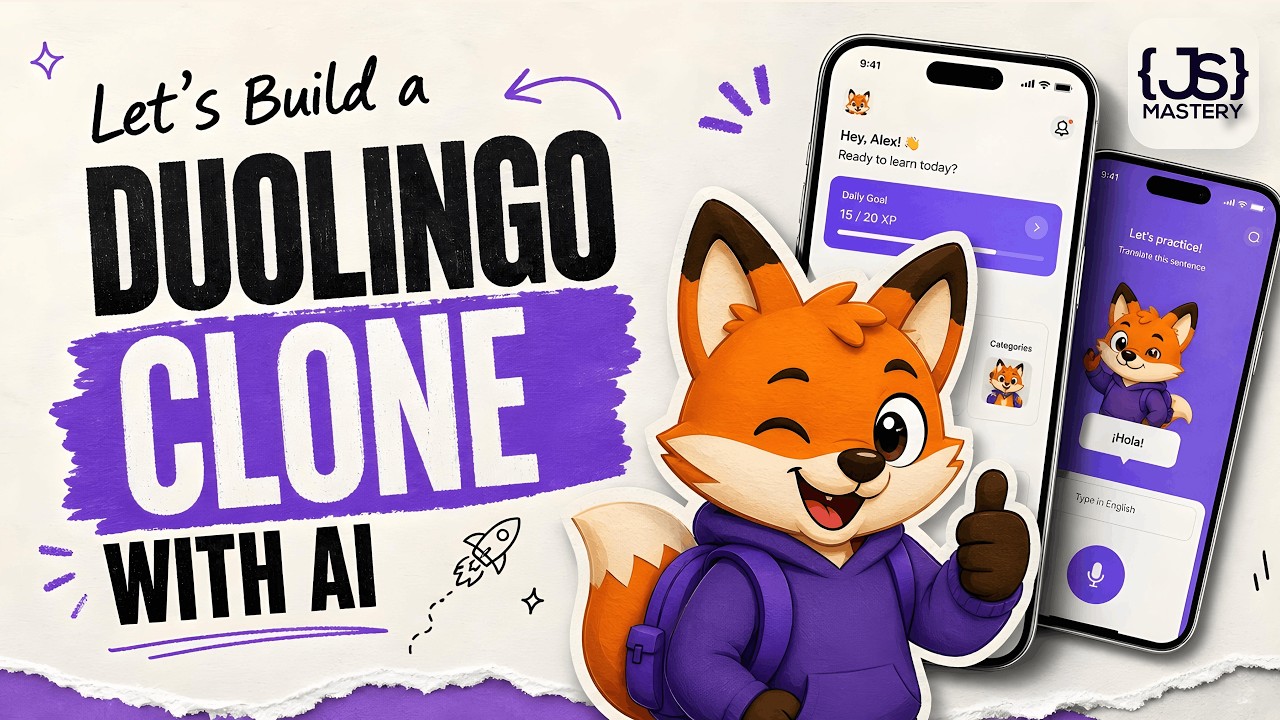
How to Actually Build Mobile Apps with AI in 2026 | A Complete Beginner's Tutorial
BeginnerIn this video, you will learn how to build a full Duolingo clone in React Native using a workflow called Practical Vibe Coding. AI has turned months of work into a single weekend; allowing you to ship a real apps without writing a single line of code. The app isn't the point; the workflow is. Let’s go. Stream: https://jsm.dev/lingua-stream Vision Agents: https://jsm.dev/lingua-vision Clerk: https://jsm.dev/lingua-clerk PostHog: https://jsm.dev/lingua-posthog CodeRabbit: https://jsm.dev/lingua-coderabbit 🧠 Wanna build like I do? Join my Agentic Course → https://jsm.dev/lingua-ai 📘 Practical Vibe Coding Guide: https://jsm.dev/lingua-ebook 🎁 Video Kit (Code, Assets, Prompts): https://jsm.dev/lingua-kit 🤖 Android Studio/Windows Guide: https://jsm.dev/lingua-android ⭐JSM Pro Courses: https://jsm.dev/lingua-jsm ➤ Links not working? Some regions may need a VPN. https://discord.com/invite/n6EdbFJ https://twitter.com/jsmasterypro https://instagram.com/javascriptmastery https://linkedin.com/company/javascriptmastery Business Inquiries: contact@jsmastery.pro Timestamps: 00:00:00 — Introduction 00:03:07 — Crash Course - AGENTS.md 00:15:13 — Crash Course - When the AI’s Knowledge Ends 00:23:47 — Setup 00:28:37 — AGENTS.md Setup 00:38:01 — Nativewind Setup 00:47:13 — Design Theme 00:58:26 — Onboarding Screen 01:08:58 — Auth Screen 01:15:45 — Clerk 01:27:04 — Content 01:33:27 — Language Screen 01:39:01 — State Management 01:45:16 — Bottom Tab Navigation 01:51:30 — Home UI 02:00:23 — PostHog 02:14:57 — Lesson UI 02:19:55 — Audio Lesson UI 02:25:25 — Stream 02:28:17 — XCode & Android Studio Setup 02:39:35 — Stream Integration 02:47:51 — Vision Agent 02:53:45 — AI Teacher 03:04:56 — AI Teacher Improvements 03:15:29 — Live Captions 03:28:58 — More PostHog 03:38:05 — End
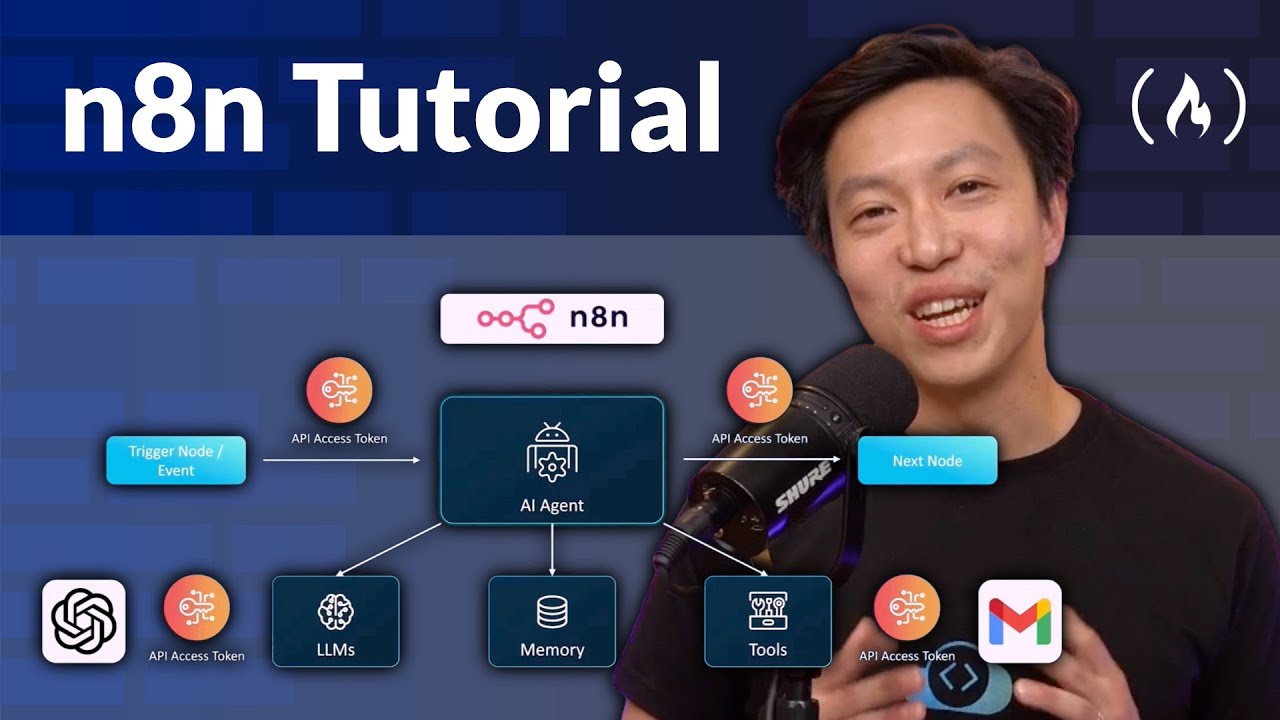

n8n Tutorial – Zero to Hero Course
IntermediateMaster the future of process automation. n8n is an incredibly powerful, open-source platform that enables you to integrate APIs and orchestrate intelligent workflows without the usual coding headaches. This course from Marconi will guide you from the foundational concepts of nodes and architecture to deploying advanced, real-world systems. You'll master essential skills like connecting various services, configuring API keys, and handling complex data flows. Also the course goes into cutting-edge AI integration, teaching you how to build advanced Retrieval-Augmented Generation (RAG) agents and coordinate multi-agent systems. By the end, you'll be able to automate sophisticated business processes, giving you a competitive edge in DevOps, AI, and data engineering. Hands-on Labs & Course Description: https://kode.wiki/47aGYzZ Course developed by @KodeKloud. ❤️ Support for this channel comes from our friends at Scrimba – the coding platform that's reinvented interactive learning: https://scrimba.com/freecodecamp ⭐️ Chapters ⭐️ - 0:00:00 Introduction and Course Overview - 0:04:50 Foundations of n8n: Nodes, Architecture, and Data Types - 0:12:48 Building Your First AI Agent Workflow (Chatbot/Email Agent Demo) - 0:38:20 Free Labs Access and CodeCloud Keyspace API Setup - 0:45:06 n8n Cloud vs. Lab Playground Differences (API/Google Auth Setup) - 0:54:09 Authentication Best Practices for HTTP Request Node - 0:56:15 Google Drive/Sheets/Docs Authentication Setup via Google Cloud Console - 1:41:48 Slack API Setup and Integration - 1:48:06 "HTTP Request Node and API Call Scenarios (Cat Facts, Weather, Web Scraper)" - 2:03:40 Text-to-Image Workflow with AI Prompt Generation - 2:15:06 Text-to-Video Workflow with AI Prompt Generation - 2:25:12 Image-to-Video Workflow with Google Drive and Telegram Integration - 2:43:10 Vertex AI (Google's V3) Integration for Text-to-Video - 2:54:14 n8n Cloud vs. Self-Hosted n8n (Docker/AWS EC2) - 2:56:03 Multi-Workflow Orchestration with Subworkflows - 3:22:40 Course Conclusion and Next Steps 🎉 Thanks to our Champion and Sponsor supporters: 👾 Drake Milly 👾 Ulises Moralez 👾 Goddard Tan 👾 David MG 👾 Matthew Springman 👾 Claudio 👾 Oscar R. 👾 jedi-or-sith 👾 Nattira Maneerat 👾 Justin Hual -- Learn to code for free and get a developer job: https://www.freecodecamp.org Read hundreds of articles on programming: https://freecodecamp.org/news


How to Build & Sell Web Apps With AI Without Coding (FULL COURSE)
BeginnerWant an AI Makeover for YOUR Business? 👉🏻 https://bit.ly/aimakeover Follow me on Instagram to see behind the scenes: 🤳🏼 https://instagram.com/liamottley 🛠 MY TECH STACK Hostinger (agent & web hosting): https://hostinger.com/liamvps Hyperagent (AIOS workspace): https://www.hyperagent.com/liam Ospry (AI lead gen): https://www.ospry.ai?fpr=liam41 Glaido (voice transcription): https://get.glaido.com/liam-ottley Firecrawl (web scraping): https://firecrawl.link/liam-ottley Supadata (video scraping): https://supadata.ai/?ref=liam Apify (all other scraping): https://apify.com?fpr=8txghh ElevenLabs (voice agents & cloning): https://try.elevenlabs.io/liam Claude Code (coding): https://claude.com/claude-code Supabase (database): https://supabase.com Some links above are affiliate links. Using them supports the channel at no extra cost. 📚 Get the Figma kit, app prompts, and UI Designer tool & all my AI resources on Skool: https://bit.ly/46Fo98a 📈 Become a Wildly Profitable AI Entrepreneur: https://bit.ly/47iFLGW 🤝 Ready to transform your business with AI? Let's talk: https://bit.ly/4fnpOS0 📋 Get our FREE 14-day playbook for finding high-impact AI opportunities in any business: https://bit.ly/14-day-playbook- In this full course, you’ll master the new skill of Software Composing—building full-stack, revenue-generating web apps using nothing but your ideas and the right prompts. You’ll go from understanding databases and APIs to deploying a real SaaS product with authentication, live data and a real database. No coding experience? No problem. This course was built to help you gain the confidence and competence to turn ideas into income using natural language prompts or 'vibe coding' and the world’s most powerful AI tools like Bolt.new the sponsor of this video. Get started building no-code apps with Bolt now: https://bolt.new/ Timestamps: 0:00 - What We're Covering 2:47 - Chapter 1: Foundations 4:31 - What is Software Composing? 10:46 - What is a Web App? 13:35 - Front End VS Back End 18:48 - Databases: Your Software’s Memory 23:43 - APIs 29:29 - Authentication & Authorization 34:33 - Chapter 2: Building 37:00 - The Software Composing Landscape 41:03 - Build 1: Front End: UI Design & Initial Prompting 56:30 - Build 2: Backend: Databases & API 1:12:21 - Build 3: User Authentication & Authorization 1:30:59 - Deploying your App 1:34:00 - Debugging: Fixing What Breaks 1:37:34 - Chapter 3: Monetizing

LEARN CURSOR IN 1 HOUR: Rules, Agents, Skills, MCP & More
BeginnerSpaceXAI recently acquired Cursor for $60 Billion. In this complete course I will teach you Cursor from start to finish, ensuring mastery. I will cover every single Cursor feature, and build multiple applications with Cursor in this course. Throughout the course, I've used the Grok 4.5 model, which was released jointly by Cursor and SpaceXAI. I walk you through this full masterclass where I start by talking to you about how Cursor came to be and how to start using Cursor. I then teach you about the Cursor interface and some cool features in Cursor. I teach you how to build apps from scratch using Cursor, and I also talk about Github, Vercel, Native Browser, Design Mode, Skills, MCP, Plugins, and how to make money with Cursor. Hope this course provides value! Timestamps: 00:00 Introduction to the Cursor Course 00:55 Understanding Cursor 02:36 Cursor Pricing 03:45 Learning about the Cursor Interface 05:31 Modes in Cursor 06:47 Prompt Box 07:31 Building your First Application 13:58 Iterating on the First App 17:47 Native Browser in Cursor 19:24 Design Mode in Cursor 24:08 Grok 4.5 26:56 Rules in Cursor 28:44 Context Window Explained 29:59 Tokenomics in Cursor 31:09 Model Routing 32:49 Prompt for the Second App 35:44 Plan Mode 42:12 Reviewing the Application 45:56 Ask Mode 48:26 Testing the Final Version 50:17 Github 55:26 Deploying with Vercel 57:22 Agent Skills in Cursor 1:07:17 MCP and Plugins 1:11:44 Subagents in Cursor 1:13:17 Revising Plugins 1:13:56 Dictation 1:15:41 Prompting Tips 1:18:42 Debugging Tips 1:22:27 Multitask and Parallel Agents 1:26:08 Usage Check 1:26:28 How to Make Money with Cursor 1:31:19 Thank You


Complete Agentic AI Course In 10 Hours- Langchain, Langgraph, RAG,Vectorless RAG, Guardrails,Evals
IntermediateThis is a complete course on learning Generative ai and agentic with Langchain and Langgraph. We have included all the topics from RAG, vectorless rag, Deep agents, Guardrails, LLM Evaluation and LLM Gateways Techniques Github Links Langchain : https://github.com/krishnaik06/Langchain-V1-Crash-Course Langgraph: https://github.com/krishnaik06/Agentic-LanggraphCrash-course RAG: https://github.com/krishnaik06/RAG-Tutorials Vectorless RAG: https://github.com/krishnaik06/RAG-Tutorials/blob/main/PageIndex_Vectorless_RAG_CrashCourse%20(1).ipynb Deep Agents: https://drive.google.com/file/d/1SVjvgqvKfF-FPAIqpEZdKMQLhe13NLFD/view Guardrails : https://github.com/krishnaik06/Langchain-V1-Crash-Course/blob/main/updatedlangchain/langchain_guardrails_crash_course.ipynb LLM Evals : https://github.com/krishnaik06/RAG-Tutorials/blob/main/1-rag_evaluation.ipynb LLM Gateways: https://github.com/krishnaik06/Langchain-V1-Crash-Course/blob/main/llm_gateway_tutorial.ipynb Timestamp 00:00:00 Introduction 00:02:31 Langchain Course 02:35:12 Langraph Course 05:02:29 RAG Course 07:10:43 Vectorless RAG 08:02:11 Deep Agents 08:45:43 Guardrails 09:22:55 LLM Evaluation 10:30:25 LLM Gateways ------------------------------------------------------------------- Learn from us visit https://krishnaik.in/liveclasses


Full Walkthrough: Workflow for AI Coding — Matt Pocock
IntermediateA hands-on workshop covering the full lifecycle of AI-assisted development, from turning ambiguous requirements into agent-ready plans to running autonomous coding agents that ship production features. You'll learn to stress-test vague briefs into structured PRDs, slice work into thin "tracer bullet" vertical slices, and run an AI agent with TDD. You'll watch it select tasks, write tests, implement code, and commit. You'll then refine your prompts based on where it struggles, graduate to fully autonomous (AFK) runs, and learn to design codebases that maximize agent effectiveness. You'll walk away knowing how to: - Turn ambiguous requirements into agent-ready issues - Slice work into vertical tracer bullets an agent can grab independently - Run AI agents human-in-the-loop and autonomously with TDD - Design codebase architectures that AI agents love to work in For: Engineers ready to move beyond chat-based AI assistance and build a real workflow for shipping features with autonomous coding agents. Speaker info: - https://x.com/mattpocockuk - https://www.linkedin.com/in/mapocock/ - https://youtube.com/@mattpocockuk Timestamps: 00:00:00 - Introduction 00:00:14 - The Thesis of AI Engineering 00:04:20 - Phase 1: Research & Prototyping 00:12:45 - Phase 2: The Grill Session 00:22:10 - Phase 3: Writing the PRD 00:35:50 - Phase 4: Slicing Work into Issues 00:48:15 - Phase 5: Implementation with AI Agents 01:05:30 - Phase 6: Human-in-the-Loop Review 01:18:45 - Phase 7: Deployment & Monitoring 01:28:10 - Designing Codebases for AI Effectiveness 01:34:06 - Final Takeaways & Summary --- Watch along with the corrected transcript, summary, timestamps and resources on this talk's official AIE page: https://ai.engineer/talks/-QFHIoCo-Ko-ai-coding-workflow Join our upcoming AI Engineer conferences (see https://ai.engineer landing page): - AIE New York, October 12–14 — the first AI Engineer Finance mainstage summit - AIEi Shanghai, November 5–6 — the first for meeting top Chinese labs and engineers - AIE CODE in SF, November 10–12 — the top AI Coding conference returns - AIEi Sydney, December 7–8 — the first AIEi run alongside NeurIPS 2026 in Sydney ---
![Claude Code for Beginners Tutorial [Full Course]](https://i.ytimg.com/vi/gh2_PhgZGsM/maxresdefault.jpg)
Claude Code for Beginners Tutorial [Full Course]
BeginnerLearn all about Claude Code. This is the ultimate guide to turning Anthropic’s Claude into a seamless part of your development workflow. Whether you're scaffolding a brand-new project or navigating a complex, multi-file codebase, this is how you code faster without sacrificing quality. 🔗 IMPORTANT LINKS 🔬 Practice with Hands-On Labs: https://kode.wiki/claude-code 🎓 Get the Full Course here: https://kode.wiki/claude-code-course ❤️ Support for this channel comes from our friends at Scrimba – the coding platform that's reinvented interactive learning: https://scrimba.com/freecodecamp ⭐️ Contents ⭐️ 0:00:00 Introduction 0:00:30 Prerequisites and Initial Setup 0:09:25 Start your first session 0:23:58 Understanding Codebases with Claude 0:32:21 Installing Claude on Ubuntu Virtual Machines 0:49:34 Building a project from scratch 0:49:34 Getting project ready for public release 0:56:49 Creating Unit Tests for our Project 1:03:20 Autonomous Task Completion 1:17:11 Environment and Configuration Management 1:30:17 Managing Long Sessions Effectively 2:07:52 Writing Effective Development Prompts 2:23:39 Multi-file Project Navigation 2:32:10 Working with APIs and External Services 2:46:16 Initial Project Analysis 2:56:24 Design Pattern Implementation Review 3:05:50 SOLID Principles Evaluation 3:24:04 Error Handling & Resilience Audit 3:36:04 Exception Flow Analysis 3:52:12 Resilience & Fault Tolerance 3:53:09 Code Quality Metrics & Standards 4:02:17 Code Duplication Detection 4:12:14 Naming Conventions & Readability 4:19:23 Test Coverage & Quality Analysis 🎉 Thanks to our Champion and Sponsor supporters: 👾 @omerhattapoglu1158 👾 @goddardtan 👾 @akihayashi6629 👾 @kikilogsin 👾 @anthonycampbell2148 👾 @tobymiller7790 👾 @rajibdassharma497 👾 @CloudVirtualizationEnthusiast 👾 @adilsoncarlosvianacarlos 👾 @martinmacchia1564 👾 @ulisesmoralez4160 👾 @_Oscar_ 👾 @jedi-or-sith2728 👾 @justinhual1290 -- Learn to code for free and get a developer job: https://www.freecodecamp.org Read hundreds of articles on programming: https://freecodecamp.org/news


Build a "Code Mode" MCP Server in Elixir
AdvancedThe Ash ecosystem now includes an OAuth 2 server, MCP, and Lua. When combined, they make it easy to securely and efficiently expose an existing Ash application to AI agents! Links Screen recording software I use (affiliate): https://screen.studio/@Yy75o Demo repository: https://github.com/ChristianAlexander/amber Changes from the video: https://github.com/ChristianAlexander/amber/pull/1 Ash OAuth server: https://ash-authentication-oauth2-server.hexdocs.pm Ash Lua: https://ash-lua.hexdocs.pm Elixir Lua package: https://lua.hexdocs.pm Timestamps Some context - 00:00 App demo - 01:02 OAuth 2 server - 03:38 MCP server - 06:52 Public / private fields - 11:11 Permission filtering - 12:37 Code mode - 14:47


Hermes Agent is the greatest AI tool ever made. Here's how to set it up
IntermediateHermes Agent is the best AI tool out there. Here is your COMPLETE tutorial. FULL Hermes Agent bootcamp in the Vibe Coding Academy coming up: https://www.skool.com/vibe-coding-academy 2nd Youtube Channel: https://youtube.com/@AlexFinnLabsOfficial Sign up for my free newsletter: https://www.alexfinn.ai/subscribe Follow my X: https://x.com/AlexFinn Henry Intelligent Machines (my new startup): https://meethenry.ai My $300k/yr AI app: https://www.creatorbuddy.io/ Prompts: I want you to schedule a task for yourself to do every single night at 2am. It should be a micro app, UI, or system that helps us get closer to my personal goals and ambitions. It should save us time, make us more productive, or just be generally useful. Make sure this is scheduled for every single night at 2am. hermes-agent.nousresearch.com Timestamps: 0:00 Intro 1:50 What Hermes Agent is 3:13 Hermes vs OpenClaw 5:17 Hermes vs Claude Code 7:57 Hermes installation 9:28 Choosing a model 13:44 First things to do 18:02 Hermes dashboard 21:00 Hermes Kanban board 23:15 Use case 1 25:40 Use case 2 27:47 Use case 3 29:40 Memory and skills 34:30 Mission control 37:38 Troubleshooting 38:42 Security


Hermes Agent Desktop: Full Setup + Real Use Cases
IntermediateIn this episode, I sit down with Alex Finn for a full, screen-shared walkthrough of Hermes Desktop, the new desktop home for the Hermes AI agent. I open with a clear challenge: by the end, sell me on installing Hermes Desktop, show me real ways to make money and stay productive, and explain his move from OpenClaw. Alex tours every major surface — sessions, profiles, artifacts, skills, cron jobs, and sub-agents — and shares money-saving tactics at each step. We close on the idea that matters most to me: aiming these agents at other people's challenges as the clearest path to real value. Timestamps 00:00 – Intro 04:04 – Sessions and Context Management 06:10 – Profiles Explained 08:49 – Model-Based vs Role-Based Profiles 12:58 – Artifacts as a Second Brain 14:32 – Why Alex Switched From OpenClaw 17:32 – Skills, Tools, and Tool Sets 19:19 – Messaging and Cron Setup 21:44 – Reverse Prompting and the Brain Dump 28:09 – Sub-Agents vs Profiles 32:12 – Putting It Together: Solving Challenges 32:38 – The Daily Business Opportunity Scan 37:05 – Local Models: Mac Studio vs DGX Spark 39:03 – Reframing Cost as Investment 41:59 – The Real Way to Make Money With Hermes 42:51 – Closing Thoughts Key Points * Hermes Desktop pulls sessions, profiles, artifacts, skills, and cron jobs into one polished, Apple-style interface. * Smart session and context management keeps each message slim and keeps monthly costs low. * Profiles map to different models — Opus 4.8 for strategy, ChatGPT 5.5 for coding, a local Qwen model for free research — so each task runs on its best fit. * Reverse prompting plus a personal brain dump produces far stronger prompts, cron jobs, and outputs. * Sub-agents handle one skill across many parallel tasks; profiles handle work where each step needs a distinct skill set. * The biggest opportunity: aim your agent at Reddit and X to surface real problems you are positioned to solve. Numbered Section Summaries 1. The Moment Hermes Overtook OpenClaw Alex shares his screen and calls Hermes Desktop the best AI agent experience available right now, framing the recent release as the moment Hermes pulled ahead. He compares the focused, polished Hermes updates to Apple and the broader OpenClaw approach to Android, and notes his switch came purely for the love of the game. 2. Sessions and Context Management Alex shows how each new chat opens its own session, keeping context clean and separated by topic. He explains that slim context keeps every message small, and small messages keep monthly bills modest — his top money-saving tip. 3. Profiles Mapped to Models Profiles are separate Hermes agents, each with its own skills, a soul.md personality, and its own memories. Alex organizes his by model — Opus 4.8 for high-level strategy, ChatGPT 5.5 for coding, and a local Qwen model for free, fast research — and picks the profile whose strengths match the task. 4. Artifacts as a Productized Second Brain Artifacts gathers every link, image, and file you send your agent into one searchable place. Alex drops links to his "Librarian" profile and lets Artifacts file them automatically, which turns the agent into a tidy, searchable second brain. 5. Skills, Tools, and the Cron Section Alex walks the Skills interface, where 150-plus skills ship out of the box and you keep only the ones you use to trim context and cost. He highlights tool sets as a fresh way to group skills together, and praises the Cron section for giving one-click confirmation that scheduled tasks truly exist. 6. Reverse Prompting and the Brain Dump My favorite tip from Alex: brain dump everything about yourself — interests, goals, skills — then ask the agent for the best prompt to use. He demos it live by building a morning brief, and the reverse prompt returns a detailed, well-formatted instruction that pulls fresh, real headlines, prices, and scores from the last 24 hours. 7. Sub-Agents vs Profiles Alex clarifies the difference: sub-agents are copies of your main agent that share its skills, ideal for running one skill across many parallel tasks, like building several features of a micro-SaaS at once. Profiles each carry distinct skill sets and memories, ideal when a job needs a researcher, a writer, and a designer working in sequence. The #1 tool to find startup ideas/trends - https://www.ideabrowser.com/ LCA helps Fortune 500s and fast-growing startups build their future - from Warner Music to Fortnite to Dropbox. We turn 'what if' into reality with AI, apps, and next-gen products https://latecheckout.agency/ The Vibe Marketer - Resources for people into vibe marketing/marketing with AI: https://www.thevibemarketer.com/ FIND ME ON SOCIAL X/Twitter: https://twitter.com/gregisenberg Instagram: https://instagram.com/gregisenberg/ LinkedIn: https://www.linkedin.com/in/gisenberg/ FIND ALEX ON SOCIAL Youtube: https://www.youtube.com/@AlexFinnOfficial/videos X/Twitter: https://x.com/AlexFinnX Creator Buddy: https://www.creatorbuddy.io/


You Can Learn AI Agent Harness & Loop Engineering In 19 Min | LLM Ops, Eval, Tracing, RAG
BeginnerAn LLM is an incredibly powerful brain that knows everything about humanity and nothing about you or the software you run. This video walks through the four buzzwords that turn that raw brain into a system you can trust: agent harness, loop engineering, LLM Ops, and eval. No jargon, step by step, technical or not. You can build anything. You can learn anything. 💪 Timeline 0:00 Intro: the 4 AI agent buzzwords 0:42 What an AI agent run actually is 1:52 The memory system: procedural, semantic, episodic 3:37 What "harness" really means (the horse) 5:07 Storing and updating memory (databases, skills, summarizer agent) 8:28 Retrieval: RAG, SQL vs semantic search 10:00 Tool calling and why agents loop 10:52 Loop engineering and end-loop guardrails 13:21 A Claude Code hooks example 14:18 Eval and LLM Ops: why you need them 15:55 Tracing every run (Langfuse, LangSmith) 16:43 Evaluation: LLM as a judge 17:20 Diagnosing what broke 18:16 The gate: ship the fix or fix the bug 18:57 Zoom out: the full system 19:53 Wrap up Launch Full-Stack App Template: https://github.com/ShenSeanChen/launch-mvp-stripe-nextjs-supabase My AI Agent Startup AutoManus.io is an AI sales lead manager for made-to-order product sales. We embed directly where conversations happen (WhatsApp, email, web chat) to capture inbound, automate follow‑ups, and kill CRM busywork; live with 4 pilots and 2 contracts in motion, pre‑seed backed by Character VC. Focused on US/UK/Germany, raising to expand engineering and scale deployments. ☕️ Buy me a coffee: https://buy.stripe.com/5kA176bA895ggog4gh - X: https://x.com/ShenSeanChen - Sean's Discord: https://discord.gg/tvECErKcFr - AutoManus Discord: https://discord.gg/5HhcNjCR - LinkedIn: https://linkedin.com/in/shen-sean-chen - Github Link: https://github.com/ShenSeanChen - Instagram: https://www.instagram.com/sean_ai_stories Sub Count when launched: 13,050 Top Github Repos - LaunchMVP NextJS,Supabase,Stripe (1015 stars): https://github.com/ShenSeanChen/launch-mvp-stripe-nextjs-supabase - ReactNextJSTips (114 stars): https://github.com/ShenSeanChen/yt-react-nextjs-tips - DeepResearchAgentBackend (70 stars): https://github.com/ShenSeanChen/yt-DeepResearch-Backend - SupabaseTipsKanban (64 stars): https://github.com/ShenSeanChen/yt-supabase-tips-kanban - RAGVectorDB (56 stars): https://github.com/ShenSeanChen/yt-rag - KimiK2Claude (37 stars): https://github.com/ShenSeanChen/yt-kimi-k2-claude - DeepResearchAgentFrontend (33 stars): https://github.com/ShenSeanChen/yt-DeepResearch-Frontend - AgenticRAG (13 stars): https://github.com/ShenSeanChen/yt-agentic-rag You Can Build Anything Playlist (Full-Stack Dev Without CS Degrees) - Core7: 95% React/NextJS Use Cases https://www.youtube.com/watch?v=vZzFlAjz4rA&list=PLE9hy4A7ZTmpGq7GHf5tgGFWh2277AeDR&index=16 - Core6: 95% Supabase Use Cases https://www.youtube.com/watch?v=Pnoq2tIif3s&list=PLE9hy4A7ZTmpGq7GHf5tgGFWh2277AeDR&index=15 - Core5: StripeNextJSSupabase https://www.youtube.com/watch?v=ad1BxZufer8&list=PLE9hy4A7ZTmpGq7GHf5tgGFWh2277AeDR&index=8 - Core4: AuthSupabaseGoogle https://www.youtube.com/watch?v=AZAU3ClAWWE&list=PLE9hy4A7ZTmpGq7GHf5tgGFWh2277AeDR&index=6 - Core3: FastapiGCPPro https://www.youtube.com/watch?v=u3sfqpzzo-U&list=PLE9hy4A7ZTmpGq7GHf5tgGFWh2277AeDR&index=5 - Core2: SupabaseHero https://www.youtube.com/watch?v=V0kmgkyPsVQ&list=PLE9hy4A7ZTmpGq7GHf5tgGFWh2277AeDR&index=4 - Core1: LaunchAnApp https://www.youtube.com/watch?v=iQ2izvGG4tQ&list=PLE9hy4A7ZTmpGq7GHf5tgGFWh2277AeDR&index=3 - Launch WhereToMeet w/ GoogleMaps, Calendar, Supabase, Cursor: https://www.youtube.com/watch?v=5xMjX1QxGUY&list=PLE9hy4A7ZTmpGq7GHf5tgGFWh2277AeDR&index=2 - Launch EncourageMe w/ Cursor, Supabase, Vercel https://www.youtube.com/watch?v=hnvL4xa2DHA&list=PLE9hy4A7ZTmpGq7GHf5tgGFWh2277AeDR


OpenClaw Tutorial for Beginners - Crash Course
BeginnerOpenClaw previously known as moltbot or clawdbot is the latest AI model agent you can run locally on your own PC that is autonomous connects to MCP like Zapier https://bit.ly/4tgTFlK and runs 24/7 and was just recently supported by OpenAI as open source project. With the logo of a lobster, and created by Peter Steinberger, it is written in typescript and people are buying mac mini's to run it non stop! In this video I'll explain how to set it up and start using it on your own system. We will configure it with WhatsApp, Telegram and Ollama to run your own local models too. Connect Zapier as our MCP server: https://bit.ly/4tgTFlK 00:00 - Chapter 1 - OpenClaw Tutorial 00:20 - Chapter 2 - OpenClaw Installation 00:34 - Chapter 3 - OpenClaw Setup AI Models (Clade, OpenAI, etc) 01:22 - Chapter 4 - OpenClaw TUI (Terminal UI) 01:40 - Chapter 5 - OpenClaw Web UI 02:15 - Chapter 6 - OpenClaw Channels (Messaging) 02:28 - Chapter 7 - OpenClaw WhatsApp Setup 02:50 - Chapter 8 - OpenClaw Telegram Setup 03:53 - Chapter 9 - OpenClaw MCP Tools (Zapier, Gmail, etc) 05:07 - Chapter 10 - OpenClaw Security and Risks 05:50 - Chapter 11 - OpenClaw Costing and Price 06:04 - Chapter 12 - OpenClaw Run Local AI Models (with Ollama) 07:08 - Chapter 13 - OpenClaw Workspace (in VS Code or Cursor) 07:43 - Chapter 14 - OpenClaw Final Thoughts and Conclusion #openclaw #openai #zapier Want to learn web design? ⭐ Check out my course! ⭐ 📘 Teach Me Design - Course: https://www.enhanceui.com/