Courses


Learn Docker - DevOps with Node.js & Express
IntermediateLearn the core fundamentals of Docker by building a Node/Express app with a Mongo & Redis database. We'll start off by keeping things simple with a single container, and gradually add more complexity to our app by integrating a Mongo container, and then finally adding in a redis database for authentication. We'll learn how to do things manually with the cli, then move on to docker compose. We'll focus on the challenges of moving from a development environment to a production environment. We'll deploy and Ubuntu VM as our production server, and utilize a container orchestrator like docker swarm to handle rolling updates. ✏️ Course developed by Sanjeev Thiyagarajan. Check out his channel: https://www.youtube.com/channel/UC2sYgV-NV6S5_-pqLGChoNQ ⭐️ Course Contents ⭐️ 0:00:14 Intro & demo express app 0:04:18 Custom Images with Dockerfile 0:10:34 Docker image layers & caching 0:20:26 Docker networking opening ports 0:26:36 Dockerignore file 0:31:46 Syncing source code with bind mounts 0:45:30 Anonymous Volumes hack 0:51:58 Read-Only Bind Mounts 0:54:58 Environment variables 0:59:16 loading environment variables from file 1:01:31 Deleting stale volumes 1:04:01 Docker Compose 1:21:36 Development vs Production configs Part 02: Working with multiple containers 1:44:47 Adding a Mongo Container 2:01:48 Communicating between containers 2:12:00 Express Config file 2:21:45 Container bootup order 2:32:26 Building a CRUD application 2:51:27 Sign up and Login 3:06:57 Authentication with sessions & Redis 3:34:36 Architecture Review 3:40:48 Nginx for Load balancing to multiple node containers 3:54:33 Express CORS Part 03: Moving to Prod 3:57:44 Installing docker on Ubuntu(Digital Ocean) 4:03:21 Setup Git 4:05:37 Environment Variables on Ubuntu 4:14:12 Deploying app to production server 4:18:57 Pushing changes the hard way 4:25:58 Rebuilding Containers 4:27:32 Dev to Prod workflow review 4:30:50 Improved Dockerhub workflow 4:46:10 Automating with watchtower 4:56:06 Why we need an orchestrator 5:03:32 Docker Swarm 5:16:13 Pushing changes to Swarm stack -- Learn to code for free and get a developer job: https://www.freecodecamp.org Read hundreds of articles on programming: https://freecodecamp.org/news ❤️ Support for this channel comes from our friends at Scrimba – the coding platform that's reinvented interactive learning: https://scrimba.com/freecodecamp

Kubernetes Zero to Hero: The Complete Beginner’s Guide (2025 Edition)
Beginner*Start Learning Kubernetes the Right Way — Try Alta3 Academy FREE for 3 Days!* 👉 https://alta3.com/academy/aa-cka?utm_source=youtube&utm_campaign=k8s-course *The Ultimate Kubernetes Training Platform: CKA, CKAD, and 14+ DevOps Courses!* *Includes hands-on labs, expert video instruction, and a real Kubernetes cluster to practice in!* *Your Kubernetes Journey Starts Here:* This full-length course takes you from absolute beginner to confident Kubernetes user. Whether you're prepping for the CKA or CKAD, or you're just getting started with containers and orchestration, this is the foundation you need. We walk through real-world examples, practical commands, and exam-focused tips — all taught by a certified instructor who’s helped thousands of students succeed. *Timestamps* 📌 0:01:42 – K8s Architecture & Purpose 📌 0:21:02 – YAML 📌 0:24:52 – Manifests 📌 0:28:55 – Making Pods 📌 0:34:00 – Namespaces 📌 0:38:58 – API Versioning 📌 0:41:43 – Resource Monitoring 📌 0:44:56 – Requests & Limits 📌 0:51:01 – Probes 📌 0:58:20 – kubectl exec & cp 📌 1:05:34 – ConfigMaps 📌 1:09:49 – Volume Mounting 📌 1:18:05 – Secrets 📌 1:21:16 – Viewing Logs 📌 1:28:11 – Labels 📌 1:36:01 – Deployments 📌 1:52:34 – Storage 📌 2:08:12 – Service Basics 📌 2:15:08 – Network Policies 📌 2:26:29 – Service Port vs. TargetPort 📌 2:29:19 – ClusterIP Services 📌 2:36:48 – NodePort Services 📌 2:39:15 – LoadBalancer Services 📌 2:41:00 – NodePort Service Demonstration 📌 2:45:14 – Continued Training! *Why Learn Kubernetes?* Kubernetes is the backbone of modern DevOps and cloud-native applications. Mastering it opens doors to better jobs, higher salaries, and real technical confidence. This course gives you the exact tools, examples, and mindset to build your Kubernetes skills from the ground up — and sets you on the path to certification. 🔔 Subscribe to https://www.youtube.com/@Alta3Research for weekly DevOps and Kubernetes content! 👍 Like what you see? Give it a thumbs up, leave a comment, and don’t forget to subscribe for more *certification-ready Kubernetes training and career-building tips!
DevOps from Zero to Hero: Build and Deploy a Production API
IntermediateLearn DevOps fast in this crash course covering Git & GitHub, CI/CD pipelines, Docker, Kubernetes, IaC, and API deployment. Everything you need to automate dev and deployment. Use your promo code JAVA to get the Warp Pro plan for only $1, available for a limited time thanks to my friends at Warp! Warp: https://jsm.dev/dops25-warp Arcjet: https://jsm.dev/dops25-arcjet Neon: https://jsm.dev/dops25-neon 💎 Agentic Engineering Course: https://jsm.dev/ai 📁 FREE Video Kit (Code, Figma, Assets, Etc.): https://jsm.dev/dops25-kit 📙 Git & GitHub Course: https://jsm.dev/dops25-git 📘 Docker Course: https://jsm.dev/dops25-docker Rate us on TrustPilot: https://jsm.dev/trustpilot https://discord.com/invite/n6EdbFJ https://twitter.com/jsmasterypro https://instagram.com/javascriptmastery https://linkedin.com/company/javascriptmastery Business Inquiries: contact@jsmastery.pro Time Stamps: 00:00:00 — Introduction 00:06:04 — Introduction to DevOps 00:09:45 — What is DevOps 00:20:41 — What You Need to Learn in DevOps 00:25:42 — Version Control (Git & GitHub) 00:50:33 — CI/CD Pipelines 00:55:06 — Build Your First Pipeline 01:03:21 — Docker 01:55:39 — Kubernetes 02:03:35 — Kubernetes Demo 02:26:34 — Infrastructure as Code (IaC) 02:29:37 — More on DevOps Build & Deploy an API 02:30:49 — Setup 02:41:44 — ESLint Prettier 02:46:09 — Database Setup 02:54:18 — Logger & Middleware 03:05:15 — Authentication I 03:35:56 — Warp Setup 03:47:53 — Security Middleware 04:03:11 — Dockerization 04:21:49 — User CRUD 04:38:50 — Testing 04:48:35 — Next Steps

Learn Docker in 1 Hour | Full Docker Course for Beginners
BeginnerMaster Docker in one course; learn about images and containers on Docker Hub, running multiple containers with Docker Compose, automating workflows with Docker Compose Watch, and much more. 🐳 ⭐ Join JS Mastery Pro: https://jsm.dev/docker-jsmpro 💎 Become a Top 1% Next.js Developer: https://jsm.dev/docker-nextjs 📁 Free Video Kit (Code, Design, Repo, Guide): https://jsm.dev/docker-kit WebStorm: https://jsm.dev/docker-webstorm Rate us on TrustPilot: https://jsm.dev/trustpilot https://discord.com/invite/n6EdbFJ https://twitter.com/jsmasterypro https://instagram.com/javascriptmastery https://linkedin.com/company/javascriptmastery Business Inquiries: contact@jsmastery.pro 00:00:00 — Introduction 00:01:58 — What is Docker 00:03:23 — Why should we use Docker 00:06:20 — How does Docker work 00:12:06 — How to Use Docker 00:19:49 — Hello Docker Demo 00:24:18 — React Docker Demo 00:41:51 — Publish Docker Image 00:44:17 — Docker Compose (React Demo) 00:53:32 — Docker Compose Watch (MERN Demo) 01:11:20 — Docker Scout 01:13:21 — Full Stack Next.js 14 Demo 01:22:48 — Should You Dockerize your application


Linux For Beginners - Full Course [NEW]
BeginnerBecome the software engineer AI can't replace. 😳 👉 Join Amigoscode Academy: https://skool.com/amigoscode-academy Members hired at Apple, Amazon & Just Eat. In this linux tutorial you will learn what is linux, the linux operating system, linux commands and be on your way to master linux. Whether you're a beginner eager to learn Linux or an enthusiast looking to enhance your skills, this Linux course is designed for you! Full Course Here - https://amigoscode.com/courses/linux Use Coupon: 20_LINUX Don't Forget to =========================================== 💯 Subscribe to Amigoscode - http://bit.ly/2HpF5V8 💯 Courses Available for free here - https://amigoscode.com/courses 💯 Join Private Facebook Group and Discord - https://amigoscode.com/p/join-community ⭐ Timestamps ⭐ =========================================== 00:00 - Welcome 00:50 - Intro to Linux 03:59 - Coupon Code 04:42 - Windows and Mac Users Attention 05:46 - UTM 07:21 - Download Ubuntu 10:27 - Create Virtual Machine 13:12 - Installing Ubuntu 18:23 - Ubuntu Server in Action 20:49 - Ubuntu Desktop 25:47 - Configuring Ubuntu Desktop 31:01 - Virtual Box Installation 32:32 - Download Ubuntu Desktop 34:43 - Ubuntu Desktop Installation 39:20 - Virtual Box Guest Additions 49:45 - Exploring Settings 55:18 - What is the Terminal 01:00:32- Other Terminals 01:02:45 - Integrated Terminals 01:04:28 - Intro - Shell 01:05:09 - What is the Shell 01:08:25 - Avaliable and Default Shell 01:11:54 - ZSH (Z Shell) and Installation 01:15:14 - Switch Between Shells 01:21:38 - Set ZSH as default shell 01:25:08 - Oh My ZSH 01:29:25 - zshrc 01:37:14 - What is a Command 01:39:37 - Command in Action with ls 01:49:47 - Understanding the Linux File System 01:53:48 - Exploring Root 01:57:07 - Navigating around with CD 02:00:56 - Intro to Working With Files 02:02:28 - touch and echo 02:06:02 - mkdir rmdir and rm 02:11:24 - Intro to Users and Groups 02:13:26 - Sudo Command 02:17:15 - Intro to File Permissions 02:18:50 - Understanding ls -l Output 02:23:09 - File Permissions Outro 02:23:44 - Introduction to Shell Scripting 02:26:13 - Your first Script 02:27:47 - Shebang 02:31:34 - Run Scripts from Anywhere 02:34:32 - Comments 02:40:04 - Variables 02:43:57 - Parameters 02:47:35 - Crash Course Outro ► Recommended Books =========================================== - Clean Code - https://amzn.to/2UGDPlX - HTTP: The Definitive Guide - https://amzn.to/2JDVi8s - Clean Architecture - https://amzn.to/2xOBNXW #linux #linuxtutorial #linuxforbeginners


Learn Linux - The Full Course
BeginnerSo many developers go years before understanding the basics of shells, terminals, and Linux (or more generally Unix-like systems). Here you'll learn to navigate files and directories, install dependencies, configure your PATH, and use powerful CLI tools like grep, find, and pipes. Never fear the command line again, make it fear you. Use code "BOOTS" for 25% off your first payment. Learn Linux - https://www.boot.dev/courses/learn-linux Learn back-end development - https://www.boot.dev Timestamps: 00:00 - Introduction to the Course 04:03 - Chapter 1 - Terminals and Shells 20:43 - Chapter 2 - Filesystems 51:18 - Chapter 3 - Permissions 01:13:31 - Chapter 4 - Programs 01:38:33 - Chapter 5 - Input/Output 02:18:43 - Chapter 6 - Packages Like & subscribe for the algo if you enjoyed the video!

Introduction to Linux – Full Course for Beginners
BeginnerIf you're new to Linux, this beginner's course is for you. You'll learn many of the tools used every day by both Linux SysAdmins and the millions of people running Linux distributions like Ubuntu on their PCs. This course will teach you how to navigate Linux's Graphical User Interfaces and powerful command line tool ecosystem. 🔗 Linux Installation guide: https://courses.edx.org/asset-v1:LinuxFoundationX+LFS101x+1T2020+type@asset+block@Preparing_Your_Computer_for_Linux_Training.pdf ✏️ Course taught by @beau 🏗 The Linux Foundation provided a grant to make this course possible. It provides this and other courses at https://training.linuxfoundation.org/training/introduction-to-linux/ ❤️ Support for this channel comes from our friends at Scrimba – the coding platform that's reinvented interactive learning: https://scrimba.com/freecodecamp ⭐️ Contents ⭐️ ⌨️ (0:00:00) Introduction ⌨️ (0:01:38) Chapter 1. Introduction to Linux Families ⌨️ (0:07:39) Chapter 2. Linux Philosophy and Concepts ⌨️ (0:16:37) Chapter 3. Linux Basics and System Startup ⌨️ (1:05:36) Chapter 4. Graphical Interface ⌨️ (1:34:29) Chapter 5. System Configuration from the Graphical Interface ⌨️ (2:04:27) Chapter 6. Common Applications ⌨️ (2:12:57) Chapter 7. Command Line Operations ⌨️ (3:25:50) Chapter 8. Finding Linux Documentation ⌨️ (3:36:53) Chapter 9. Processes ⌨️ (4:07:51) Chapter 10. File Operations ⌨️ (4:31:11) Chapter 11. Text Editors ⌨️ (4:49:25) Chapter 12. User Environment ⌨️ (5:13:32) Chapter 13. Manipulating Text ⌨️ (5:40:04) Chapter 14. Network Operations 🎉 Thanks to our Champion and Sponsor supporters: 👾 Nattira Maneerat 👾 Heather Wcislo 👾 Serhiy Kalinets 👾 Erdeniz Unvan 👾 Justin Hual 👾 Agustín Kussrow 👾 Otis Morgan -- Learn to code for free and get a developer job: https://www.freecodecamp.org Read hundreds of articles on programming: https://freecodecamp.org/news


TanStack Start Full Course 2025 | Become a TanStack Start Pro in 1 Hour
IntermediateIn this video I will be teaching you TanStack Start from the beginning. By the end of the video you will be comfortable on tanstack start to start building your own website. ⭐️ Check out My Courses: https://www.webdevultra.com/courses 📖 Video Resources: Code Repo: http://webdevultra.com/video-info/s4I4JtOZNgg 💻 Check out my Blog: https://www.pedrotech.co 🐤 Follow me on Twitter: (https://twitter.com/pedrotech_) 📸 Follow me on Instagram: (https://www.instagram.com/pedro.fmachado_/) 🧳 Follow me on Linkedin: (https://www.linkedin.com/company/pedrotech) 👨💻 GitHub: https://github.com/machadop1407 📋 Business Email: pedro@pedrotech.co Timestamps: 00:00 | Intro 00:59 | Setting Up a TanStack Start Project 06:15 | Project Structure & Running the App 08:13 | Routing Fundamentals 13:00 | Dynamic Routes, Params & Not Found Pages 18:01 | Loader Functions 33:05 | Server Functions, Static Functions & Middleware 52:10 | Using TanStack Query with Server Routes 59:59 | Conclusion

Ash Framework!
Intermediate
Just Elixir Things!
Beginner

Remix.run Guides
IntermediateEverything you need to work efficiently with Remix.run web development framework for Javascript.

React Router v7 information
Intermediate
Django Crash Course – Python Web Framework
BeginnerIn this Django crash course for beginners, you'll discover what makes Django powerful, how to set up your environment, and how to build your very first Django app. @code-with-abel will walk you through the essentials of models, views, and templates, giving you a solid foundation for future projects. By the end, you'll be ready to start creating your own dynamic web applications with Django. 💻 Starter Files: https://drive.google.com/file/d/1ksZM-f4jEZU1PZD5PqKucWT_bscVIcsJ/view ⭐️ Download Links ⭐️ Python: https://www.python.org/downloads VScode: https://code.visualstudio.com/download MySQL: https://dev.mysql.com/downloads/installer/ ❤️ Try interactive Python courses we love, right in your browser: https://scrimba.com/freeCodeCamp-Python (Made possible by a grant from our friends at Scrimba) ⭐️ Contents ⭐️ ⌨️ (0:00:00) Intro ⌨️ (0:02:56) Django-admin & manage.py ⌨️ (0:04:40) Creating Apps ⌨️ (0:05:47) Introduction to Web Frameworks ⌨️ (0:06:23) MVT ⌨️ (0:07:36) Views ⌨️ (0:15:38) Request and Response Objects ⌨️ (0:17:12) Models ⌨️ (0:20:23) Forms ⌨️ (0:24:35) Django Admin Panel ⌨️ (0:29:28) MySQL ⌨️ (0:34:40) Templates ⌨️ (0:43:31) Full Django Project ⌨️ (1:08:54) Outro 🎉 Thanks to our Champion and Sponsor supporters: 👾 Drake Milly 👾 Ulises Moralez 👾 Goddard Tan 👾 David MG 👾 Matthew Springman 👾 Claudio 👾 Oscar R. 👾 jedi-or-sith 👾 Nattira Maneerat 👾 Justin Hual -- Learn to code for free and get a developer job: https://www.freecodecamp.org Read hundreds of articles on programming: https://freecodecamp.org/news


Learn Shopify Development
Beginner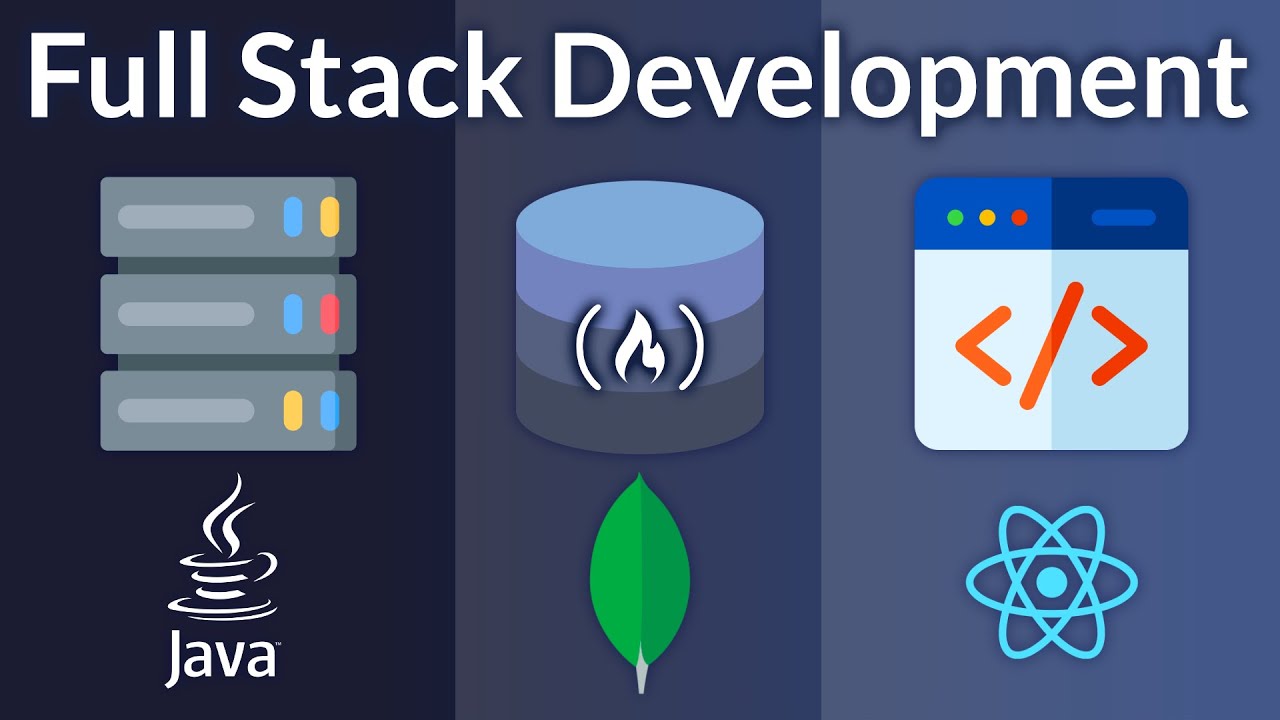
Full Stack Development with Java Spring Boot, React, and MongoDB – Full Course
IntermediateIn this full stack development course, you will learn how to create an application using MongoDb for the database, Java and Spring Boot for the backend, and React for the frontend. You will learn to develop a movie review application that will feature a separation of concerns between the client code and the server code. By implementing this loosely coupled architecture, these two parts (implemented using different technologies) can evolve in parallel and independently from one another. ✏️ Farhan Hasin Chowdhury teaches the backend section. ✏️ Gavin Lon teaches the frontend section. @GavinLon 💻 Backend Code: https://github.com/fhsinchy/movieist 💻 Frontend Code: https://github.com/GavinLonDigital/movie-gold-v1 🔗 Spring Initializr - https://start.spring.io/ 🔗 JDK Download Page: https://www.oracle.com/java/technologies/downloads/ 🔗 IntelliJ IDEA Download Page: https://www.jetbrains.com/idea/download/ 🔗 Postman Download Page: https://www.postman.com/downloads/ 🏗 MongoDB provided a grant to make this course possible. ❤️ Try interactive Full Stack courses we love, right in your browser: https://scrimba.com/freeCodeCamp-Fullstack (Made possible by a grant from our friends at Scrimba) ⭐️ Contents ⭐️ ⌨️ (0:00:00) Course Introduction ⌨️ (0:01:48) JDK and IntelliJ IDEA Installation ⌨️ (0:06:13) MongoDB Atlas ⌨️ (0:20:35) Project Initialization ⌨️ (0:27:03) Project Structure ⌨️ (0:29:13) Running The Project ⌨️ (0:32:41) Writing The First Endpoint ⌨️ (0:35:33) Database Configuration ⌨️ (0:38:49) Installing Additional Dependencies ⌨️ (0:44:48) Setting Up Environment Variables ⌨️ (0:47:20) Movies and Reviews Endpoints ⌨️ (1:31:46) Testing ⌨️ (1:35:42) Backend Conclusion ⌨️ (1:36:45) Frontend Introduction ⌨️ (1:38:32) Create the React Project ⌨️ (1:43:49) Applying Bootstrap to our React application ⌨️ (1:52:47) Implementing the Use State and Use Effect Hooks ⌨️ (1:58:04) Create Home and Hero Component ⌨️ (2:06:56) Style the Carousel ⌨️ (2:15:21) Create Header Component (Navigation) ⌨️ (2:21:55) Create Trailer Component with react-player ⌨️ (2:28:46) Create Movie Reviews Functionality ⌨️ (2:34:43) Add and Get Reviews with HTTP Requests ⌨️ (2:40:33) Course Wrap Up 🎉 Thanks to our Champion and Sponsor supporters: 👾 Nattira Maneerat 👾 Heather Wcislo 👾 Serhiy Kalinets 👾 Erdeniz Unvan 👾 Justin Hual 👾 Agustín Kussrow 👾 Otis Morgan -- Learn to code for free and get a developer job: https://www.freecodecamp.org Read hundreds of articles on programming: https://freecodecamp.org/news