OpenCode Tutorial for Beginners: Setup, Agents, Skills & MCP
About this course
Visit sintra.ai/leonvanzyl or use my promo code leonvanzyl at checkout to receive limited time offer of 72% off on all plans 🚀 Free resources: source code, prompts, workflows + peer discussion https://skool.com/leonvanzyl 🧪 Agentic Labs: AI coding courses, live Q&A, weekly builder challenges, dire...
Visit sintra.ai/leonvanzyl or use my promo code leonvanzyl at checkout to receive limited time offer of 72% off on all plans 🚀 Free resources: source code, prompts, workflows + peer discussion https://skool.com/leonvanzyl 🧪 Agentic Labs: AI coding courses, live Q&A, weekly builder challenges, direct access to me + a serious builder community https://skool.com/agentic-labs OpenCode is the open source coding agent that is quickly becoming a serious alternative to Claude Code. In this opencode tutorial, you will learn how to install OpenCode, connect free AI models through OpenCode Zen or premium providers like OpenAI, and master advanced features including agent skills, sub agents, MCP servers, and background agents. ⏱️ CHAPTERS: 00:00 - OpenCode intro and overview 00:39 - Installing OpenCode in seconds 01:25 - Connecting providers and OpenCode Zen 02:20 - Free AI coding models walkthrough 03:46 - Scaffolding a Next js project 04:55 - Subscriptions vs API keys 06:00 - Connecting OpenAI and GPT 5 07:30 - Installing agent skills from skills sh 10:30 - AGENTS md memory file setup 13:00 - Sub agents and context window protection 15:30 - Design system for consistent UI 15:50 - Sponsor message 18:00 - Building the AI Project Planner app 22:30 - Saving plans for future sessions 24:30 - Creating custom sub agents 28:30 - Playwright MCP server setup 30:30 - Auto testing the app with browser MCP Business & sponsorship enquiries: leon.vanzyl@gmail.com #opencode #agenticcoding
What learners say
AI summaryLearners find this tutorial clear, concise, and highly informative, especially for beginners getting started with OpenCode. Many appreciate the thorough walkthrough of setup, agents, skills, and MCP, though some note the repository has been archived and a few struggle with installation or finding referenced files.
What learners praise
- Clear and concise explanations
- Great for beginners
- Covers setup, agents, skills, and MCP thoroughly
- Practical and useful walkthrough
Common caveats
- Repository is archived and no longer maintained
- Some users cannot find the referenced GitHub repo or AGENT.md file
- Installation issues on Windows (WSL vs. CMD confusion)
- Occasional missing or outdated skills (e.g., Next.js skills by Vercel)
AI-generated from 81 viewer comments on YouTube — it summarizes outside comments and is not a CourseShelf review.
Community Reviews
Honest feedback from learners like you
Sign in to review this course.
No reviews yet for this course.
Related Courses


OpenCode Full Course
BeginnerMaster OpenCode from scratch and learn how to build real-world AI applications using multiple models—without vendor lock-in or expensive subscriptions. This complete OpenCode course covers everything you need to go from beginner to advanced, including setup, model integration, agent workflows, and real project building. You’ll learn how to use OpenCode with tools like Ollama for running models locally, and OpenRouter for accessing multiple cloud models—all in a single workflow. We’ll also explore how to use powerful open models like Gemma 4 and optimize cost using model switching strategies. 🔥 What you’ll learn: OpenCode setup (Windows, Mac, Linux) Local AI with Ollama Cloud models via OpenRouter Multi-agent workflows (Plan vs Build mode) Cost optimization techniques Building real apps (REST APIs, UI apps, automation tools) Sessions, debugging, and workflow management 🎯 Who this is for: Developers & engineers AI enthusiasts Startup founders Anyone building AI-powered applications If you want full control over your AI stack—this is the course to start with.


Claude Code Tutorial: Beginner to Advanced in 20 Minutes
BeginnerClaude Code Tutorial: Beginner to Advanced in 20 Minutes. Join our FREE community with free prompts & guides: https://www.skool.com/ai-launchpad/about Chapters: 0:00 - Intro 1:10 - What is Claude & Setup 3:54 - Plan mode & prompting 6:18 - First results & Iteration 8:18 - Claude.md & MCP 12:12 - Context management & extended thinking 16:10 - Deploy your builds 17:07 - Skills & Hooks & Routines 18:39 - Outro For business inquiries including sponsorships and collaborations, please email: business@zinhomedia.com

OpenClaw Tutorial for Beginners - Crash Course
BeginnerOpenClaw previously known as moltbot or clawdbot is the latest AI model agent you can run locally on your own PC that is autonomous connects to MCP like Zapier https://bit.ly/4tgTFlK and runs 24/7 and was just recently supported by OpenAI as open source project. With the logo of a lobster, and created by Peter Steinberger, it is written in typescript and people are buying mac mini's to run it non stop! In this video I'll explain how to set it up and start using it on your own system. We will configure it with WhatsApp, Telegram and Ollama to run your own local models too. Connect Zapier as our MCP server: https://bit.ly/4tgTFlK 00:00 - Chapter 1 - OpenClaw Tutorial 00:20 - Chapter 2 - OpenClaw Installation 00:34 - Chapter 3 - OpenClaw Setup AI Models (Clade, OpenAI, etc) 01:22 - Chapter 4 - OpenClaw TUI (Terminal UI) 01:40 - Chapter 5 - OpenClaw Web UI 02:15 - Chapter 6 - OpenClaw Channels (Messaging) 02:28 - Chapter 7 - OpenClaw WhatsApp Setup 02:50 - Chapter 8 - OpenClaw Telegram Setup 03:53 - Chapter 9 - OpenClaw MCP Tools (Zapier, Gmail, etc) 05:07 - Chapter 10 - OpenClaw Security and Risks 05:50 - Chapter 11 - OpenClaw Costing and Price 06:04 - Chapter 12 - OpenClaw Run Local AI Models (with Ollama) 07:08 - Chapter 13 - OpenClaw Workspace (in VS Code or Cursor) 07:43 - Chapter 14 - OpenClaw Final Thoughts and Conclusion #openclaw #openai #zapier Want to learn web design? ⭐ Check out my course! ⭐ 📘 Teach Me Design - Course: https://www.enhanceui.com/
![Curso OpenCode Completo - Use IAs GRATUITAMENTE! [Do ZERO]](https://i.ytimg.com/vi/Q9bH393Bq64/maxresdefault.jpg)

Curso OpenCode Completo - Use IAs GRATUITAMENTE! [Do ZERO]
Beginner🔥 Entre para a minha comunidade de automação - https://link.devaprender.com/entrar Curso Claude Code - https://youtu.be/KoFOPpUWi98 Curso Github Copilot - https://youtu.be/uW5OzVgtofU ✅Quer pedir um orçamento de um BOT(robô) ou sistema? - Solicite aqui: https://devaprender.com/orcamentos/ ✅Curso lógica de Programação: https://youtu.be/epf-WQdVis0 Links mencionados no video ------------------------------------------------------------------------------------------ nodejs download - https://nodejs.org/en/download opencode download - https://opencode.ai/download opencode mcp - https://opencode.ai/docs/mcp-servers/#context7 Skills - https://skillsmp.com/ ------------------------------------------------------------------------------------------ Resumo⤵️ Nesse curso completo de OpenCode, eu vou te mostrar como usar essa ferramenta de IA, para se conectar a qualquer provedor de IA, como o OpenAI, Claude Code, DeepSeek, OpenRouter. Ou seja, tanto opções pagas, como opções gratúitas! Aqui você irá aprender a usar o OpenCode do zero, desde de como instalar, configurar um provedor e personalizar e usar as principais funcionalidades como escolher modelos, nível de raciocínio, usar skills, usar servidores mcp e até mesmo como monetizar esse conhecimento. CONTATO COMERCIAL(não respondo dúvidas de videos) ------------------------ jhonatan@devaprender.com 00:00 - O que iremos aprender 00:50 - Como instalar OpenCode 03:18 - Por que usar OpenCode vs Claude Code ou outros? 04:39 - Como instalar qualquer provedor PAGOS 08:43 - Como instalar qualquer provedor GRATUITO 11:33 - Como usar Servidores MCP 14:49 - Como personalizar o OpenCode 16:25 - Como usar SKILLS 19:09 - Quando usar OpenCode no meu fluxo de trabalho? 20:10 - Como monetizar o conhecimento de criação de apps/automações?(parte 1) 20:51 - Como usar o modo Plan/Edit 21:05 - Como monetizar o conhecimento(parte 2) 21:48 - O que estudar a partir de agora?
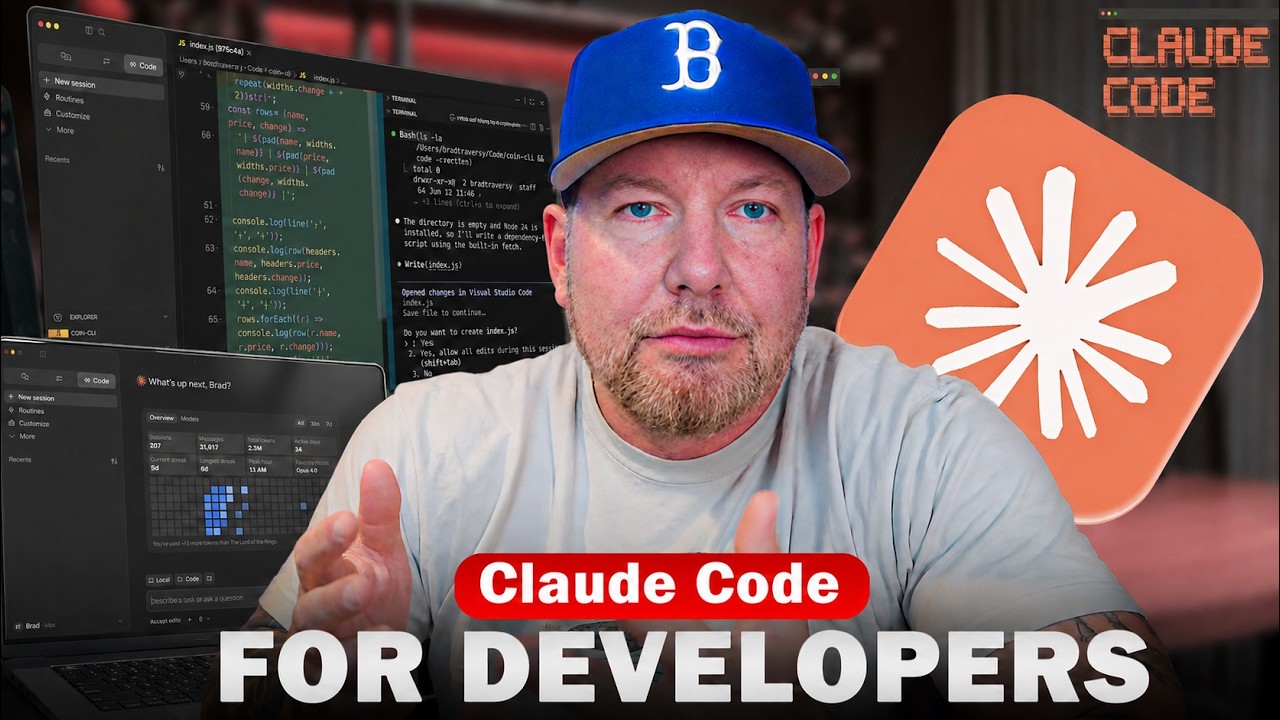

Claude Code Crash Course For Developers
BeginnerAn overview and starting point for Claude Code. Check out my coding with AI course: https://www.codingwithaicourse.com/ Get the Neon free plan: https://get.neon.com/6uuwMG3 Follow Neon to not miss course giveaways: - X/Twitter: https://x.com/neondatabase - Linkedin: https://www.linkedin.com/company/neondatabase Github Gist With Prompts: https://gist.github.com/bradtraversy/9937e0ecfc8a5b269ce6a885636670dc Crypto Dash Repo: https://github.com/bradtraversy/crypto-dash Timestamps: 0:00 - intro 2:23 - What Is Claude Code 3:56 - Installing Claude 6:43 - First Launch 7:26 - Models & Usage Limits 10:44 - Effort 11:14 - Using Claude In VS Code 12:16 - The First Prompt 16:10 - Shell Mode 17:30 - Modes 19:15 - Settings & Permissions 22:55 - VS Code Extension 24:05 - Refactoring Code 27:03 - Context, Tokens & Clearing 29:20 - Global Sessions 33:14 - Working on an Existing Project 35:48 - Claude.md File & /init 39:28 - Plan Mode 44:58 - Adding Favorites Feature 48:05 - Skills 53:27 - MCPs 57:51 - Sub-Agents


Getting started with Codex
BeginnerGet started with Codex, OpenAI’s coding agent, in this step-by-step onboarding walkthrough. You’ll learn how to install Codex, set up the CLI and VS Code extension, configure your workflow, and use Agents.md and prompting patterns to write, review, and reason across a real codebase. This video covers: 00:00 | Installing Codex (CLI + IDE) 04:00 | Setting up a repo and getting your first runs working 08:12 | Writing a great Agents.md (patterns + best practices) 14:14 | Configuring Codex for your environment 16:26 | Prompting patterns for more consistent results 27:02 | Tips for using Codex in the CLI and IDE 34:59 | MCP Configuration 46:50 | Advanced workflows: headless mode + SDK 52:02 | Codex resources to get you started Sign up: https://openai.com/codex/ Codex overview + docs: https://developers.openai.com/codex Codex Cookbook: https://cookbook.openai.com/topic/codex Install + setup VS Code extension: https://marketplace.visualstudio.com/items?itemName=openai.chatgpt Agents.md standard: https://agents.md Agents.md repo: https://github.com/agentsmd/agents.md Prompting + workflows Prompting guide: https://developers.openai.com/codex/prompting/ Exec plans (Agents.md patterns): https://cookbook.openai.com/articles/codex_exec_plans Config reference: https://github.com/openai/codex/blob/main/docs/config.md#config-reference Updates Changelog: https://developers.openai.com/codex/changelog Releases: https://github.com/openai/codex/releases