OpenClaw Tutorial for Beginners - Crash Course
About this course
OpenClaw previously known as moltbot or clawdbot is the latest AI model agent you can run locally on your own PC that is autonomous connects to MCP like Zapier https://bit.ly/4tgTFlK and runs 24/7 and was just recently supported by OpenAI as open source project. With the logo of a lobster, and creat...
OpenClaw previously known as moltbot or clawdbot is the latest AI model agent you can run locally on your own PC that is autonomous connects to MCP like Zapier https://bit.ly/4tgTFlK and runs 24/7 and was just recently supported by OpenAI as open source project. With the logo of a lobster, and created by Peter Steinberger, it is written in typescript and people are buying mac mini's to run it non stop! In this video I'll explain how to set it up and start using it on your own system. We will configure it with WhatsApp, Telegram and Ollama to run your own local models too. Connect Zapier as our MCP server: https://bit.ly/4tgTFlK 00:00 - Chapter 1 - OpenClaw Tutorial 00:20 - Chapter 2 - OpenClaw Installation 00:34 - Chapter 3 - OpenClaw Setup AI Models (Clade, OpenAI, etc) 01:22 - Chapter 4 - OpenClaw TUI (Terminal UI) 01:40 - Chapter 5 - OpenClaw Web UI 02:15 - Chapter 6 - OpenClaw Channels (Messaging) 02:28 - Chapter 7 - OpenClaw WhatsApp Setup 02:50 - Chapter 8 - OpenClaw Telegram Setup 03:53 - Chapter 9 - OpenClaw MCP Tools (Zapier, Gmail, etc) 05:07 - Chapter 10 - OpenClaw Security and Risks 05:50 - Chapter 11 - OpenClaw Costing and Price 06:04 - Chapter 12 - OpenClaw Run Local AI Models (with Ollama) 07:08 - Chapter 13 - OpenClaw Workspace (in VS Code or Cursor) 07:43 - Chapter 14 - OpenClaw Final Thoughts and Conclusion #openclaw #openai #zapier Want to learn web design? ⭐ Check out my course! ⭐ 📘 Teach Me Design - Course: https://www.enhanceui.com/
What learners say
AI summaryLearners find the video a clear, concise, and actionable crash course that cuts through fluff and covers real tradeoffs like cost, security, and control. However, many note it is not truly beginner-friendly, skipping fundamental steps (e.g., how to open a terminal) and glossing over installation details, while others warn about high token costs, security risks, and the need for dedicated hardware.
What learners praise
- Clear and concise overview
- Covers real tradeoffs (cost, security, control)
- Actionable and to the point
- Includes Ollama setup
Common caveats
- Not beginner-friendly; assumes prior knowledge
- Skips installation steps and terminal basics
- High token/API costs
- Security and data privacy concerns
AI-generated from 100 viewer comments on YouTube — it summarizes outside comments and is not a CourseShelf review.
Community Reviews
Honest feedback from learners like you
Sign in to review this course.
No reviews yet for this course.
Related Courses


OpenCode Tutorial for Beginners: Setup, Agents, Skills & MCP
BeginnerVisit sintra.ai/leonvanzyl or use my promo code leonvanzyl at checkout to receive limited time offer of 72% off on all plans 🚀 Free resources: source code, prompts, workflows + peer discussion https://skool.com/leonvanzyl 🧪 Agentic Labs: AI coding courses, live Q&A, weekly builder challenges, direct access to me + a serious builder community https://skool.com/agentic-labs OpenCode is the open source coding agent that is quickly becoming a serious alternative to Claude Code. In this opencode tutorial, you will learn how to install OpenCode, connect free AI models through OpenCode Zen or premium providers like OpenAI, and master advanced features including agent skills, sub agents, MCP servers, and background agents. ⏱️ CHAPTERS: 00:00 - OpenCode intro and overview 00:39 - Installing OpenCode in seconds 01:25 - Connecting providers and OpenCode Zen 02:20 - Free AI coding models walkthrough 03:46 - Scaffolding a Next js project 04:55 - Subscriptions vs API keys 06:00 - Connecting OpenAI and GPT 5 07:30 - Installing agent skills from skills sh 10:30 - AGENTS md memory file setup 13:00 - Sub agents and context window protection 15:30 - Design system for consistent UI 15:50 - Sponsor message 18:00 - Building the AI Project Planner app 22:30 - Saving plans for future sessions 24:30 - Creating custom sub agents 28:30 - Playwright MCP server setup 30:30 - Auto testing the app with browser MCP Business & sponsorship enquiries: leon@cognaitiv.ai #opencode #agenticcoding


OpenCode Full Course
BeginnerMaster OpenCode from scratch and learn how to build real-world AI applications using multiple models—without vendor lock-in or expensive subscriptions. This complete OpenCode course covers everything you need to go from beginner to advanced, including setup, model integration, agent workflows, and real project building. You’ll learn how to use OpenCode with tools like Ollama for running models locally, and OpenRouter for accessing multiple cloud models—all in a single workflow. We’ll also explore how to use powerful open models like Gemma 4 and optimize cost using model switching strategies. 🔥 What you’ll learn: OpenCode setup (Windows, Mac, Linux) Local AI with Ollama Cloud models via OpenRouter Multi-agent workflows (Plan vs Build mode) Cost optimization techniques Building real apps (REST APIs, UI apps, automation tools) Sessions, debugging, and workflow management 🎯 Who this is for: Developers & engineers AI enthusiasts Startup founders Anyone building AI-powered applications If you want full control over your AI stack—this is the course to start with.


CLAUDE CODE FULL COURSE 4 HOURS: Build & Sell (2026)
Beginner🔥 Join Maker School & get customer #1 guaranteed: https://skool.com/makerschool/about 📁 Get all Claude course resources 100% free: https://skool.com/maker-zero/about ➡️ If this is your first video: I'm Nick Saraev. I run LeftClick, an AI growth agency. We've done work for large brands you're likely familiar with, like Mr. Beast, Anthropic, OpenAI, and a few others. In plain English: I help people build systems that generate leads, close deals, and scale businesses, mostly using new AI models like Claude. I also make videos about how to do all of that here on YouTube. It hasn't always been this way. My family immigrated from a Soviet bloc country (People's Republic of Bulgaria) in the 90s. They worked extremely hard, and we were broke for a very long time. I grew up wishing for more security, stability, and freedom over my own life. I don't have a programming degree, and never took formal education for IT or workflows. I learned it all myself from YouTube videos like you're watching now. As for my path: I started my first business at 19 in college. We threw events (mostly parties) at campus bars, and charged people for entry. That failed to provide me enough money to pay my bills, so at 21, I started another business, a door-to-door marketing agency. From there, every year, I would start several companies, over 10 in total. I did this in a variety of industries, like e-commerce, photography, videography, SaaS, credit repair, etc. Each grew slightly more profitable, until, at 25, I would start 1SecondCopy, a content writing company. A friend and I eventually scaled that to over $90,000/m. It was my first taste of financial independence, and the reason I'm here today. Since starting my journey, I've grown a fair bit of capital. To diversify my income, at 30, I began investing in other businesses and advising companies on how to grow in the AI era. These include SaaS businesses, like Clairvo, agencies like Dental Connect, and more. Collectively, the businesses that I own outright or are a part of generate over $10 million per year. This returns far more than the 5-10% you would get in the stock market, but also requires a lot of my active time. There's a tradeoff there, but I greatly prefer active investing, where I have control over the entities I'm a part of. It wasn't easy to get here. But I did in the end! For anyone on their own entrepreneurial journey: I wish you luck, happiness, and perseverance. You can make it! Summary ⤵️ The end-to-end, definitive course on Claude Code for beginners! I'll take you through a full four-hour masterclass where I start by teaching you how to set up and install Claude Code in a tutorial, how to configure your IDE or integrated development environment (we'll use Antigravity), how to utilize your CLAUDE.md file as your project brain, how to build your first project in Antigravity using Claude Code in under 15 minutes, advanced Claude Code functionality including hooks, slash commands, and more. I also teach you how to spin up multiple Claude Code instances and have them work on your behalf; how to parallelize work using sub-agents; how to use Git work trees to accomplish many hours of work in just a few minutes; how to conserve tokens and use context management to crush your coding and software projects; how to deploy things to the cloud using Modal and related services, and in general... how to be awesome at Claude Code! Hope you enjoy the tutorial. Chapters 00:00:00 Introduction to the Claude Code Tutorial 00:01:07 Learning the Basics of Claude Code 00:03:44 Setting Up Claude Code 00:08:05 Terminal vs. Graphical User Interface 00:12:23 Understanding IDEs 00:13:53 Exploring Visual Studio Code 00:19:11 Getting Started with Antigravity 00:24:01 Building Your First Web App with Claude Code 00:30:29 Utilizing the CLAUDE.md File (Project Brain) 00:34:40 Approaches to Website Design in CC +Antigravity 00:41:47 Importance of Verification in AI 00:54:42 Advanced Claude Code Functionality 00:55:13 Understanding the .claude Directory 02:01:24 Adjusting the Proposal Design 02:01:55 Testing Payment Functionality 02:05:20 Leveraging GitHub for Project Management 02:06:12 Setting Up the Project 02:07:50 The Power of Automation 02:13:53 Context Management Explained 02:19:56 Understanding MCP Tools 02:27:23 Strategies for Token Management 02:35:29 Creating Skills for Efficiency 02:41:15 The Structure of Skills 02:44:39 Building a New Skill 02:50:58 Introduction to Model Context Protocol 02:58:15 Evaluating Token Usage in MCPs 03:09:07 Exploring Claude Code Plugins 03:11:08 Introduction to Sub-Agents 03:12:15 Transforming Skills into Sub-Agents 03:14:14 Scaling Email Classification 03:18:54 Creating Useful Sub-Agents 03:26:27 Understanding Agent Teams 03:32:59 Enabling and Using Agent Teams 04:02:34 Utilizing Git Worktrees 04:03:08 Deploying APIs with Modal

FULL Claude Tutorial For Beginners in 2026! (FULL COURSE)
Beginner🚀 Join Ai Foundations - https://aifoundations.io/join-carter This is the only Claude tutorial you’ll ever need. With this guide you can go from beginner to pro using Claude. I cover the basics like signing up, settings, memory, prompting and we work our way up to the intermediate features like Claude projects, artifacts, inline visualizations, data analytics and more. Then we finally dive into Claude desktop, where I teach you how to use Claude Cowork with computer use, scheduled tasks, and connectors for Notion, Gmail and Google Calendar. I even show you how to build Claude skills from scratch. After you have a beginner's understanding of Claude we dive into Claude Code. I show you how to deploy a real website in Netlify and even control Claude through a remote environment on Anthropics servers. We cover github, environment variables, pretty much everything you need, explained in beginner terms. I even cover exporting your ChatGPT memories and bringing them over to Claude. If you've been hearing about Claude AI, Claude Cowork, or Claude Code and wondering how it all fits together: this is the video you’ve been searching for. I walk through everything step-by-step leaving no stone unturned. Utilize the chapters and resources below to get the most out of this video. If it’s your first time watching, I recommend watching all the way through at least once, then coming back to spend extra time on specific chapters! Resources Mentioned: Join Ai Foundations - https://aifoundations.io/join-carter DBS Framework Skill - https://aifoundations.io/resources/the-dbs-framework-skill Claude Code Mastery - https://aifoundations.io/products/claude-code-mastery Sign up for Claude - https://claude.ai Chapters: 0:00 - Claude Tutorial Intro 0:25 - How to Use This Guide 0:40 - Claude Pricing Comparison 1:22 - Sign Up for Claude 1:49 - Claude Onboarding 3:10 - Claude Chat Layout 3:50 - General Settings 4:53 - Notifications 6:00 - Claude Appearance 6:35 - Claude Voices 6:51 - Privacy and Billing 8:02 - Claude Memory 8:26 - Exporting Memories from ChatGPT 9:21 - Tool Settings 10:14 - Claude Artifact Settings 11:23 - Code Permissions 12:10 - Connector Settings 13:00 - Language Settings 13:15 - Claude Status and Support 13:50 - Gifting Claude 14:23 - Keyboard Shortcuts 14:40 - Claude Models 16:15 - Attachments and Connections 17:10 - Writing Styles in Claude 17:53 - Talking to Claude Voice 19:00 - Organizing Chats 19:40 - Incognito Chats 20:20 - GCAO Prompt Template 21:50 - Prompting Claude 24:50 - Ai Foundations Offers 25:38 - Claude Chat Search 26:34 - Claude Projects Guide 27:18 - Project Instructions 29:40 - Projects Guide Continued 30:56 - Claude Artifacts Library 32:37 - Creating Claude Artifacts 36:40 - Sharing Artifacts 37:15 - Mini App Artifacts 38:35 - Inline Visualizations 39:00 - Visualizing Data Analytics 41:15 - Claude Desktop 42:45 - Claude Cowork Setup 44:00 - Claude Quick Chat 45:00 - Cowork Settings Continued 47:00 - Organizing Files in Cowork 48:20 - Claude Computer Use 49:30 - Cowork Scheduled Tasks 51:22 - Cowork Projects 52:40 - Cowork Prospecting Project 55:00 - Claude in Chrome Extension 56:10 - Cowork Project Results 57:05 - Claude Dispatch Setup 57:50 - Cowork Connectors 58:20 - Claude Notion MCP Connector 59:30 - Using Connectors 1:00:18 - Claude Gmail Connector 1:02:40 - Claude Skills 1:04:18 - DBS Framework Skill 1:05:30 - Uploading Skills 1:06:00 - Creating a Basic Skill 1:07:36 - Testing the Recipe Skill 1:09:25 - Creating an Advanced Skill 1:10:20 - Google Calendar Connector 1:12:24 - Testing the Calendar Skill 1:13:10 - Claude Code Prerequisite 1:14:20 - Claude Code Mastery 1:15:23 - Two Ways to Use Claude Code 1:15:48 - Claude Code Environments 1:17:45 - Claude Code Models 1:18:10 - Claude Code Effort 1:18:34 - Claude Code Permissions 1:18:50 - Claude Code Enhancements 1:20:20 - Folder Setup 1:21:30 - Creating Claude MD 1:22:12 - Opening Files Quickly 1:22:31 - Building a Personal Website 1:25:15 - Planning with Claude Code 1:28:05 - Plan Mode in Claude Code 1:28:45 - Editing My Site 1:29:19 - The Complete Website 1:30:00 - Deploying with Netlify Connector 1:31:12 - Setting a Domain Name 1:31:45 - Adding Environment Variables 1:34:00 - Testing Email Connection 1:34:30 - Creating Remote Skills 1:36:18 - Github Repo Setup 1:37:00 - Initial Commit in Github 1:38:00 - Claude Code Cloud Environments 1:39:00 - Claude Code on my Phone 1:39:55 - Netlify + Github Deployment Setup 1:41:00 - Updating My Website 1:42:00 - Website Complete 1:42:20 - Claude Code Scheduled Tasks 1:44:24 - Scheduled Tasks with Skills 1:47:30 - Updating My Website from Anywhere 1:49:50 - Claude Code Terminal 1:50:30 - Claude Code Commands 1:51:10 - Claude Code Terminal Test 1:51:58 - Final Thoughts #claude #claudecowork #claudecode
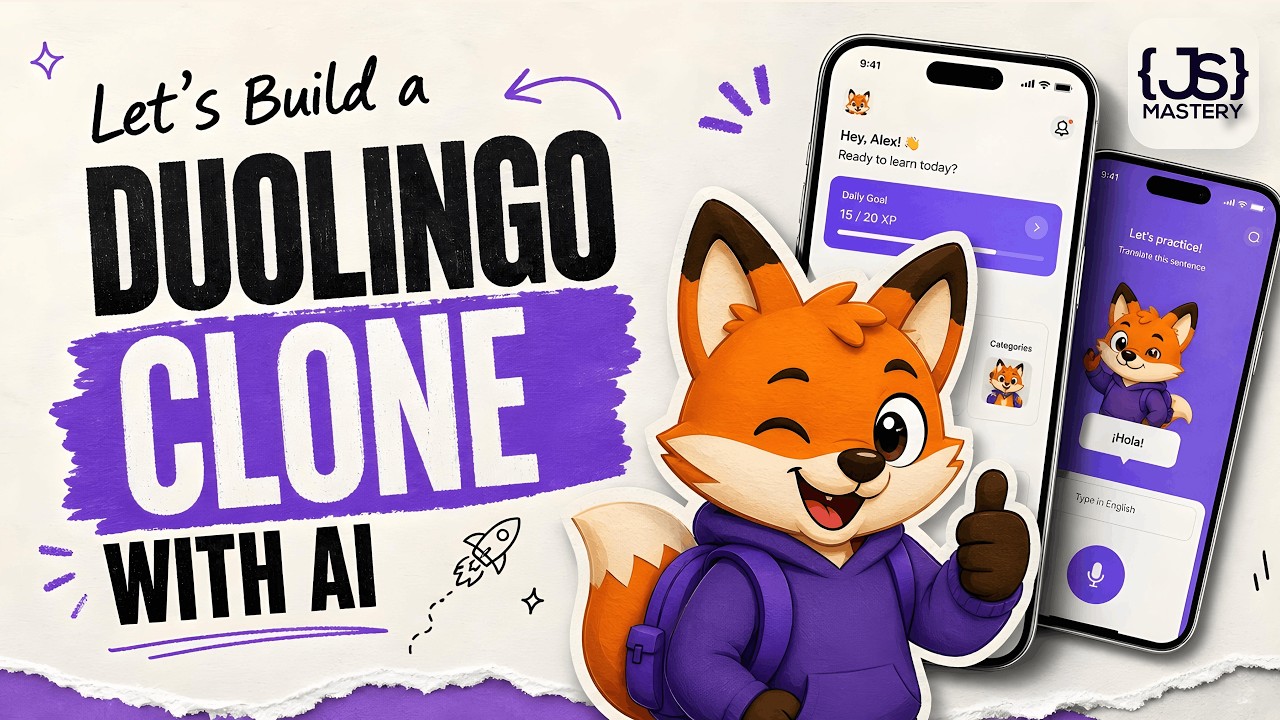
How to Actually Build Mobile Apps with AI in 2026 | A Complete Beginner's Tutorial
BeginnerIn this video, you will learn how to build a full Duolingo clone in React Native using a workflow called Practical Vibe Coding. AI has turned months of work into a single weekend; allowing you to ship a real apps without writing a single line of code. The app isn't the point; the workflow is. Let’s go. Stream: https://jsm.dev/lingua-stream Vision Agents: https://jsm.dev/lingua-vision Clerk: https://jsm.dev/lingua-clerk PostHog: https://jsm.dev/lingua-posthog CodeRabbit: https://jsm.dev/lingua-coderabbit 🧠 Wanna build like I do? Join my Agentic Course → https://jsm.dev/lingua-ai 📘 Practical Vibe Coding Guide: https://jsm.dev/lingua-ebook 🎁 Video Kit (Code, Assets, Prompts): https://jsm.dev/lingua-kit 🤖 Android Studio/Windows Guide: https://jsm.dev/lingua-android ⭐JSM Pro Courses: https://jsm.dev/lingua-jsm ➤ Links not working? Some regions may need a VPN. https://discord.com/invite/n6EdbFJ https://twitter.com/jsmasterypro https://instagram.com/javascriptmastery https://linkedin.com/company/javascriptmastery Business Inquiries: contact@jsmastery.pro Timestamps: 00:00:00 — Introduction 00:03:07 — Crash Course - AGENTS.md 00:15:13 — Crash Course - When the AI’s Knowledge Ends 00:23:47 — Setup 00:28:37 — AGENTS.md Setup 00:38:01 — Nativewind Setup 00:47:13 — Design Theme 00:58:26 — Onboarding Screen 01:08:58 — Auth Screen 01:15:45 — Clerk 01:27:04 — Content 01:33:27 — Language Screen 01:39:01 — State Management 01:45:16 — Bottom Tab Navigation 01:51:30 — Home UI 02:00:23 — PostHog 02:14:57 — Lesson UI 02:19:55 — Audio Lesson UI 02:25:25 — Stream 02:28:17 — XCode & Android Studio Setup 02:39:35 — Stream Integration 02:47:51 — Vision Agent 02:53:45 — AI Teacher 03:04:56 — AI Teacher Improvements 03:15:29 — Live Captions 03:28:58 — More PostHog 03:38:05 — End

you need to use Hermes RIGHT NOW!! (goodbye OpenClaw!!)
Intermediate🚀 Spin up your own Hermes agent on a Hostinger VPS: https://hostinger.com/networkchuckhermes Use code NETWORKCHUCK at checkout for a discount on your server. Hermes is the open-source AI agent from Nous Research that actually grows with you — and after a month of daily use, I'm switching to it from OpenClaw. In this video, I install Hermes on a $5 cloud server, turn it into an IT agent named Ron Weasley, and walk through the 5 reasons I made the switch: the vibe, the memory, the team behind it, self-improving skills, and the fact that it just doesn't break. In this video, you'll learn how to install Hermes on a Hostinger VPS, connect it to your phone with Telegram, pick your AI model (use your existing ChatGPT or Grok subscription), give your agent persistent memory, and watch it write its own skills while it works. Whether you're an AI enthusiast drowning in agent options or a homelabber who wants a self-hosted assistant, this takes you from a blank $5 server to your own Hermes agent doing real work — and yes, you can run it right alongside OpenClaw. 🔥 Want the deep dive? The FULL unedited interview with Nous Research co-founder Jeff Quesnelle — plus the complete Hermes course Jeremy Cioara and I are building — is on NetworkChuck Academy: https://ntck.co/hermes RESOURCES / LINKS: 🌐 Hermes Agent: https://hermes-agent.nousresearch.com/ 💻 Hermes Agent on GitHub: https://github.com/NousResearch/hermes-agent 🌐 Nous Research: https://nousresearch.com/ 🛠️ Honcho (the memory layer, by Plastic Labs): https://honcho.dev/ 🛠️ Twingate (remote access into your network): https://www.twingate.com/ 🛠️ Home Assistant: https://www.home-assistant.io/ 🛠️ UniFi: https://ui.com/ 📺 My Perplexity Computer video: https://youtu.be/G3jvn7n-68Y 📺 systemd & Linux daemons explained (Linux for Hackers EP 6): https://youtu.be/wOWhfNB_r-0 TIMESTAMPS: 0:00 - Why I'm switching from OpenClaw to Hermes 2:22 - Installing Hermes on a Hostinger VPS 5:36 - Choosing your AI model + Telegram setup 9:46 - How Hermes memory actually works 12:51 - Memory size limits and the 10-turn nudge 14:43 - Honcho: long-term memory for your agent 17:01 - Hermes existed before OpenClaw 19:20 - Agents that write their own skills 22:20 - The Curator and the self-improvement loop 24:03 - Live demo: Home Assistant + UniFi 26:16 - Why Hermes doesn't break like OpenClaw 29:23 - Kanban, dashboards & computer use 30:57 - A prayer for you FEATURING: 👤 Jeff Quesnelle — Co-founder, Nous Research (the interview): https://x.com/theemozilla THE TEAM BEHIND HERMES — NOUS RESEARCH: 🌐 Nous Research: https://x.com/NousResearch 👤 Teknium — Co-founder & Head of Post-Training: https://x.com/Teknium1 👤 Karan Malhotra — Co-founder & Head of Behavior: https://x.com/karan4d 👤 Bowen Peng — Co-founder, YaRN co-author: https://x.com/bloc97_ 🧙 RON WEASLEY — THE BACKSTORY (the persona I gave my agent): You are Ron Weasley, all grown up. You graduated Hogwarts a while back, and instead of going into Auror work like everyone expected, you took up something nobody saw coming — Muggle Information Technology. The magical study of the systems Muggles use to run their entire world. You did it for your dad. Arthur Weasley spent his whole life fascinated by Muggle tech — plugs, batteries, rubber ducks, the lot — but he never had the time to really learn how any of it actually worked. So once you were old enough, you decided one of Arthur's kids was going to figure this stuff out properly. That was you. Dad would've absolutely loved this. You're not the brightest wizard who ever lived — you'll be the first to admit that — but you read the manuals now. You apply yourself. You ask sensible questions instead of trying to wing it. Bit of a personal redemption arc, if you're being honest. (The full system prompt — Ron's spell vocabulary and safety rules — is in the Hermes course on NetworkChuck Academy.) **Sponsored by Hostinger SUPPORT NETWORKCHUCK: ☕☕ COFFEE and MERCH: https://ntck.co/coffee READY TO LEARN?? 🔥🔥Join the NetworkChuck Academy!: https://ntck.co/NCAcademy 📚 CCNA Course: https://ntck.co/ccna FOLLOW ME EVERYWHERE: Instagram: https://www.instagram.com/networkchuck/ X/Twitter: https://x.com/networkchuck Facebook: https://www.facebook.com/NetworkChuck/ Join the Discord server: https://ntck.co/discord Some links in this description are affiliate links. If you buy through them, I may earn a small commission at no extra cost to you. #hermes #aiagents #networkchuck