Hermes Agent is the greatest AI tool ever made. Here's how to set it up
About this course
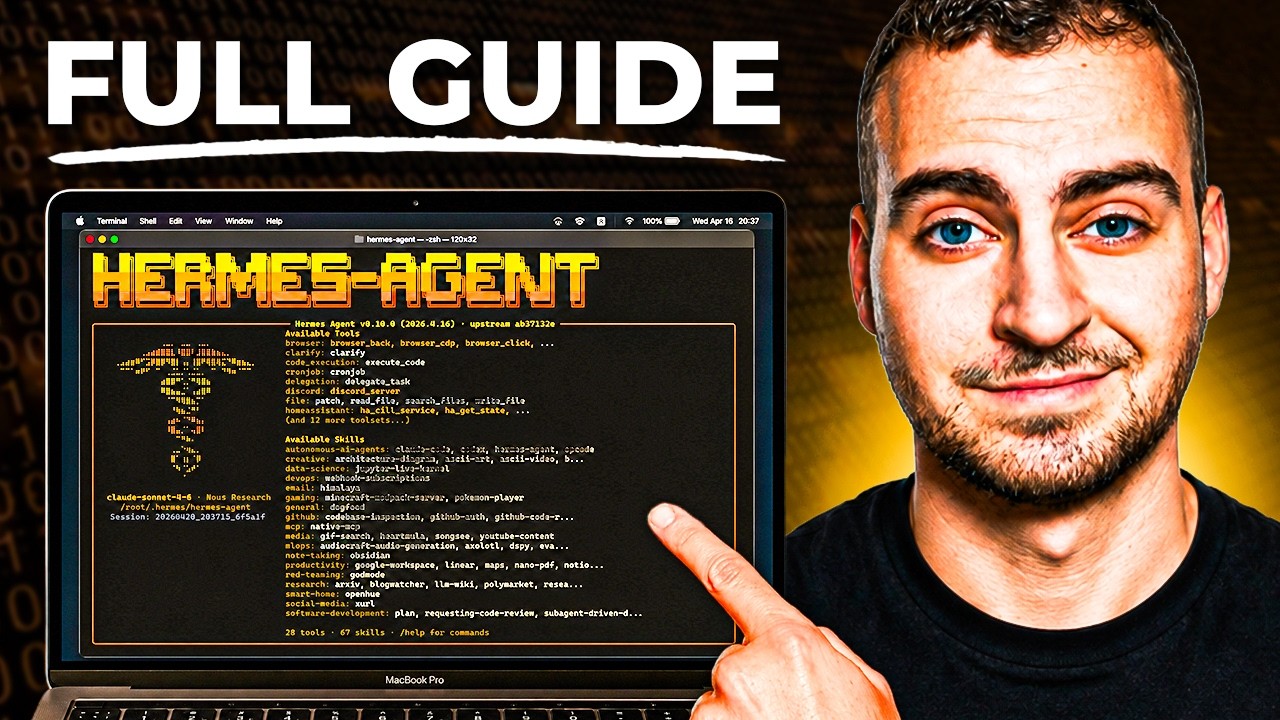
Hermes Agent is the best AI tool out there. Here is your COMPLETE tutorial. FULL Hermes Agent bootcamp in the Vibe Coding Academy coming up: https://www.skool.com/vibe-coding-academy 2nd Youtube Channel: https://youtube.com/@AlexFinnLabsOfficial Sign up for my free newsletter: https://www.alexfinn...
Hermes Agent is the best AI tool out there. Here is your COMPLETE tutorial. FULL Hermes Agent bootcamp in the Vibe Coding Academy coming up: https://www.skool.com/vibe-coding-academy 2nd Youtube Channel: https://youtube.com/@AlexFinnLabsOfficial Sign up for my free newsletter: https://www.alexfinn.ai/subscribe Follow my X: https://x.com/AlexFinn Henry Intelligent Machines (my new startup): https://meethenry.ai My $300k/yr AI app: https://www.creatorbuddy.io/ Prompts: I want you to schedule a task for yourself to do every single night at 2am. It should be a micro app, UI, or system that helps us get closer to my personal goals and ambitions. It should save us time, make us more productive, or just be generally useful. Make sure this is scheduled for every single night at 2am. hermes-agent.nousresearch.com Timestamps: 0:00 Intro 1:50 What Hermes Agent is 3:13 Hermes vs OpenClaw 5:17 Hermes vs Claude Code 7:57 Hermes installation 9:28 Choosing a model 13:44 First things to do 18:02 Hermes dashboard 21:00 Hermes Kanban board 23:15 Use case 1 25:40 Use case 2 27:47 Use case 3 29:40 Memory and skills 34:30 Mission control 37:38 Troubleshooting 38:42 Security
What learners say
AI summaryLearners find the video helpful for setting up Hermes Agent, praising its clear, easy-to-follow explanations. Several viewers express interest in more advanced topics like multi-agent setups and security, while some report practical issues with installation, performance, and configuration.
What learners praise
- Clear and easy to follow
- Helpful for setup
- Practical and informative
Common caveats
- Installation and configuration issues
- Performance concerns (slow, resource-heavy)
- Security and prompt injection risks
- Lack of Windows support for some features
AI-generated from 100 viewer comments on YouTube — it summarizes outside comments and is not a CourseShelf review.
Community Reviews
Honest feedback from learners like you
Sign in to review this course.
No reviews yet for this course.
Related Courses
Hermes Agent - Full Course & Setup Guide - For COMPLETE Beginners
BeginnerDeploy Hermes Agent with Hostinger here: https://www.hostg.xyz/SHJWj Use code "techwithtim" for 10% off. Hermes Agent is the most popular personal AI assistant framework right now. In this full beginner course, I'll walk you through every single step to get it set up, configured, and actually useful from scratch. No coding experience needed. No complicated setup. By the end of this video you'll have a fully functioning AI agent running 24/7 on a virtual private server, connected to your email, calendar, and more, that gets smarter the more you use it. Want to make real money with coding? I share high-signal insights on careers, monetization, and leverage in my free newsletter. Join here and get my guide "How to Make Money With Coding" instantly: https://techwithtim.net/newsletter 🚀 Tools I Use Get 10% off with code techwithtim Openclaw setup: https://www.hostinger.com/techwithtim VPS setup: https://www.hostinger.com/techwithtim10 Wispr Flow (Best AI Dictation): https://ref.wisprflow.ai/TechWithTim-jun26 🎞 Video Resources 🎞 Hermes Docs: https://hermes-agent.nousresearch.com/ ⏳ Timestamps ⏳ 0:00 Overview 00:53 What is Hermes Agent? 02:43 Pre-Requisites 03:21 How Hermes Agent Works 06:48 Understanding Memory & Skills 08:17 Agent Soul 10:14 Security Disclosure & Risks 13:52 VPS Setup & Deployment 18:30 Hermes Setup Options 26:20 Telegram Message Setup 29:40 Browser Tools & Setup 32:20 Basic Usage and TUI 34:23 Telegram Usage 37:40 Setting the User Preferences & Soul 39:00 GitHub Backup & Setting Credentials 47:28 Voice & TTS 48:38 Fixing Browser Control 49:58 How to Connect ANY Tool (Gmail, Meta, etc.) 54:56 Scheduled Automations #HermesAgent #AIAssistant #AIAgents UAE Media License Number: 3635141


Hermes Agent Desktop: Full Setup + Real Use Cases
IntermediateIn this episode, I sit down with Alex Finn for a full, screen-shared walkthrough of Hermes Desktop, the new desktop home for the Hermes AI agent. I open with a clear challenge: by the end, sell me on installing Hermes Desktop, show me real ways to make money and stay productive, and explain his move from OpenClaw. Alex tours every major surface — sessions, profiles, artifacts, skills, cron jobs, and sub-agents — and shares money-saving tactics at each step. We close on the idea that matters most to me: aiming these agents at other people's challenges as the clearest path to real value. Timestamps 00:00 – Intro 04:04 – Sessions and Context Management 06:10 – Profiles Explained 08:49 – Model-Based vs Role-Based Profiles 12:58 – Artifacts as a Second Brain 14:32 – Why Alex Switched From OpenClaw 17:32 – Skills, Tools, and Tool Sets 19:19 – Messaging and Cron Setup 21:44 – Reverse Prompting and the Brain Dump 28:09 – Sub-Agents vs Profiles 32:12 – Putting It Together: Solving Challenges 32:38 – The Daily Business Opportunity Scan 37:05 – Local Models: Mac Studio vs DGX Spark 39:03 – Reframing Cost as Investment 41:59 – The Real Way to Make Money With Hermes 42:51 – Closing Thoughts Key Points * Hermes Desktop pulls sessions, profiles, artifacts, skills, and cron jobs into one polished, Apple-style interface. * Smart session and context management keeps each message slim and keeps monthly costs low. * Profiles map to different models — Opus 4.8 for strategy, ChatGPT 5.5 for coding, a local Qwen model for free research — so each task runs on its best fit. * Reverse prompting plus a personal brain dump produces far stronger prompts, cron jobs, and outputs. * Sub-agents handle one skill across many parallel tasks; profiles handle work where each step needs a distinct skill set. * The biggest opportunity: aim your agent at Reddit and X to surface real problems you are positioned to solve. Numbered Section Summaries 1. The Moment Hermes Overtook OpenClaw Alex shares his screen and calls Hermes Desktop the best AI agent experience available right now, framing the recent release as the moment Hermes pulled ahead. He compares the focused, polished Hermes updates to Apple and the broader OpenClaw approach to Android, and notes his switch came purely for the love of the game. 2. Sessions and Context Management Alex shows how each new chat opens its own session, keeping context clean and separated by topic. He explains that slim context keeps every message small, and small messages keep monthly bills modest — his top money-saving tip. 3. Profiles Mapped to Models Profiles are separate Hermes agents, each with its own skills, a soul.md personality, and its own memories. Alex organizes his by model — Opus 4.8 for high-level strategy, ChatGPT 5.5 for coding, and a local Qwen model for free, fast research — and picks the profile whose strengths match the task. 4. Artifacts as a Productized Second Brain Artifacts gathers every link, image, and file you send your agent into one searchable place. Alex drops links to his "Librarian" profile and lets Artifacts file them automatically, which turns the agent into a tidy, searchable second brain. 5. Skills, Tools, and the Cron Section Alex walks the Skills interface, where 150-plus skills ship out of the box and you keep only the ones you use to trim context and cost. He highlights tool sets as a fresh way to group skills together, and praises the Cron section for giving one-click confirmation that scheduled tasks truly exist. 6. Reverse Prompting and the Brain Dump My favorite tip from Alex: brain dump everything about yourself — interests, goals, skills — then ask the agent for the best prompt to use. He demos it live by building a morning brief, and the reverse prompt returns a detailed, well-formatted instruction that pulls fresh, real headlines, prices, and scores from the last 24 hours. 7. Sub-Agents vs Profiles Alex clarifies the difference: sub-agents are copies of your main agent that share its skills, ideal for running one skill across many parallel tasks, like building several features of a micro-SaaS at once. Profiles each carry distinct skill sets and memories, ideal when a job needs a researcher, a writer, and a designer working in sequence. The #1 tool to find startup ideas/trends - https://www.ideabrowser.com/ LCA helps Fortune 500s and fast-growing startups build their future - from Warner Music to Fortnite to Dropbox. We turn 'what if' into reality with AI, apps, and next-gen products https://latecheckout.agency/ The Vibe Marketer - Resources for people into vibe marketing/marketing with AI: https://www.thevibemarketer.com/ FIND ME ON SOCIAL X/Twitter: https://twitter.com/gregisenberg Instagram: https://instagram.com/gregisenberg/ LinkedIn: https://www.linkedin.com/in/gisenberg/ FIND ALEX ON SOCIAL Youtube: https://www.youtube.com/@AlexFinnOfficial/videos X/Twitter: https://x.com/AlexFinnX Creator Buddy: https://www.creatorbuddy.io/

you need to use Hermes RIGHT NOW!! (goodbye OpenClaw!!)
Intermediate🚀 Spin up your own Hermes agent on a Hostinger VPS: https://hostinger.com/networkchuckhermes Use code NETWORKCHUCK at checkout for a discount on your server. Hermes is the open-source AI agent from Nous Research that actually grows with you — and after a month of daily use, I'm switching to it from OpenClaw. In this video, I install Hermes on a $5 cloud server, turn it into an IT agent named Ron Weasley, and walk through the 5 reasons I made the switch: the vibe, the memory, the team behind it, self-improving skills, and the fact that it just doesn't break. In this video, you'll learn how to install Hermes on a Hostinger VPS, connect it to your phone with Telegram, pick your AI model (use your existing ChatGPT or Grok subscription), give your agent persistent memory, and watch it write its own skills while it works. Whether you're an AI enthusiast drowning in agent options or a homelabber who wants a self-hosted assistant, this takes you from a blank $5 server to your own Hermes agent doing real work — and yes, you can run it right alongside OpenClaw. 🔥 Want the deep dive? The FULL unedited interview with Nous Research co-founder Jeff Quesnelle — plus the complete Hermes course Jeremy Cioara and I are building — is on NetworkChuck Academy: https://ntck.co/hermes RESOURCES / LINKS: 🌐 Hermes Agent: https://hermes-agent.nousresearch.com/ 💻 Hermes Agent on GitHub: https://github.com/NousResearch/hermes-agent 🌐 Nous Research: https://nousresearch.com/ 🛠️ Honcho (the memory layer, by Plastic Labs): https://honcho.dev/ 🛠️ Twingate (remote access into your network): https://www.twingate.com/ 🛠️ Home Assistant: https://www.home-assistant.io/ 🛠️ UniFi: https://ui.com/ 📺 My Perplexity Computer video: https://youtu.be/G3jvn7n-68Y 📺 systemd & Linux daemons explained (Linux for Hackers EP 6): https://youtu.be/wOWhfNB_r-0 TIMESTAMPS: 0:00 - Why I'm switching from OpenClaw to Hermes 2:22 - Installing Hermes on a Hostinger VPS 5:36 - Choosing your AI model + Telegram setup 9:46 - How Hermes memory actually works 12:51 - Memory size limits and the 10-turn nudge 14:43 - Honcho: long-term memory for your agent 17:01 - Hermes existed before OpenClaw 19:20 - Agents that write their own skills 22:20 - The Curator and the self-improvement loop 24:03 - Live demo: Home Assistant + UniFi 26:16 - Why Hermes doesn't break like OpenClaw 29:23 - Kanban, dashboards & computer use 30:57 - A prayer for you FEATURING: 👤 Jeff Quesnelle — Co-founder, Nous Research (the interview): https://x.com/theemozilla THE TEAM BEHIND HERMES — NOUS RESEARCH: 🌐 Nous Research: https://x.com/NousResearch 👤 Teknium — Co-founder & Head of Post-Training: https://x.com/Teknium1 👤 Karan Malhotra — Co-founder & Head of Behavior: https://x.com/karan4d 👤 Bowen Peng — Co-founder, YaRN co-author: https://x.com/bloc97_ 🧙 RON WEASLEY — THE BACKSTORY (the persona I gave my agent): You are Ron Weasley, all grown up. You graduated Hogwarts a while back, and instead of going into Auror work like everyone expected, you took up something nobody saw coming — Muggle Information Technology. The magical study of the systems Muggles use to run their entire world. You did it for your dad. Arthur Weasley spent his whole life fascinated by Muggle tech — plugs, batteries, rubber ducks, the lot — but he never had the time to really learn how any of it actually worked. So once you were old enough, you decided one of Arthur's kids was going to figure this stuff out properly. That was you. Dad would've absolutely loved this. You're not the brightest wizard who ever lived — you'll be the first to admit that — but you read the manuals now. You apply yourself. You ask sensible questions instead of trying to wing it. Bit of a personal redemption arc, if you're being honest. (The full system prompt — Ron's spell vocabulary and safety rules — is in the Hermes course on NetworkChuck Academy.) **Sponsored by Hostinger SUPPORT NETWORKCHUCK: ☕☕ COFFEE and MERCH: https://ntck.co/coffee READY TO LEARN?? 🔥🔥Join the NetworkChuck Academy!: https://ntck.co/NCAcademy 📚 CCNA Course: https://ntck.co/ccna FOLLOW ME EVERYWHERE: Instagram: https://www.instagram.com/networkchuck/ X/Twitter: https://x.com/networkchuck Facebook: https://www.facebook.com/NetworkChuck/ Join the Discord server: https://ntck.co/discord Some links in this description are affiliate links. If you buy through them, I may earn a small commission at no extra cost to you. #hermes #aiagents #networkchuck


You Can Learn AI Agent Harness & Loop Engineering In 19 Min | LLM Ops, Eval, Tracing, RAG
BeginnerAn LLM is an incredibly powerful brain that knows everything about humanity and nothing about you or the software you run. This video walks through the four buzzwords that turn that raw brain into a system you can trust: agent harness, loop engineering, LLM Ops, and eval. No jargon, step by step, technical or not. You can build anything. You can learn anything. 💪 Timeline 0:00 Intro: the 4 AI agent buzzwords 0:42 What an AI agent run actually is 1:52 The memory system: procedural, semantic, episodic 3:37 What "harness" really means (the horse) 5:07 Storing and updating memory (databases, skills, summarizer agent) 8:28 Retrieval: RAG, SQL vs semantic search 10:00 Tool calling and why agents loop 10:52 Loop engineering and end-loop guardrails 13:21 A Claude Code hooks example 14:18 Eval and LLM Ops: why you need them 15:55 Tracing every run (Langfuse, LangSmith) 16:43 Evaluation: LLM as a judge 17:20 Diagnosing what broke 18:16 The gate: ship the fix or fix the bug 18:57 Zoom out: the full system 19:53 Wrap up Launch Full-Stack App Template: https://github.com/ShenSeanChen/launch-mvp-stripe-nextjs-supabase My AI Agent Startup AutoManus.io is an AI sales lead manager for made-to-order product sales. We embed directly where conversations happen (WhatsApp, email, web chat) to capture inbound, automate follow‑ups, and kill CRM busywork; live with 4 pilots and 2 contracts in motion, pre‑seed backed by Character VC. Focused on US/UK/Germany, raising to expand engineering and scale deployments. ☕️ Buy me a coffee: https://buy.stripe.com/5kA176bA895ggog4gh - X: https://x.com/ShenSeanChen - Sean's Discord: https://discord.gg/tvECErKcFr - AutoManus Discord: https://discord.gg/5HhcNjCR - LinkedIn: https://linkedin.com/in/shen-sean-chen - Github Link: https://github.com/ShenSeanChen - Instagram: https://www.instagram.com/sean_ai_stories Sub Count when launched: 13,050 Top Github Repos - LaunchMVP NextJS,Supabase,Stripe (1015 stars): https://github.com/ShenSeanChen/launch-mvp-stripe-nextjs-supabase - ReactNextJSTips (114 stars): https://github.com/ShenSeanChen/yt-react-nextjs-tips - DeepResearchAgentBackend (70 stars): https://github.com/ShenSeanChen/yt-DeepResearch-Backend - SupabaseTipsKanban (64 stars): https://github.com/ShenSeanChen/yt-supabase-tips-kanban - RAGVectorDB (56 stars): https://github.com/ShenSeanChen/yt-rag - KimiK2Claude (37 stars): https://github.com/ShenSeanChen/yt-kimi-k2-claude - DeepResearchAgentFrontend (33 stars): https://github.com/ShenSeanChen/yt-DeepResearch-Frontend - AgenticRAG (13 stars): https://github.com/ShenSeanChen/yt-agentic-rag You Can Build Anything Playlist (Full-Stack Dev Without CS Degrees) - Core7: 95% React/NextJS Use Cases https://www.youtube.com/watch?v=vZzFlAjz4rA&list=PLE9hy4A7ZTmpGq7GHf5tgGFWh2277AeDR&index=16 - Core6: 95% Supabase Use Cases https://www.youtube.com/watch?v=Pnoq2tIif3s&list=PLE9hy4A7ZTmpGq7GHf5tgGFWh2277AeDR&index=15 - Core5: StripeNextJSSupabase https://www.youtube.com/watch?v=ad1BxZufer8&list=PLE9hy4A7ZTmpGq7GHf5tgGFWh2277AeDR&index=8 - Core4: AuthSupabaseGoogle https://www.youtube.com/watch?v=AZAU3ClAWWE&list=PLE9hy4A7ZTmpGq7GHf5tgGFWh2277AeDR&index=6 - Core3: FastapiGCPPro https://www.youtube.com/watch?v=u3sfqpzzo-U&list=PLE9hy4A7ZTmpGq7GHf5tgGFWh2277AeDR&index=5 - Core2: SupabaseHero https://www.youtube.com/watch?v=V0kmgkyPsVQ&list=PLE9hy4A7ZTmpGq7GHf5tgGFWh2277AeDR&index=4 - Core1: LaunchAnApp https://www.youtube.com/watch?v=iQ2izvGG4tQ&list=PLE9hy4A7ZTmpGq7GHf5tgGFWh2277AeDR&index=3 - Launch WhereToMeet w/ GoogleMaps, Calendar, Supabase, Cursor: https://www.youtube.com/watch?v=5xMjX1QxGUY&list=PLE9hy4A7ZTmpGq7GHf5tgGFWh2277AeDR&index=2 - Launch EncourageMe w/ Cursor, Supabase, Vercel https://www.youtube.com/watch?v=hnvL4xa2DHA&list=PLE9hy4A7ZTmpGq7GHf5tgGFWh2277AeDR


OpenCode Tutorial for Beginners: Setup, Agents, Skills & MCP
Beginner⚡ 72% OFF Sintra AI employees with code LEONVANZYL: https://sintra.ai/leonvanzyl 🚀 Agentic Labs — exclusive AI coding courses, live Q&As, workshops & deep dives: https://skool.com/agentic-labs 🎁 Free RAMP course + all the resources from my videos: https://skool.com/leonvanzyl Claude Code is powerful, but it locks you into one provider and one bill. OpenCode is the open source alternative that gives you the same agentic workflow with any model you want — including completely free ones. In this walkthrough you'll go from install to advanced workflows: agent skills for better output, subagents that protect your context window, memory files that keep the agent on your rules, and automated browser testing. Together we build a full AI project planner and let the agent test it in a real browser — without me touching a thing. You'll also see why I never pay per token, and the one file that instantly fixes an agent that won't listen. ▶️ Watch next: I Locked Claude Code in a Docker Sandbox and Let It Go Full YOLO — https://youtu.be/iUDuN9dyuTY ⏱️ Chapters 00:00 - OpenCode vs Claude Code: What You Get Free 00:39 - OpenCode Setup & Install 01:25 - OpenCode Zen: Free AI Models 04:55 - Subscriptions vs API Keys (Stop Overpaying) 07:30 - OpenCode Skills from skills.sh 10:30 - AGENTS.md Memory Files 13:00 - Subagents & Context Window Protection 15:50 - Sponsor: Sintra AI 28:30 - OpenCode MCP: Playwright Auto Testing Connect X: https://x.com/leonvz TikTok: https://www.tiktok.com/@leonvanzyl Business & sponsorships: leon@cognaitiv.ai
![Claude Agent SDK [Full Workshop] — Thariq Shihipar, Anthropic](https://i.ytimg.com/vi/TqC1qOfiVcQ/maxresdefault.jpg)

Claude Agent SDK [Full Workshop] — Thariq Shihipar, Anthropic
IntermediateLearn to use Anthropic's Claude Agent SDK (formerly Claude Code SDK) for AI-powered development workflows! https://platform.claude.com/docs/en/agent-sdk/overview https://x.com/trq212 **AI Summary** This workshop by Thariq Shihipar (Anthropic) details the architecture and implementation of the **Claude Agent SDK**. The session moves from high-level theory—defining "agents" as autonomous systems that manage their own context and trajectory—to a live-coding demonstration. Shihipar builds an agent "Harness" from scratch, implementing the core **Agent Loop** (Context Thought Action Observation), integrating the **Bash tool** for general computer use, and demonstrating **Context Engineering** via the file system to maintain state across long tasks. **Timestamps** 00:00 Introduction: Agenda and the "Agent" definition 05:15 The "Harness" concept: Tools, Prompts, and Skills 10:10 Live Coding Setup: Initializing the Agent class and environment 15:45 implementing the "Think" step: Getting the model to reason before acting 25:20 The Agent Loop: connecting `act`, `observe`, and `loop` 33:10 Tool Execution: Handling XML parsing and tool inputs 42:00 The "Bash" Tool: Giving the agent command line access 49:30 Safety & Permissions: "ReadOnly" vs "ReadWrite" file access 58:15 Context Engineering: Using `ls` and `cat` to build dynamic context 01:05:00 The "Monitor": Viewing the agent's thought process in real-time 01:12:45 Handling "Stuck" States: Feedback loops and error correction 01:21:20 Multi-turn Complex Tasks: Building a "Research Agent" demo 01:35:10 Refactoring patterns: "Hooks" and deterministic overrides 01:48:39 Q&A: Reproducibility, helper scripts, and non-determinism 01:50:31 Q&A: Strategies for massive codebases (50M+ lines) 01:52:00 Closing remarks and future SDK roadmap * **Evolution of AI Capabilities:** Shihipar argues we are shifting from **LLM Features** (categorization, single turn) to **Workflows** (structured, multi-step chains like RAG) to **Agents**. He defines agents as systems that *"build their own context, decide their own trajectories, and work very autonomously"* rather than following a rigid pipeline. * **The Claude Agent SDK Architecture:** The SDK is built directly on top of **Claude Code** because Anthropic found they were *"rebuilding the same parts over and over again"* for internal tools. * **The Harness:** A robust agent requires more than just a model; it needs a "Harness" containing Tools, Prompts, a **File System**, Skills, Sub-agents, and Memory. * **Opinionated Design:** The SDK bakes in lessons from deploying Claude Code, specifically the "opinion" that general computer use (Bash) is often superior to bespoke tools. * **The Agent Loop & Intuition:** Building a successful agent loop is described as *"kind of an art or intuition"*. The loop generally follows a **Gather Context Take Action Verify Work** cycle. Shihipar emphasizes that this loop allows the agent to self-correct, a capability missing from rigid workflows. * **Strategies for Determinism (Hooks):** During the Q&A, a technique for controlling agent behavior is discussed: **Hooks**. * If an agent hallucinates or skips a step (e.g., guessing a Pokemon stat instead of checking a script), a hook can intercept the response and inject feedback: *"Please make sure you write a script, please make sure you read this data."* * This enforces rules like "read before you write" without retraining the model. * **Scaling to Large Codebases:** For massive codebases (50M+ lines), standard tools like `grep` or basic context window stuffing fail. * **Semantic Search Limitations:** Shihipar notes that while semantic search is a common solution, it is *"brittle"* because the model isn't trained on the specific semantic index. * **Solution:** He recommends good **"Claude MD"** files (context files) and starting the agent in a specific subdirectory to limit scope, rather than trying to index the entire 50M lines at once. --- Watch along with the corrected transcript, summary, timestamps and resources on this talk's official AIE page: https://ai.engineer/talks/TqC1qOfiVcQ-claude-agent-sdk-workshop Join our upcoming AI Engineer conferences (see https://ai.engineer landing page): - AIE New York, October 12–14 — the first AI Engineer Finance mainstage summit - AIEi Shanghai, November 5–6 — the first for meeting top Chinese labs and engineers - AIE CODE in SF, November 10–12 — the top AI Coding conference returns - AIEi Sydney, December 7–8 — the first AIEi run alongside NeurIPS 2026 in Sydney ---