Getting started with Codex
About this course
Get started with Codex, OpenAI’s coding agent, in this step-by-step onboarding walkthrough. You’ll learn how to install Codex, set up the CLI and VS Code extension, configure your workflow, and use Agents.md and prompting patterns to write, review, and reason across a real codebase. This video cove...
Get started with Codex, OpenAI’s coding agent, in this step-by-step onboarding walkthrough. You’ll learn how to install Codex, set up the CLI and VS Code extension, configure your workflow, and use Agents.md and prompting patterns to write, review, and reason across a real codebase. This video covers: 00:00 | Installing Codex (CLI + IDE) 04:00 | Setting up a repo and getting your first runs working 08:12 | Writing a great Agents.md (patterns + best practices) 14:14 | Configuring Codex for your environment 16:26 | Prompting patterns for more consistent results 27:02 | Tips for using Codex in the CLI and IDE 34:59 | MCP Configuration 46:50 | Advanced workflows: headless mode + SDK 52:02 | Codex resources to get you started Sign up: https://openai.com/codex/ Codex overview + docs: https://developers.openai.com/codex Codex Cookbook: https://cookbook.openai.com/topic/codex Install + setup VS Code extension: https://marketplace.visualstudio.com/items?itemName=openai.chatgpt Agents.md standard: https://agents.md Agents.md repo: https://github.com/agentsmd/agents.md Prompting + workflows Prompting guide: https://developers.openai.com/codex/prompting/ Exec plans (Agents.md patterns): https://cookbook.openai.com/articles/codex_exec_plans Config reference: https://github.com/openai/codex/blob/main/docs/config.md#config-reference Updates Changelog: https://developers.openai.com/codex/changelog Releases: https://github.com/openai/codex/releases
Community Reviews
Honest feedback from learners like you
Sign in to review this course.
No reviews yet for this course.
Related Courses


OpenCode Tutorial for Beginners: Setup, Agents, Skills & MCP
BeginnerVisit sintra.ai/leonvanzyl or use my promo code leonvanzyl at checkout to receive limited time offer of 72% off on all plans 🚀 Free resources: source code, prompts, workflows + peer discussion https://skool.com/leonvanzyl 🧪 Agentic Labs: AI coding courses, live Q&A, weekly builder challenges, direct access to me + a serious builder community https://skool.com/agentic-labs OpenCode is the open source coding agent that is quickly becoming a serious alternative to Claude Code. In this opencode tutorial, you will learn how to install OpenCode, connect free AI models through OpenCode Zen or premium providers like OpenAI, and master advanced features including agent skills, sub agents, MCP servers, and background agents. ⏱️ CHAPTERS: 00:00 - OpenCode intro and overview 00:39 - Installing OpenCode in seconds 01:25 - Connecting providers and OpenCode Zen 02:20 - Free AI coding models walkthrough 03:46 - Scaffolding a Next js project 04:55 - Subscriptions vs API keys 06:00 - Connecting OpenAI and GPT 5 07:30 - Installing agent skills from skills sh 10:30 - AGENTS md memory file setup 13:00 - Sub agents and context window protection 15:30 - Design system for consistent UI 15:50 - Sponsor message 18:00 - Building the AI Project Planner app 22:30 - Saving plans for future sessions 24:30 - Creating custom sub agents 28:30 - Playwright MCP server setup 30:30 - Auto testing the app with browser MCP Business & sponsorship enquiries: leon.vanzyl@gmail.com #opencode #agenticcoding
![Claude Agent SDK [Full Workshop] — Thariq Shihipar, Anthropic](https://i.ytimg.com/vi/TqC1qOfiVcQ/maxresdefault.jpg)

Claude Agent SDK [Full Workshop] — Thariq Shihipar, Anthropic
IntermediateLearn to use Anthropic's Claude Agent SDK (formerly Claude Code SDK) for AI-powered development workflows! https://platform.claude.com/docs/en/agent-sdk/overview https://x.com/trq212 **AI Summary** This workshop by Thariq Shihipar (Anthropic) details the architecture and implementation of the **Claude Agent SDK**. The session moves from high-level theory—defining "agents" as autonomous systems that manage their own context and trajectory—to a live-coding demonstration. Shihipar builds an agent "Harness" from scratch, implementing the core **Agent Loop** (Context Thought Action Observation), integrating the **Bash tool** for general computer use, and demonstrating **Context Engineering** via the file system to maintain state across long tasks. **Timestamps** 00:00 Introduction: Agenda and the "Agent" definition 05:15 The "Harness" concept: Tools, Prompts, and Skills 10:10 Live Coding Setup: Initializing the Agent class and environment 15:45 implementing the "Think" step: Getting the model to reason before acting 25:20 The Agent Loop: connecting `act`, `observe`, and `loop` 33:10 Tool Execution: Handling XML parsing and tool inputs 42:00 The "Bash" Tool: Giving the agent command line access 49:30 Safety & Permissions: "ReadOnly" vs "ReadWrite" file access 58:15 Context Engineering: Using `ls` and `cat` to build dynamic context 01:05:00 The "Monitor": Viewing the agent's thought process in real-time 01:12:45 Handling "Stuck" States: Feedback loops and error correction 01:21:20 Multi-turn Complex Tasks: Building a "Research Agent" demo 01:35:10 Refactoring patterns: "Hooks" and deterministic overrides 01:48:39 Q&A: Reproducibility, helper scripts, and non-determinism 01:50:31 Q&A: Strategies for massive codebases (50M+ lines) 01:52:00 Closing remarks and future SDK roadmap * **Evolution of AI Capabilities:** Shihipar argues we are shifting from **LLM Features** (categorization, single turn) to **Workflows** (structured, multi-step chains like RAG) to **Agents**. He defines agents as systems that *"build their own context, decide their own trajectories, and work very autonomously"* rather than following a rigid pipeline. * **The Claude Agent SDK Architecture:** The SDK is built directly on top of **Claude Code** because Anthropic found they were *"rebuilding the same parts over and over again"* for internal tools. * **The Harness:** A robust agent requires more than just a model; it needs a "Harness" containing Tools, Prompts, a **File System**, Skills, Sub-agents, and Memory. * **Opinionated Design:** The SDK bakes in lessons from deploying Claude Code, specifically the "opinion" that general computer use (Bash) is often superior to bespoke tools. * **The Power of the Bash Tool:** A key technical insight is that the **Bash tool** is often the most powerful tool for an agent. Instead of building custom tools for every action (e.g., a specific API wrapper for a file conversion), giving the agent access to the shell allows it to use existing software (like `ffmpeg`, `grep`, or `git`) to solve problems flexibly, similar to how a human developer works. * **Context Engineering:** Shihipar introduces the concept of **Context Engineering** via the file system. Instead of just "Prompt Engineering," the agent uses the file system to manage its state and context. * **Files as Memory:** The agent can write to files to "remember" things or create its own documentation (e.g., `CLAUDE.md`) to ground future actions. * **Verification:** The file system serves as a ground truth for the agent to verify its work (e.g., checking if a file was actually created). * **The Agent Loop & Intuition:** Building a successful agent loop is described as *"kind of an art or intuition"*. The loop generally follows a **Gather Context Take Action Verify Work** cycle. Shihipar emphasizes that this loop allows the agent to self-correct, a capability missing from rigid workflows. * **Strategies for Determinism (Hooks):** During the Q&A, a technique for controlling agent behavior is discussed: **Hooks**. * If an agent hallucinates or skips a step (e.g., guessing a Pokemon stat instead of checking a script), a hook can intercept the response and inject feedback: *"Please make sure you write a script, please make sure you read this data."* * This enforces rules like "read before you write" without retraining the model. * **Scaling to Large Codebases:** For massive codebases (50M+ lines), standard tools like `grep` or basic context window stuffing fail. * **Semantic Search Limitations:** Shihipar notes that while semantic search is a common solution, it is *"brittle"* because the model isn't trained on the specific semantic index. * **Solution:** He recommends good **"Claude MD"** files (context files) and starting the agent in a specific subdirectory to limit scope, rather than trying to index the entire 50M lines at once.


Claude Code Complete Guide (Beginner to Advanced)
BeginnerWelcome to the Claude Code Playlist — your practical guide to building with Claude Code, even if you're not a developer. In this playlist, you'll learn how to use Claude Code effectively, avoid common mistakes, and build faster using real workflows, planning, agents, hooks, skills, plugins, checkpoints, and review mode. 📌 What you'll learn: • How to set up and use Claude Code • Best practices for non-coders & beginners • Plan mode (Shift + Tab) to avoid bad code early • Skills, Hooks, Agents & Plugins explained simply • Checkpoints & rewind (smart Ctrl+Z) • Review mode to catch mistakes before finishing • CLAUDE.md best practices & context management • Git workflow with Claude Code • Real-world prompts and workflows that actually work 💡 This playlist focuses on practical usage, not theory — helping you collaborate with Claude like a smart coding teammate. Whether you're a beginner, founder, non-coder, indie hacker, or developer, this playlist will help you get more out of Claude Code. 🔔 New videos added regularly — subscribe and follow along. #ClaudeCode #ClaudeAI #AIcoding #CodingAssistant #Anthropic #AIAgents #BuildWithAI #NoCode #VibeCoding
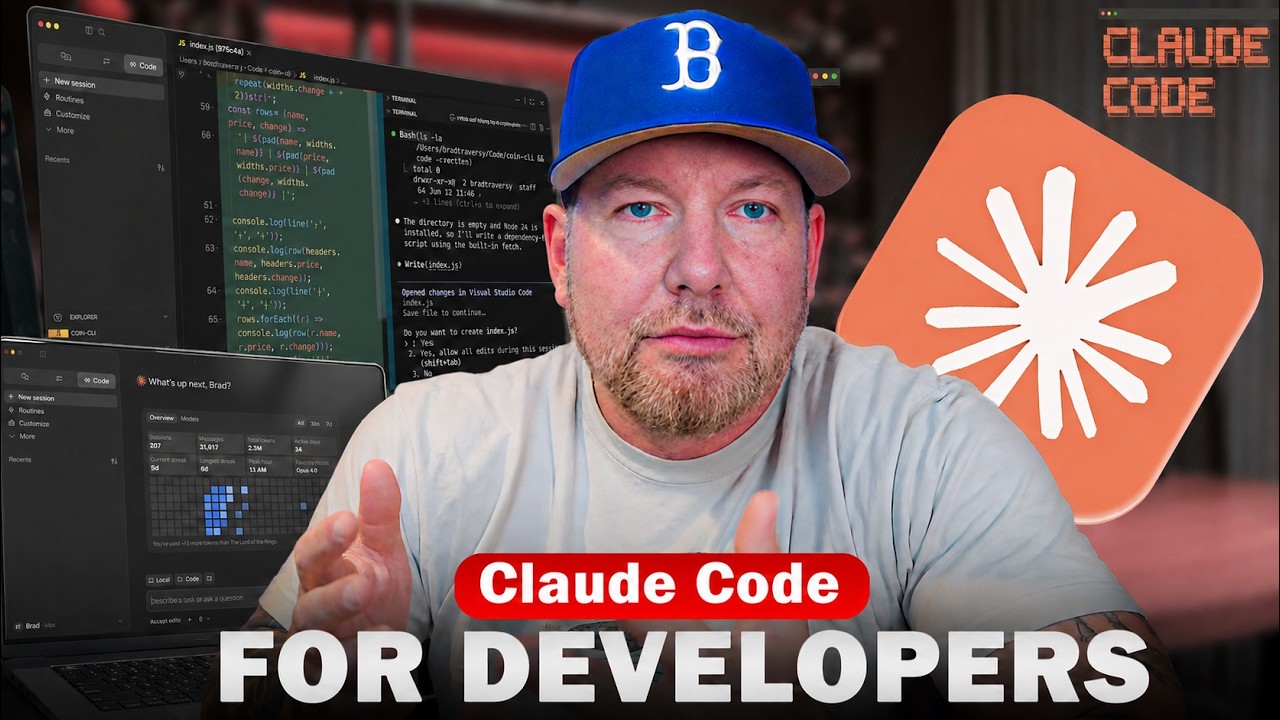

Claude Code Crash Course For Developers
BeginnerAn overview and starting point for Claude Code. Check out my coding with AI course: https://www.codingwithaicourse.com/ Get the Neon free plan: https://get.neon.com/6uuwMG3 Follow Neon to not miss course giveaways: - X/Twitter: https://x.com/neondatabase - Linkedin: https://www.linkedin.com/company/neondatabase Github Gist With Prompts: https://gist.github.com/bradtraversy/9937e0ecfc8a5b269ce6a885636670dc Crypto Dash Repo: https://github.com/bradtraversy/crypto-dash Timestamps: 0:00 - intro 2:23 - What Is Claude Code 3:56 - Installing Claude 6:43 - First Launch 7:26 - Models & Usage Limits 10:44 - Effort 11:14 - Using Claude In VS Code 12:16 - The First Prompt 16:10 - Shell Mode 17:30 - Modes 19:15 - Settings & Permissions 22:55 - VS Code Extension 24:05 - Refactoring Code 27:03 - Context, Tokens & Clearing 29:20 - Global Sessions 33:14 - Working on an Existing Project 35:48 - Claude.md File & /init 39:28 - Plan Mode 44:58 - Adding Favorites Feature 48:05 - Skills 53:27 - MCPs 57:51 - Sub-Agents


Claude Code Tutorial: Beginner to Advanced in 20 Minutes
BeginnerClaude Code Tutorial: Beginner to Advanced in 20 Minutes. Join our FREE community with free prompts & guides: https://www.skool.com/ai-launchpad/about Chapters: 0:00 - Intro 1:10 - What is Claude & Setup 3:54 - Plan mode & prompting 6:18 - First results & Iteration 8:18 - Claude.md & MCP 12:12 - Context management & extended thinking 16:10 - Deploy your builds 17:07 - Skills & Hooks & Routines 18:39 - Outro For business inquiries including sponsorships and collaborations, please email: business@zinhomedia.com


You Can Learn AI Agent Harness & Loop Engineering In 19 Min | LLM Ops, Eval, Tracing, RAG
BeginnerAn LLM is an incredibly powerful brain that knows everything about humanity and nothing about you or the software you run. This video walks through the four buzzwords that turn that raw brain into a system you can trust: agent harness, loop engineering, LLM Ops, and eval. No jargon, step by step, technical or not. You can build anything. You can learn anything. 💪 Timeline 0:00 Intro: the 4 AI agent buzzwords 0:42 What an AI agent run actually is 1:52 The memory system: procedural, semantic, episodic 3:37 What "harness" really means (the horse) 5:07 Storing and updating memory (databases, skills, summarizer agent) 8:28 Retrieval: RAG, SQL vs semantic search 10:00 Tool calling and why agents loop 10:52 Loop engineering and end-loop guardrails 13:21 A Claude Code hooks example 14:18 Eval and LLM Ops: why you need them 15:55 Tracing every run (Langfuse, LangSmith) 16:43 Evaluation: LLM as a judge 17:20 Diagnosing what broke 18:16 The gate: ship the fix or fix the bug 18:57 Zoom out: the full system 19:53 Wrap up Launch Full-Stack App Template: https://github.com/ShenSeanChen/launch-mvp-stripe-nextjs-supabase My AI Agent Startup AutoManus.io is an AI sales lead manager for made-to-order product sales. We embed directly where conversations happen (WhatsApp, email, web chat) to capture inbound, automate follow‑ups, and kill CRM busywork; live with 4 pilots and 2 contracts in motion, pre‑seed backed by Character VC. Focused on US/UK/Germany, raising to expand engineering and scale deployments. ☕️ Buy me a coffee: https://buy.stripe.com/5kA176bA895ggog4gh - X: https://x.com/ShenSeanChen - Sean's Discord: https://discord.gg/tvECErKcFr - AutoManus Discord: https://discord.gg/5HhcNjCR - LinkedIn: https://linkedin.com/in/shen-sean-chen - Github Link: https://github.com/ShenSeanChen - Instagram: https://www.instagram.com/sean_ai_stories Sub Count when launched: 13,050 Top Github Repos - LaunchMVP NextJS,Supabase,Stripe (1015 stars): https://github.com/ShenSeanChen/launch-mvp-stripe-nextjs-supabase - ReactNextJSTips (114 stars): https://github.com/ShenSeanChen/yt-react-nextjs-tips - DeepResearchAgentBackend (70 stars): https://github.com/ShenSeanChen/yt-DeepResearch-Backend - SupabaseTipsKanban (64 stars): https://github.com/ShenSeanChen/yt-supabase-tips-kanban - RAGVectorDB (56 stars): https://github.com/ShenSeanChen/yt-rag - KimiK2Claude (37 stars): https://github.com/ShenSeanChen/yt-kimi-k2-claude - DeepResearchAgentFrontend (33 stars): https://github.com/ShenSeanChen/yt-DeepResearch-Frontend - AgenticRAG (13 stars): https://github.com/ShenSeanChen/yt-agentic-rag You Can Build Anything Playlist (Full-Stack Dev Without CS Degrees) - Core7: 95% React/NextJS Use Cases https://www.youtube.com/watch?v=vZzFlAjz4rA&list=PLE9hy4A7ZTmpGq7GHf5tgGFWh2277AeDR&index=16 - Core6: 95% Supabase Use Cases https://www.youtube.com/watch?v=Pnoq2tIif3s&list=PLE9hy4A7ZTmpGq7GHf5tgGFWh2277AeDR&index=15 - Core5: StripeNextJSSupabase https://www.youtube.com/watch?v=ad1BxZufer8&list=PLE9hy4A7ZTmpGq7GHf5tgGFWh2277AeDR&index=8 - Core4: AuthSupabaseGoogle https://www.youtube.com/watch?v=AZAU3ClAWWE&list=PLE9hy4A7ZTmpGq7GHf5tgGFWh2277AeDR&index=6 - Core3: FastapiGCPPro https://www.youtube.com/watch?v=u3sfqpzzo-U&list=PLE9hy4A7ZTmpGq7GHf5tgGFWh2277AeDR&index=5 - Core2: SupabaseHero https://www.youtube.com/watch?v=V0kmgkyPsVQ&list=PLE9hy4A7ZTmpGq7GHf5tgGFWh2277AeDR&index=4 - Core1: LaunchAnApp https://www.youtube.com/watch?v=iQ2izvGG4tQ&list=PLE9hy4A7ZTmpGq7GHf5tgGFWh2277AeDR&index=3 - Launch WhereToMeet w/ GoogleMaps, Calendar, Supabase, Cursor: https://www.youtube.com/watch?v=5xMjX1QxGUY&list=PLE9hy4A7ZTmpGq7GHf5tgGFWh2277AeDR&index=2 - Launch EncourageMe w/ Cursor, Supabase, Vercel https://www.youtube.com/watch?v=hnvL4xa2DHA&list=PLE9hy4A7ZTmpGq7GHf5tgGFWh2277AeDR