AI Fluency Course
About this course
AI Fluency: Framework & Foundations is a course developed by Anthropic, Prof. Rick Dakan (Ringling College of Art and Design) and Prof. Joseph Feller (University College Cork). View the full free course, including all videos, exercises, and resources, at https://www.anthropic.com/ai-fluency
What learners say
AI summaryLearners find the course valuable for building foundational AI fluency, with praise for its clear framework on automation, augmentation, and agency. Some note the content is more conceptual than hands-on, and a few report technical issues with registration or missing lessons.
What learners praise
- Clear explanation of automation, augmentation, and agency concepts
- Useful for building foundational AI literacy and ethical engagement
- Appreciated for professionals seeking practical AI collaboration skills
Common caveats
- Some find the content too theoretical with little concrete learning
- Technical issues with course registration and missing lessons reported
- Desire for Spanish and French translations
AI-generated from 145 viewer comments on YouTube — it summarizes outside comments and is not a CourseShelf review.
Community Reviews
Honest feedback from learners like you
Sign in to review this course.
No reviews yet for this course.
Related Courses

AI Foundations for Absolute Beginners
BeginnerLearn the basics of artificial intelligence. This course is for absolute beginners. This course was created by learnaianywhere.org and released to support the goals of National AI Literacy Day. You can learn more at https://learnaianywhere.org and download the resources used. For more on AI Literacy Day, check out ailiteracyday.org or their YouTube playlist: https://www.youtube.com/watch?v=vihMGH6aqTY&list=PLGhqQNp1xV3McvqOTfJmX2mAuuZqOKMEs ❤️ Try interactive AI courses we love, right in your browser: https://scrimba.com/freeCodeCamp-AI (Made possible by a grant from our friends at Scrimba) ⭐️ Contents ⭐️ - 00:00 Welcome To The Course - 01:46 Prerequisite - 02:51 Symbol Key - 03:19 Lesson 1: What is AI - Objectives - 03:35 Lesson 1: What is AI - What Is AI AI or Not: https://learnaianywhere.org/courses/ai-literacy-for-everyone/ai-or-not - 05:39 Lesson 1: What is AI - How AI Can Help Us Recap Quiz: https://learnaianywhere.org/courses/ai-literacy-for-everyone/recap-quiz-1 - 07:14 Lesson 1: What is AI - Project Time - 09:06 Lesson 2: The Key Parts of Machine Learning - Objectives - 09:27 Lesson 2: The Key Parts of Machine Learning - What is Machine Learning - 12:01 Lesson 2: The Key Parts of Machine Learning - Neuropocket Tutorial - 14:39 Lesson 2: The Key Parts of Machine Learning - AI Tools Can Make Mistake Recap Quiz: https://learnaianywhere.org/courses/ai-literacy-for-everyone/recap-quiz-2 - 16:27 Lesson 2: The Key Parts of Machine Learning - Project Time - 17:20 Lesson 3: How Do Machines Train - Objectives - 18:06 Lesson 3: How Do Machines Train - The Describer Drawer Game - 19:51 Lesson 3: How Do Machines Train - The Describer Drawer Game Demonstration - 23:07 Lesson 3: How Do Machines Train - What Is An Algorithm - 25:37 Lesson 3: How Do Machines Train - The Human Learning Algorithm - 30:25 Lesson 3: How Do Machines Train - The Machine Learning Algorithm Recap Quiz: https://learnaianywhere.org/courses/ai-literacy-for-everyone/recap-quiz-3 - 38:05 Lesson 3: How Do Machines Train - Project Time - 39:07 Lesson 4: Can Machines Be Responsible - Objectives - 39:34 Lesson 4: Can Machines Be Responsible - Bearly A Dog Challenge - 40:14 Lesson 4: Can Machines Be Responsible - What is Bias - 44:06 Lesson 4: Can Machines Be Responsible - Who is Responsible - 46:50 Lesson 4: Can Machines Be Responsible - Data Privacy - 50:46 Lesson 4: Can Machines Be Responsible - Responsible AI Recap Quiz: https://learnaianywhere.org/courses/ai-literacy-for-everyone/recap-quiz-4 - 51:20 Lesson 4: Can Machines Be Responsible - Project Time

OpenAI Assistants API – Course for Beginners
BeginnerLearn how to use the OpenAI's Assistants API to build powerful AI assistants. In this course, we'll explore how to leverage the Assistants API by OpenAI to create dynamic, intelligent web apps using Streamlit. What we'll cover: 1️⃣ Function Calling with the API: Learn to seamlessly integrate the Assistants API into your applications, enabling advanced AI functionalities right at your fingertips. 2️⃣ Knowledge Retrieval: Discover how to use the API to extract information, answer questions, and make your applications smarter and more responsive. 3️⃣ Code Interpreter Capabilities: Dive into the API's ability to interpret and generate code, a game-changer for automating tasks and enhancing your app's capabilities. 4️⃣ LLM Fundamentals: Gain a solid understanding of Large Language Models (LLMs) and how they form the backbone of OpenAI's Assistants API. This module demystifies the technology and provides a foundation for advanced application development. The course features a series of hands-on projects and real-world examples to apply what you've learned. By the end of our session, you'll have the skills and confidence to build your own intelligent web apps using Streamlit and OpenAI's Assistants API. ⭐️ Code ⭐️ Personal trainer: https://github.com/pdichone/vincibits-personal-trainer-assistant Personal trainer: https://github.com/pdichone/vincibits-personal-trainer-assistant Study-Buddy: https://github.com/pdichone/vincibits-study-buddy-knwoledge-retrieval ✏️ Created by @vincibits Twitter (X): @buildappswithme ❤️ Try interactive AI courses we love, right in your browser: https://scrimba.com/freeCodeCamp-AI (Made possible by a grant from our friends at Scrimba) ⭐️ Contents ⭐️ ⌨️ (0:00:00) Introduction ⌨️ (0:01:02) What’s This Course About - What Will You Learn? ⌨️ (0:01:33) Pre-requisites ⌨️ (0:02:44) Python and Dev tools Set up ⌨️ (0:04:22) VS Code Installation ⌨️ (0:05:31) OpenAI Account - Generate an API Key ⌨️ (0:07:53) What is the Assistants API & Benefits - Comparison Between the Chat Completion API and the Assistants API ⌨️ (0:18:16) Assistants API Building Blocks ⌨️ (0:24:04) Creating an Assistants API - Manually (Personal Trainer) ⌨️ (0:38:20) Creating an Assistants API - In Code (Personal Trainer) ⌨️ (1:04:15) Build a News Summarizer Introduction: Function Calling - A Streamlit Application ⌨️ (1:25:39) Create an AssistantsManager Class For our News Summarizer ⌨️ (2:10:46) Using the AssistantManager Class to Create an Assistant and run it as a Streamlit App ⌨️ (2:28:23) Knowledge Bases Retrieval Tools - How it Works & Introduction to Embeddings ⌨️ (2:35:25) Build a Study Buddy Streamlit Application ⌨️ (3:22:24) Run the Study Buddy Streamlit Application and Test ⌨️ (3:29:27) Wrap up and Final Considerations. 🎉 Thanks to our Champion and Sponsor supporters: 👾 davthecoder 👾 jedi-or-sith 👾 南宮千影 👾 Agustín Kussrow 👾 Nattira Maneerat 👾 Heather Wcislo 👾 Serhiy Kalinets 👾 Justin Hual 👾 Otis Morgan 👾 Oscar Rahnama -- Learn to code for free and get a developer job: https://www.freecodecamp.org Read hundreds of articles on programming: https://freecodecamp.org/news


Python for AI - Full Beginner Course
BeginnerLearn Python from scratch and start building real AI applications. This is the fastest, beginner-friendly course Python for AI development. 📕 Course Handbook: https://go.datalumina.com/cm5P6b6 📥 Course Resources: https://go.datalumina.com/M2YfRW3 👊🏻 Let's connect on IG: https://www.instagram.com/daveebbelaar/ 🎙️ Try Glaido, the #1 dictation tool for developers: https://get.glaido.com/dave ⏱️ Timestamps 00:00:00 Introduction: Learn Python for AI 00:01:42 Course Overview & Structure 00:03:58 Installing Python 00:04:05 Installing Python on Windows 00:05:10 Installing Python on Mac 00:06:53 Installing VS Code 00:08:34 Setting Up VS Code (Extensions) 00:12:08 Customizing VS Code 00:13:31 Creating Your First Project 00:16:18 Creating a VS Code Workspace 00:18:02 Your First Python File (hello.py) 00:20:10 Running Python Code 00:26:23 Exercise & Recap 00:29:26 Course Resources & Community 00:31:07 Understanding Python Environments 00:33:15 Understanding Python Packages & Pip 00:34:00 Creating Virtual Environments (venv) 00:37:34 A Note on Anaconda 00:38:32 Installing Python Packages (pip install) 00:42:51 Using Python Packages (Import) 00:44:29 Interactive Python with Jupyter 00:48:30 Full Setup Recap & Exercise 00:51:36 What is Programming? 00:55:19 Understanding Python Syntax & PEP8 00:58:00 Understanding & Debugging Errors 01:01:33 Variables 01:06:03 Comments 01:09:48 Data Types Introduction 01:10:12 Numbers (Integers & Floats) 01:13:36 Strings 01:19:39 String Formatting (F strings) 01:21:49 String Methods 01:26:35 Booleans 01:31:02 Operators (Arithmetic, Comparison, Logical) 01:39:19 Shortcut Assignments (+=) 01:40:24 Control Flow Introduction 01:41:35 Conditional Statements (if, elif, else) 01:47:11 Loops (For Loops & range()) 01:52:13 Data Structures Introduction 01:53:32 Lists 01:59:10 Dictionaries 02:00:23 Tuples 02:01:37 Sets 02:05:51 Functions (Defining & Calling) 02:15:02 Function Parameters & Arguments 02:22:42 Global vs Local Variable Scope 02:28:50 Returning Values from Functions 02:37:37 External Tools (Modules, Packages) 02:40:48 Importing Modules & Built ins 02:47:56 Import Methods Summary 02:48:48 Installing Packages & requirements.txt 02:56:04 Working with APIs (Requests Example) 03:06:20 Working with Data Example (Pandas & Matplotlib) 03:10:46 Reading & Saving Data Files 03:14:50 Practical Python Introduction 03:16:47 Project Structure & Organization 03:22:02 Understanding File Paths 03:26:37 Working with Different File Types 03:34:05 Organizing Code into Modules 03:39:39 Error Handling (Try/Except) 03:45:31 Introduction to Classes (OOP) 03:49:09 Creating Your First Class (__init__, self) 03:57:04 Class Attributes vs Instances 04:00:10 Class Methods 04:05:23 Class Inheritance 04:07:32 When to Use Classes vs Functions 04:09:44 Introduction to Git & GitHub 04:12:31 Git Fundamentals 04:15:41 Installing Git 04:16:46 Basic Git Workflow 04:18:41 GitHub Account Setup & Authentication 04:22:37 Cloning GitHub Repositories 04:28:12 Creating Repositories & .gitignore 04:36:12 Using Git with VS Code UI 04:44:05 Environment Variables & Secrets (.env) 04:52:13 Using python dotenv Package 04:55:03 Introduction to Ruff (Linter & Formatter) 04:56:13 Setting Up Ruff in VS Code 04:57:23 Ruff in Action 05:01:10 Introduction to Uv (Modern Package Manager) 05:02:07 Installing Uv 05:02:30 Using Uv (uv init, add, sync) 05:09:01 Complete Python Project Workflow Exercise 05:11:13 Course Wrap up & What's Next 👋🏻 About Me Hi! I'm Dave, AI Engineer and founder of Datalumina®. On this channel, I share practical tutorials that teach developers how to build production-ready AI systems that actually work in the real world. Beyond these tutorials, I also help people start successful freelancing careers. Check out the links above to learn more!


Complete Agentic AI Course In 10 Hours- Langchain, Langgraph, RAG,Vectorless RAG, Guardrails,Evals
IntermediateThis is a complete course on learning Generative ai and agentic with Langchain and Langgraph. We have included all the topics from RAG, vectorless rag, Deep agents, Guardrails, LLM Evaluation and LLM Gateways Techniques Github Links Langchain : https://github.com/krishnaik06/Langchain-V1-Crash-Course Langgraph: https://github.com/krishnaik06/Agentic-LanggraphCrash-course RAG: https://github.com/krishnaik06/RAG-Tutorials Vectorless RAG: https://github.com/krishnaik06/RAG-Tutorials/blob/main/PageIndex_Vectorless_RAG_CrashCourse%20(1).ipynb Deep Agents: https://drive.google.com/file/d/1SVjvgqvKfF-FPAIqpEZdKMQLhe13NLFD/view Guardrails : https://github.com/krishnaik06/Langchain-V1-Crash-Course/blob/main/updatedlangchain/langchain_guardrails_crash_course.ipynb LLM Evals : https://github.com/krishnaik06/RAG-Tutorials/blob/main/1-rag_evaluation.ipynb LLM Gateways: https://github.com/krishnaik06/Langchain-V1-Crash-Course/blob/main/llm_gateway_tutorial.ipynb Timestamp 00:00:00 Introduction 00:02:31 Langchain Course 02:35:12 Langraph Course 05:02:29 RAG Course 07:10:43 Vectorless RAG 08:02:11 Deep Agents 08:45:43 Guardrails 09:22:55 LLM Evaluation 10:30:25 LLM Gateways ------------------------------------------------------------------- Learn from us visit https://krishnaik.in/liveclasses


RAG Full Course in 10 Hours | Complete Tutorial + Real-World Projects | Euron
IntermediateEuron - https://euron.one/ Course Link : https://euron.one/course/rag-masters For any queries or counseling, feel free to call or WhatsApp us at: +919110665931 / +919019065931 Step into the world of Retrieval-Augmented Generation (RAG) pipelines with this complete guide! This video breaks down RAG concepts into easy-to-follow steps while showing you how to build real, working pipelines. Whether you’re just starting your AI journey or looking to strengthen your expertise in retrieval-based systems, this video is packed with practical insights and hands-on coding. What you’ll discover in this tutorial: - RAG Fundamentals: Learn how RAG works, from architecture to workflow. - Tools in Action: Explore vector databases, embeddings, LangChain, and other essentials. - Hands-On Projects: Apply RAG to solve real-world use cases. - Prompt Engineering: Learn how to optimize responses and handle private datasets. - Deployment Made Simple: Deploy RAG apps using Streamlit, Render, or AWS Elastic Beanstalk. Why this video is worth your time: - Beginner-friendly yet detailed enough for intermediate learners. - Hands-on coding and project-based learning. - Clear, structured explanations to help you actually build and deploy a RAG system. CHAPTERS: 00:00 - Announcements 01:36 - What is Retrieval Augmented Generation (RAG) 05:09 - How RAG Works 10:47 - Understanding Retrieval Augmented Generation 14:20 - Problems Solved by RAG 21:13 - Overview of RAG Pipeline 22:58 - RAG Pipeline Explained 27:56 - Generating Embeddings 38:35 - Preparing Your Own Data for RAG 41:02 - Creating Text Files for Data 49:53 - Creating Embeddings from Data 1:11:40 - Querying from Vector Database 1:14:47 - Final Operation: How RA Works 1:31:56 - Deploying Code in Streamlit 1:32:51 - Setting Up Application Directory 1:33:14 - Creating app.py File 1:37:00 - Developing app.py 1:41:34 - Creating Environment for Streamlit 1:46:28 - Testing Streamlit Application 1:50:04 - Deploying Application on Streamlit 1:50:34 - Deploying Application on Render 1:50:40 - Deploying Application on AWS Elastic Beanstalk 2:00:24 - Streamlit Deployment Hands-On 2:29:54 - Introduction to Document Loading 2:32:41 - Text Loader Overview 2:35:21 - Loading CSV Files 2:36:00 - Loading PDF Files 2:46:29 - Chunking and Splitting Data 3:05:14 - Lecture 2 Overview 3:10:28 - Cosine Similarity and Normalization 3:19:59 - Practical Cosine Similarity 3:26:01 - Introduction to Vector Databases 3:31:52 - Understanding Vector Representation 3:37:19 - Cosine Similarity Explained 4:11:28 - Step 2: Creating Embeddings 4:18:25 - Step 3: Creating Embedding Arrays 4:40:29 - Inserting Data into ChromaDB 4:43:14 - Querying ChromaDB 4:46:38 - Updating Records in ChromaDB 4:49:24 - Adding Metadata Information 4:56:22 - Persisting Collections in ChromaDB 5:03:20 - Pinecone Insert Operations 5:31:16 - Connecting to BayesVector 6:13:20 - Lecture 2: End to End ALM Chain 6:18:44 - Project Setup Process 6:24:08 - System Setup for ALM Chain 6:25:36 - Accessing LM and Embeddings 7:10:07 - Multi-Agent System with Self-Routing 7:12:05 - Accessing LLM in ALM 7:19:55 - Creating a Tool for ALM 7:22:08 - Creating an Agent in ALM 7:23:41 - Creating a Routing Agent 7:34:01 - Introduction to (LCEL) 8:03:02 - Setting the Entry Point in ALM 8:10:33 - Multi-Agent System Overview 8:16:08 - Creating Context Files 8:18:37 - Researcher Node in ALM 8:24:45 - Synthesizer Node Overview 8:27:20 - Classifier Node in ALM 8:28:45 - Finalizer Node Overview 8:42:01 - Understanding Prompting Techniques 8:43:20 - Crafting Effective Prompts 8:53:20 - Few-Shot Prompting Techniques 9:00:48 - Output Format Instructions 9:04:27 - Chain of Thought (COT) Prompting 9:09:24 - Explicit Anchoring Techniques 9:50:37 - Project Setup Process 9:54:41 - Obtaining URI API Key 9:57:48 - Storing and Retrieving Vectors 10:43:58 - Deploying the Chatbot Application 10:45:58 - Testing the Deployed Chatbot Roadmap for you : AI /Data Science Pro Level Expert Roadmap - https://euron.one/roadmap/c9361831-c806-45e2-b65c-c3f4c6cd2fa4 NLP expert Roadmap - https://euron.one/roadmap/300bc526-ed55-42e3-9072-43aca6c3ba4f Data Analytics / Business Analytics Expert Roadmap - https://euron.one/roadmap/920278e8-e3c0-4763-a135-ebed66074853 Big Data / Data Engineering Expert Roadmap - https://euron.one/roadmap/98c8db49-2eab-44b7-8fba-7f2b2575ec83 Computer Vision Roadmap - https://euron.one/roadmap/d8281277-5cfd-4498-bbff-4135aa178897 Deep Learning Roadmap - https://euron.one/roadmap/1495a7ba-4297-4cc9-8d68-5460cafb90ca Generative AI Roadmap - https://euron.one/roadmap/2380f611-7475-4343-b7f7-22b765710604 Machine Learning Expert Roadmap - https://euron.one/roadmap/ff514391-328e-4863-b810-0a5c5db6a170 Android- https://play.google.com/store/apps/details?id=com.euron.one&hl=en IOS - https://apps.apple.com/in/app/euron-your-learning-app/id6741360597
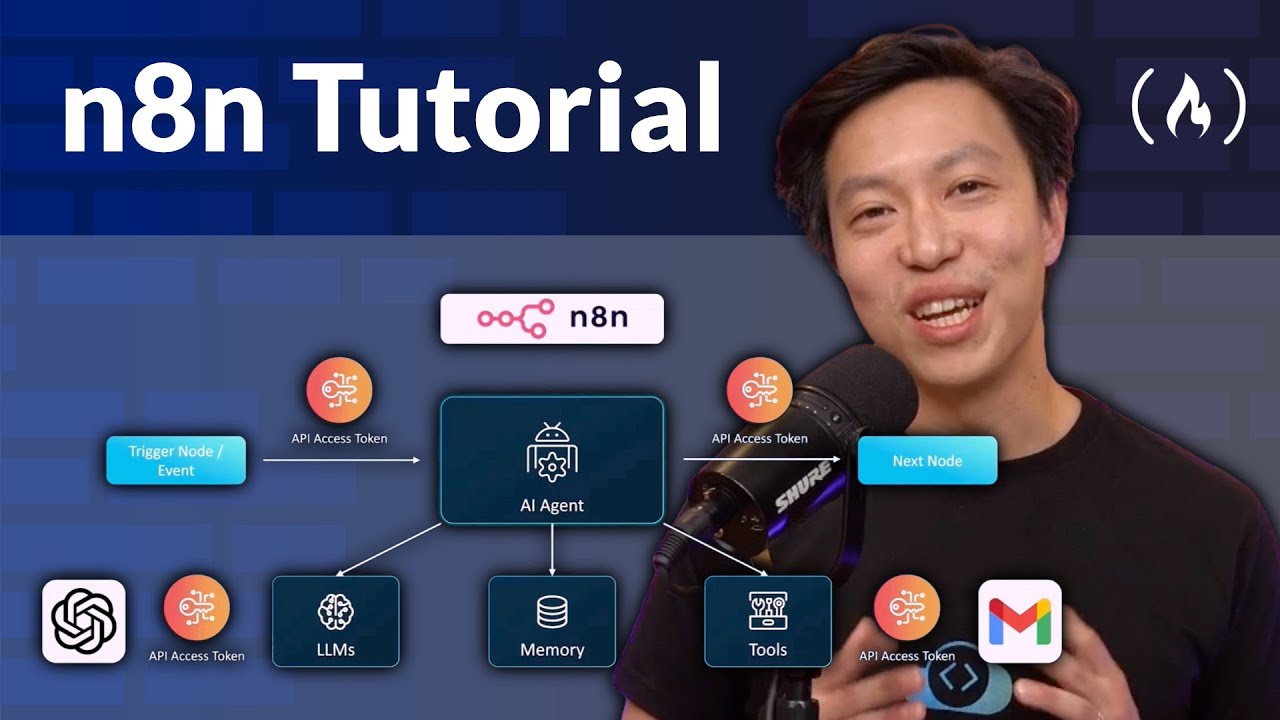
n8n Tutorial – Zero to Hero Course
IntermediateMaster the future of process automation. n8n is an incredibly powerful, open-source platform that enables you to integrate APIs and orchestrate intelligent workflows without the usual coding headaches. This course from Marconi will guide you from the foundational concepts of nodes and architecture to deploying advanced, real-world systems. You'll master essential skills like connecting various services, configuring API keys, and handling complex data flows. Also the course goes into cutting-edge AI integration, teaching you how to build advanced Retrieval-Augmented Generation (RAG) agents and coordinate multi-agent systems. By the end, you'll be able to automate sophisticated business processes, giving you a competitive edge in DevOps, AI, and data engineering. Hands-on Labs & Course Description: https://kode.wiki/47aGYzZ Course developed by @KodeKloud. ❤️ Support for this channel comes from our friends at Scrimba – the coding platform that's reinvented interactive learning: https://scrimba.com/freecodecamp ⭐️ Chapters ⭐️ - 0:00:00 Introduction and Course Overview - 0:04:50 Foundations of n8n: Nodes, Architecture, and Data Types - 0:12:48 Building Your First AI Agent Workflow (Chatbot/Email Agent Demo) - 0:38:20 Free Labs Access and CodeCloud Keyspace API Setup - 0:45:06 n8n Cloud vs. Lab Playground Differences (API/Google Auth Setup) - 0:54:09 Authentication Best Practices for HTTP Request Node - 0:56:15 Google Drive/Sheets/Docs Authentication Setup via Google Cloud Console - 1:41:48 Slack API Setup and Integration - 1:48:06 "HTTP Request Node and API Call Scenarios (Cat Facts, Weather, Web Scraper)" - 2:03:40 Text-to-Image Workflow with AI Prompt Generation - 2:15:06 Text-to-Video Workflow with AI Prompt Generation - 2:25:12 Image-to-Video Workflow with Google Drive and Telegram Integration - 2:43:10 Vertex AI (Google's V3) Integration for Text-to-Video - 2:54:14 n8n Cloud vs. Self-Hosted n8n (Docker/AWS EC2) - 2:56:03 Multi-Workflow Orchestration with Subworkflows - 3:22:40 Course Conclusion and Next Steps 🎉 Thanks to our Champion and Sponsor supporters: 👾 Drake Milly 👾 Ulises Moralez 👾 Goddard Tan 👾 David MG 👾 Matthew Springman 👾 Claudio 👾 Oscar R. 👾 jedi-or-sith 👾 Nattira Maneerat 👾 Justin Hual -- Learn to code for free and get a developer job: https://www.freecodecamp.org Read hundreds of articles on programming: https://freecodecamp.org/news