AI Fluency Course
About this course
AI Fluency: Framework & Foundations is a course developed by Anthropic, Prof. Rick Dakan (Ringling College of Art and Design) and Prof. Joseph Feller (University College Cork). View the full free course, including all videos, exercises, and resources, at https://www.anthropic.com/ai-fluency
What learners say
AI summaryLearners find the course valuable for building foundational AI fluency, with praise for its clear framework on automation, augmentation, and agency. Some note the content is more conceptual than hands-on, and a few report technical issues with registration or missing lessons.
What learners praise
- Clear explanation of automation, augmentation, and agency concepts
- Useful for building foundational AI literacy and ethical engagement
- Appreciated for professionals seeking practical AI collaboration skills
Common caveats
- Some find the content too theoretical with little concrete learning
- Technical issues with course registration and missing lessons reported
- Desire for Spanish and French translations
AI-generated from 145 viewer comments on YouTube — it summarizes outside comments and is not a CourseShelf review.
Community Reviews
Honest feedback from learners like you
Sign in to review this course.
No reviews yet for this course.
Related Courses
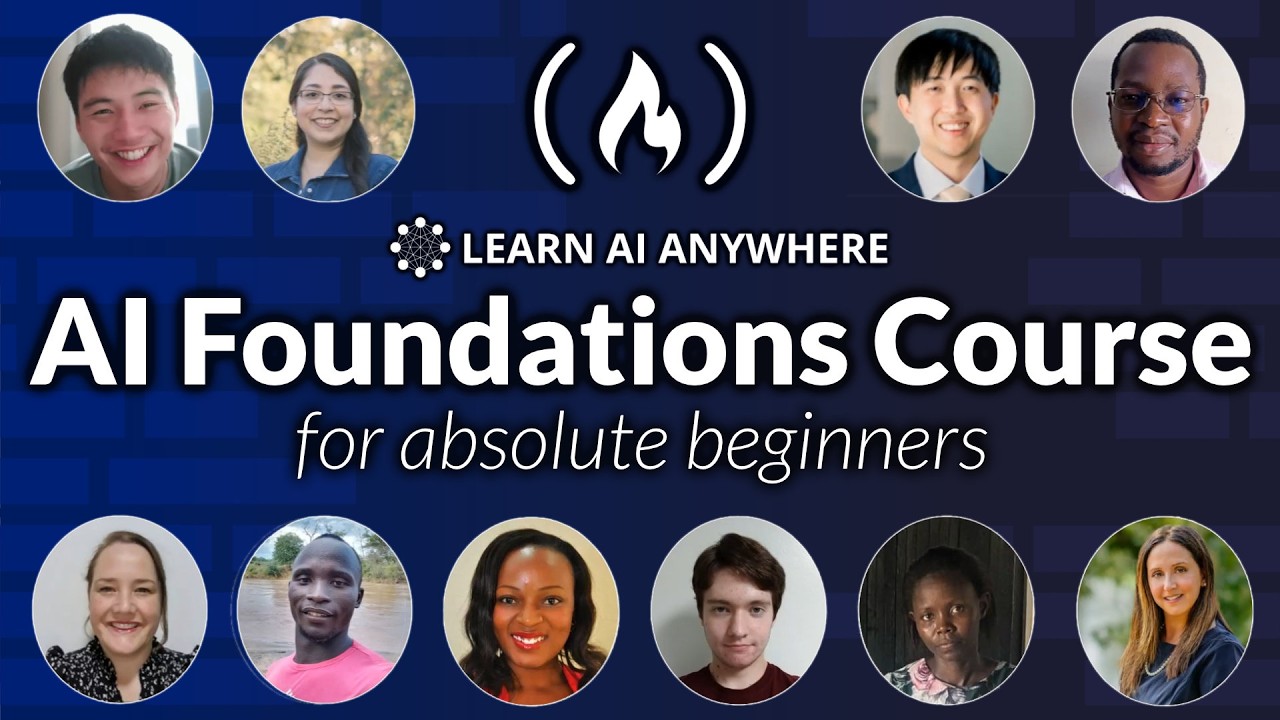

AI Foundations for Absolute Beginners
BeginnerLearn the basics of artificial intelligence. This course is for absolute beginners. This course was created by learnaianywhere.org and released to support the goals of National AI Literacy Day. You can learn more at https://learnaianywhere.org and download the resources used. For more on AI Literacy Day, check out ailiteracyday.org or their YouTube playlist: https://www.youtube.com/watch?v=vihMGH6aqTY&list=PLGhqQNp1xV3McvqOTfJmX2mAuuZqOKMEs ❤️ Try interactive AI courses we love, right in your browser: https://scrimba.com/freeCodeCamp-AI (Made possible by a grant from our friends at Scrimba) ⭐️ Contents ⭐️ - 00:00 Welcome To The Course - 01:46 Prerequisite - 02:51 Symbol Key - 03:19 Lesson 1: What is AI - Objectives - 03:35 Lesson 1: What is AI - What Is AI AI or Not: https://learnaianywhere.org/courses/ai-literacy-for-everyone/ai-or-not - 05:39 Lesson 1: What is AI - How AI Can Help Us Recap Quiz: https://learnaianywhere.org/courses/ai-literacy-for-everyone/recap-quiz-1 - 07:14 Lesson 1: What is AI - Project Time - 09:06 Lesson 2: The Key Parts of Machine Learning - Objectives - 09:27 Lesson 2: The Key Parts of Machine Learning - What is Machine Learning - 12:01 Lesson 2: The Key Parts of Machine Learning - Neuropocket Tutorial - 14:39 Lesson 2: The Key Parts of Machine Learning - AI Tools Can Make Mistake Recap Quiz: https://learnaianywhere.org/courses/ai-literacy-for-everyone/recap-quiz-2 - 16:27 Lesson 2: The Key Parts of Machine Learning - Project Time - 17:20 Lesson 3: How Do Machines Train - Objectives - 18:06 Lesson 3: How Do Machines Train - The Describer Drawer Game - 19:51 Lesson 3: How Do Machines Train - The Describer Drawer Game Demonstration - 23:07 Lesson 3: How Do Machines Train - What Is An Algorithm - 25:37 Lesson 3: How Do Machines Train - The Human Learning Algorithm - 30:25 Lesson 3: How Do Machines Train - The Machine Learning Algorithm Recap Quiz: https://learnaianywhere.org/courses/ai-literacy-for-everyone/recap-quiz-3 - 38:05 Lesson 3: How Do Machines Train - Project Time - 39:07 Lesson 4: Can Machines Be Responsible - Objectives - 39:34 Lesson 4: Can Machines Be Responsible - Bearly A Dog Challenge - 40:14 Lesson 4: Can Machines Be Responsible - What is Bias - 44:06 Lesson 4: Can Machines Be Responsible - Who is Responsible - 46:50 Lesson 4: Can Machines Be Responsible - Data Privacy - 50:46 Lesson 4: Can Machines Be Responsible - Responsible AI Recap Quiz: https://learnaianywhere.org/courses/ai-literacy-for-everyone/recap-quiz-4 - 51:20 Lesson 4: Can Machines Be Responsible - Project Time

Artificial Intelligence Full Course (Free) | Master AI Tools & Core Concepts
BeginnerDownload Free Notes Here:- https://www.theiscale.com/DataAnalytics/a-i-full-course-free-master-ai-tools-core-concepts-notes 🚀 The wait is over! Welcome to the Complete Artificial Intelligence Course (Free) — your step-by-step guide to learning AI from scratch. In this beginner-friendly course, you’ll explore how Artificial Intelligence works, understand key AI concepts, and learn to use the latest AI tools like ChatGPT, Gemini, DeepSeek, NotebookLM, and AI Agents to build real-world projects. 📘 What You’ll Learn: . What is Artificial Intelligence & how it works . Machine Learning vs Deep Learning . AI Tools for productivity, content creation & coding . AI Agents & Automation basics . Real-world AI applications & projects . Future of AI and career opportunities Time Stamp 00:00 - Introduction 03:30 - AI Operators & AI Builders 07:00 - AI tools 07:02 - Note book LM 07:55 - Generating interview questions with AI 14:21 - Generating Social Media content 17:16 - Converting text data to video data 18:48 - Google Gemini 20:20 - Converting reports to insights 23:25 - Data Visualization through AI 27:48 - Using chat gpt as data analyst 30:54 - Data processing with AI 33:45 - Transforming data to graph 37:27 - Prompt writing technique for better output 41:50 - Manus AI 42:00 - Difference between Chat gpt and Manus AI 48:12 - Making Website through AI Agent 55:17 - Deepseek AI 58:39 - Deep Seek advantage over chat gpt 58:26 - Model training behind deepseek 01:11:02 - Deepseek for writing codes 01:11:42 - Introduction to Generative & Agentic AI 01:13:48 - Generative AI growth in tech 01:15:20 - Prompt engineering in Gen AI 01:20:48 - Limitations of Gen AI 01:21:02 - Agentic AI 01:24:00 - Automation and Autonomous Workflows 01:25:22 - Agentic AI Systems 01:27:42 - chat gpt vs world's first AI agent Manus 01:32:30 - LLM, AI Workflows & AI Agents 01:36:24 - LLM Model Training 01:37:44 - Introduction to AI Workflow 01:42:08 - Architecture of AI Agents 01:58:41 - Working of AI workflows 02:00:14 - Types of AI Agent 02:01:08 - Single AI Agent 02:04:35 - Multi AI Agent 02:06:10 - Sequential Pattern 02:08:40 - Hierarchical Pattern 02:11:35 - Hybrid Pattern 02:12:32 - Parallel Pattern 02:13:19 - Asynchronous Pattern 02:14:25 - Types of AI Agents 02:15:27 - Simple Reflex AI Agent 02:16:36 - Model Based Reflex AI Agent 02:17:24 - Goal Based AI Agent 02:19:19 - Utility Based AI Agent 02:22:13 - Learning Based AI Agent 02:26:05 - Coding Assistant Agent: 02:27:15 - E-commerce and Product Research AI 02:28:49 - Healthcare Assistant 02:30:21 - Agentic applications 02:31:00 - Final Project for Building AI Agent for free 02:51:56 - Conclusion of AI course 🧠 Who This Course is For: . Complete beginners who want to start with AI . Students & professionals exploring new career paths . Content creators, coders & entrepreneurs 🎯 Whether you want to build your first AI project or understand how AI tools can boost your career — this free course is your ultimate starting point! ✨ Kickstart your career in a Data Analyst. Apply today! - https://www.theiscale.com/DataAnalytics/data-analyst-course-form ❇️ Explore our Job Oriented Courses: https://www.theiscale.com/explore-course ➖➖➖➖➖➖ 📱 For Any Further Query or Doubts? Contact- 7880-113-112 (Student Helpline Number) For any query connect in WhatsApp with us: https://wa.me/917880113112 ➖➖➖➖➖➖ ✳️ Join Telegram Channel- https://t.me/TheiScale ✳️ Join WhatsApp Channel- https://whatsapp.com/channel/0029VaB5ekEKQuJQV572vi2c ➖➖➖➖➖➖➖ 🔗 Download App Google Play : https://play.google.com/store/apps/details?id=com.logixhunt.ihhpet&pli=1

OpenAI Assistants API – Course for Beginners
BeginnerLearn how to use the OpenAI's Assistants API to build powerful AI assistants. In this course, we'll explore how to leverage the Assistants API by OpenAI to create dynamic, intelligent web apps using Streamlit. What we'll cover: 1️⃣ Function Calling with the API: Learn to seamlessly integrate the Assistants API into your applications, enabling advanced AI functionalities right at your fingertips. 2️⃣ Knowledge Retrieval: Discover how to use the API to extract information, answer questions, and make your applications smarter and more responsive. 3️⃣ Code Interpreter Capabilities: Dive into the API's ability to interpret and generate code, a game-changer for automating tasks and enhancing your app's capabilities. 4️⃣ LLM Fundamentals: Gain a solid understanding of Large Language Models (LLMs) and how they form the backbone of OpenAI's Assistants API. This module demystifies the technology and provides a foundation for advanced application development. The course features a series of hands-on projects and real-world examples to apply what you've learned. By the end of our session, you'll have the skills and confidence to build your own intelligent web apps using Streamlit and OpenAI's Assistants API. ⭐️ Code ⭐️ Personal trainer: https://github.com/pdichone/vincibits-personal-trainer-assistant Personal trainer: https://github.com/pdichone/vincibits-personal-trainer-assistant Study-Buddy: https://github.com/pdichone/vincibits-study-buddy-knwoledge-retrieval ✏️ Created by @vincibits Twitter (X): @buildappswithme ❤️ Try interactive AI courses we love, right in your browser: https://scrimba.com/freeCodeCamp-AI (Made possible by a grant from our friends at Scrimba) ⭐️ Contents ⭐️ ⌨️ (0:00:00) Introduction ⌨️ (0:01:02) What’s This Course About - What Will You Learn? ⌨️ (0:01:33) Pre-requisites ⌨️ (0:02:44) Python and Dev tools Set up ⌨️ (0:04:22) VS Code Installation ⌨️ (0:05:31) OpenAI Account - Generate an API Key ⌨️ (0:07:53) What is the Assistants API & Benefits - Comparison Between the Chat Completion API and the Assistants API ⌨️ (0:18:16) Assistants API Building Blocks ⌨️ (0:24:04) Creating an Assistants API - Manually (Personal Trainer) ⌨️ (0:38:20) Creating an Assistants API - In Code (Personal Trainer) ⌨️ (1:04:15) Build a News Summarizer Introduction: Function Calling - A Streamlit Application ⌨️ (1:25:39) Create an AssistantsManager Class For our News Summarizer ⌨️ (2:10:46) Using the AssistantManager Class to Create an Assistant and run it as a Streamlit App ⌨️ (2:28:23) Knowledge Bases Retrieval Tools - How it Works & Introduction to Embeddings ⌨️ (2:35:25) Build a Study Buddy Streamlit Application ⌨️ (3:22:24) Run the Study Buddy Streamlit Application and Test ⌨️ (3:29:27) Wrap up and Final Considerations. 🎉 Thanks to our Champion and Sponsor supporters: 👾 davthecoder 👾 jedi-or-sith 👾 南宮千影 👾 Agustín Kussrow 👾 Nattira Maneerat 👾 Heather Wcislo 👾 Serhiy Kalinets 👾 Justin Hual 👾 Otis Morgan 👾 Oscar Rahnama -- Learn to code for free and get a developer job: https://www.freecodecamp.org Read hundreds of articles on programming: https://freecodecamp.org/news


Python for AI - Full Beginner Course
BeginnerLearn Python from scratch and start building real AI applications. This is the fastest, beginner-friendly course Python for AI development. 📕 Course Handbook: https://go.datalumina.com/cm5P6b6 📥 Course Resources: https://go.datalumina.com/M2YfRW3 👊🏻 Let's connect on IG: https://www.instagram.com/daveebbelaar/ 🎙️ Try Glaido, the #1 dictation tool for developers: https://get.glaido.com/dave ⏱️ Timestamps 00:00:00 Introduction: Learn Python for AI 00:01:42 Course Overview & Structure 00:03:58 Installing Python 00:04:05 Installing Python on Windows 00:05:10 Installing Python on Mac 00:06:53 Installing VS Code 00:08:34 Setting Up VS Code (Extensions) 00:12:08 Customizing VS Code 00:13:31 Creating Your First Project 00:16:18 Creating a VS Code Workspace 00:18:02 Your First Python File (hello.py) 00:20:10 Running Python Code 00:26:23 Exercise & Recap 00:29:26 Course Resources & Community 00:31:07 Understanding Python Environments 00:33:15 Understanding Python Packages & Pip 00:34:00 Creating Virtual Environments (venv) 00:37:34 A Note on Anaconda 00:38:32 Installing Python Packages (pip install) 00:42:51 Using Python Packages (Import) 00:44:29 Interactive Python with Jupyter 00:48:30 Full Setup Recap & Exercise 00:51:36 What is Programming? 00:55:19 Understanding Python Syntax & PEP8 00:58:00 Understanding & Debugging Errors 01:01:33 Variables 01:06:03 Comments 01:09:48 Data Types Introduction 01:10:12 Numbers (Integers & Floats) 01:13:36 Strings 01:19:39 String Formatting (F strings) 01:21:49 String Methods 01:26:35 Booleans 01:31:02 Operators (Arithmetic, Comparison, Logical) 01:39:19 Shortcut Assignments (+=) 01:40:24 Control Flow Introduction 01:41:35 Conditional Statements (if, elif, else) 01:47:11 Loops (For Loops & range()) 01:52:13 Data Structures Introduction 01:53:32 Lists 01:59:10 Dictionaries 02:00:23 Tuples 02:01:37 Sets 02:05:51 Functions (Defining & Calling) 02:15:02 Function Parameters & Arguments 02:22:42 Global vs Local Variable Scope 02:28:50 Returning Values from Functions 02:37:37 External Tools (Modules, Packages) 02:40:48 Importing Modules & Built ins 02:47:56 Import Methods Summary 02:48:48 Installing Packages & requirements.txt 02:56:04 Working with APIs (Requests Example) 03:06:20 Working with Data Example (Pandas & Matplotlib) 03:10:46 Reading & Saving Data Files 03:14:50 Practical Python Introduction 03:16:47 Project Structure & Organization 03:22:02 Understanding File Paths 03:26:37 Working with Different File Types 03:34:05 Organizing Code into Modules 03:39:39 Error Handling (Try/Except) 03:45:31 Introduction to Classes (OOP) 03:49:09 Creating Your First Class (__init__, self) 03:57:04 Class Attributes vs Instances 04:00:10 Class Methods 04:05:23 Class Inheritance 04:07:32 When to Use Classes vs Functions 04:09:44 Introduction to Git & GitHub 04:12:31 Git Fundamentals 04:15:41 Installing Git 04:16:46 Basic Git Workflow 04:18:41 GitHub Account Setup & Authentication 04:22:37 Cloning GitHub Repositories 04:28:12 Creating Repositories & .gitignore 04:36:12 Using Git with VS Code UI 04:44:05 Environment Variables & Secrets (.env) 04:52:13 Using python dotenv Package 04:55:03 Introduction to Ruff (Linter & Formatter) 04:56:13 Setting Up Ruff in VS Code 04:57:23 Ruff in Action 05:01:10 Introduction to Uv (Modern Package Manager) 05:02:07 Installing Uv 05:02:30 Using Uv (uv init, add, sync) 05:09:01 Complete Python Project Workflow Exercise 05:11:13 Course Wrap up & What's Next 👋🏻 About Me Hi! I'm Dave, AI Engineer and founder of Datalumina®. On this channel, I share practical tutorials that teach developers how to build production-ready AI systems that actually work in the real world. Beyond these tutorials, I also help people start successful freelancing careers. Check out the links above to learn more!


Full Walkthrough: Workflow for AI Coding — Matt Pocock
IntermediateA hands-on workshop covering the full lifecycle of AI-assisted development, from turning ambiguous requirements into agent-ready plans to running autonomous coding agents that ship production features. You'll learn to stress-test vague briefs into structured PRDs, slice work into thin "tracer bullet" vertical slices, and run an AI agent with TDD. You'll watch it select tasks, write tests, implement code, and commit. You'll then refine your prompts based on where it struggles, graduate to fully autonomous (AFK) runs, and learn to design codebases that maximize agent effectiveness. You'll walk away knowing how to: - Turn ambiguous requirements into agent-ready issues - Slice work into vertical tracer bullets an agent can grab independently - Run AI agents human-in-the-loop and autonomously with TDD - Design codebase architectures that AI agents love to work in For: Engineers ready to move beyond chat-based AI assistance and build a real workflow for shipping features with autonomous coding agents. Speaker info: - https://x.com/mattpocockuk - https://www.linkedin.com/in/mapocock/ - https://youtube.com/@mattpocockuk Timestamps: 00:00:00 - Introduction 00:00:14 - The Thesis of AI Engineering 00:04:20 - Phase 1: Research & Prototyping 00:12:45 - Phase 2: The Grill Session 00:22:10 - Phase 3: Writing the PRD 00:35:50 - Phase 4: Slicing Work into Issues 00:48:15 - Phase 5: Implementation with AI Agents 01:05:30 - Phase 6: Human-in-the-Loop Review 01:18:45 - Phase 7: Deployment & Monitoring 01:28:10 - Designing Codebases for AI Effectiveness 01:34:06 - Final Takeaways & Summary --- Watch along with the corrected transcript, summary, timestamps and resources on this talk's official AIE page: https://ai.engineer/talks/-QFHIoCo-Ko-ai-coding-workflow Join our upcoming AI Engineer conferences (see https://ai.engineer landing page): - AIE New York, October 12–14 — the first AI Engineer Finance mainstage summit - AIEi Shanghai, November 5–6 — the first for meeting top Chinese labs and engineers - AIE CODE in SF, November 10–12 — the top AI Coding conference returns - AIEi Sydney, December 7–8 — the first AIEi run alongside NeurIPS 2026 in Sydney ---


Complete Agentic AI Course In 10 Hours- Langchain, Langgraph, RAG,Vectorless RAG, Guardrails,Evals
IntermediateThis is a complete course on learning Generative ai and agentic with Langchain and Langgraph. We have included all the topics from RAG, vectorless rag, Deep agents, Guardrails, LLM Evaluation and LLM Gateways Techniques Github Links Langchain : https://github.com/krishnaik06/Langchain-V1-Crash-Course Langgraph: https://github.com/krishnaik06/Agentic-LanggraphCrash-course RAG: https://github.com/krishnaik06/RAG-Tutorials Vectorless RAG: https://github.com/krishnaik06/RAG-Tutorials/blob/main/PageIndex_Vectorless_RAG_CrashCourse%20(1).ipynb Deep Agents: https://drive.google.com/file/d/1SVjvgqvKfF-FPAIqpEZdKMQLhe13NLFD/view Guardrails : https://github.com/krishnaik06/Langchain-V1-Crash-Course/blob/main/updatedlangchain/langchain_guardrails_crash_course.ipynb LLM Evals : https://github.com/krishnaik06/RAG-Tutorials/blob/main/1-rag_evaluation.ipynb LLM Gateways: https://github.com/krishnaik06/Langchain-V1-Crash-Course/blob/main/llm_gateway_tutorial.ipynb Timestamp 00:00:00 Introduction 00:02:31 Langchain Course 02:35:12 Langraph Course 05:02:29 RAG Course 07:10:43 Vectorless RAG 08:02:11 Deep Agents 08:45:43 Guardrails 09:22:55 LLM Evaluation 10:30:25 LLM Gateways ------------------------------------------------------------------- Learn from us visit https://krishnaik.in/liveclasses