Agent Skills, Rules, Subagents: Explained!
About this course
There's a lot of new terms for how you manage context with coding agents. I don't think it needs to be this complicated. Here's what you need to know, and some history on how we've gotten here. https://cursor.com/blog/dynamic-context-discovery https://cursor.com/docs/context/skills https://cursor.c...
There's a lot of new terms for how you manage context with coding agents. I don't think it needs to be this complicated. Here's what you need to know, and some history on how we've gotten here. https://cursor.com/blog/dynamic-context-discovery https://cursor.com/docs/context/skills https://cursor.com/docs/context/subagents https://cursor.com/docs/context/rules https://cursor.com/docs/agent/hooks
Community Reviews
Honest feedback from learners like you
Sign in to review this course.
No reviews yet for this course.
Related Courses
![Claude Agent SDK [Full Workshop] — Thariq Shihipar, Anthropic](https://i.ytimg.com/vi/TqC1qOfiVcQ/maxresdefault.jpg)

Claude Agent SDK [Full Workshop] — Thariq Shihipar, Anthropic
IntermediateLearn to use Anthropic's Claude Agent SDK (formerly Claude Code SDK) for AI-powered development workflows! https://platform.claude.com/docs/en/agent-sdk/overview https://x.com/trq212 **AI Summary** This workshop by Thariq Shihipar (Anthropic) details the architecture and implementation of the **Claude Agent SDK**. The session moves from high-level theory—defining "agents" as autonomous systems that manage their own context and trajectory—to a live-coding demonstration. Shihipar builds an agent "Harness" from scratch, implementing the core **Agent Loop** (Context Thought Action Observation), integrating the **Bash tool** for general computer use, and demonstrating **Context Engineering** via the file system to maintain state across long tasks. **Timestamps** 00:00 Introduction: Agenda and the "Agent" definition 05:15 The "Harness" concept: Tools, Prompts, and Skills 10:10 Live Coding Setup: Initializing the Agent class and environment 15:45 implementing the "Think" step: Getting the model to reason before acting 25:20 The Agent Loop: connecting `act`, `observe`, and `loop` 33:10 Tool Execution: Handling XML parsing and tool inputs 42:00 The "Bash" Tool: Giving the agent command line access 49:30 Safety & Permissions: "ReadOnly" vs "ReadWrite" file access 58:15 Context Engineering: Using `ls` and `cat` to build dynamic context 01:05:00 The "Monitor": Viewing the agent's thought process in real-time 01:12:45 Handling "Stuck" States: Feedback loops and error correction 01:21:20 Multi-turn Complex Tasks: Building a "Research Agent" demo 01:35:10 Refactoring patterns: "Hooks" and deterministic overrides 01:48:39 Q&A: Reproducibility, helper scripts, and non-determinism 01:50:31 Q&A: Strategies for massive codebases (50M+ lines) 01:52:00 Closing remarks and future SDK roadmap * **Evolution of AI Capabilities:** Shihipar argues we are shifting from **LLM Features** (categorization, single turn) to **Workflows** (structured, multi-step chains like RAG) to **Agents**. He defines agents as systems that *"build their own context, decide their own trajectories, and work very autonomously"* rather than following a rigid pipeline. * **The Claude Agent SDK Architecture:** The SDK is built directly on top of **Claude Code** because Anthropic found they were *"rebuilding the same parts over and over again"* for internal tools. * **The Harness:** A robust agent requires more than just a model; it needs a "Harness" containing Tools, Prompts, a **File System**, Skills, Sub-agents, and Memory. * **Opinionated Design:** The SDK bakes in lessons from deploying Claude Code, specifically the "opinion" that general computer use (Bash) is often superior to bespoke tools. * **The Power of the Bash Tool:** A key technical insight is that the **Bash tool** is often the most powerful tool for an agent. Instead of building custom tools for every action (e.g., a specific API wrapper for a file conversion), giving the agent access to the shell allows it to use existing software (like `ffmpeg`, `grep`, or `git`) to solve problems flexibly, similar to how a human developer works. * **Context Engineering:** Shihipar introduces the concept of **Context Engineering** via the file system. Instead of just "Prompt Engineering," the agent uses the file system to manage its state and context. * **Files as Memory:** The agent can write to files to "remember" things or create its own documentation (e.g., `CLAUDE.md`) to ground future actions. * **Verification:** The file system serves as a ground truth for the agent to verify its work (e.g., checking if a file was actually created). * **The Agent Loop & Intuition:** Building a successful agent loop is described as *"kind of an art or intuition"*. The loop generally follows a **Gather Context Take Action Verify Work** cycle. Shihipar emphasizes that this loop allows the agent to self-correct, a capability missing from rigid workflows. * **Strategies for Determinism (Hooks):** During the Q&A, a technique for controlling agent behavior is discussed: **Hooks**. * If an agent hallucinates or skips a step (e.g., guessing a Pokemon stat instead of checking a script), a hook can intercept the response and inject feedback: *"Please make sure you write a script, please make sure you read this data."* * This enforces rules like "read before you write" without retraining the model. * **Scaling to Large Codebases:** For massive codebases (50M+ lines), standard tools like `grep` or basic context window stuffing fail. * **Semantic Search Limitations:** Shihipar notes that while semantic search is a common solution, it is *"brittle"* because the model isn't trained on the specific semantic index. * **Solution:** He recommends good **"Claude MD"** files (context files) and starting the agent in a specific subdirectory to limit scope, rather than trying to index the entire 50M lines at once.


Getting started with Codex
IntermediateGet started with Codex, OpenAI’s coding agent, in this step-by-step onboarding walkthrough. You’ll learn how to install Codex, set up the CLI and VS Code extension, configure your workflow, and use Agents.md and prompting patterns to write, review, and reason across a real codebase. This video covers: Installing Codex (CLI + IDE) Setting up a repo and getting your first runs working Writing a great Agents.md (patterns + best practices) Configuring Codex for your environment Prompting patterns for more consistent results Tips for using Codex in the CLI and IDE Advanced workflows: headless mode + SDK Start here Sign up: https://openai.com/codex/ Codex overview + docs: https://developers.openai.com/codex Codex Cookbook: https://cookbook.openai.com/topic/codex Install + setup VS Code extension: https://marketplace.visualstudio.com/items?itemName=openai.chatgpt Agents.md standard: https://agents.md Agents.md repo: https://github.com/agentsmd/agents.md Prompting + workflows Prompting guide: https://developers.openai.com/codex/prompting/ Exec plans (Agents.md patterns): https://cookbook.openai.com/articles/codex_exec_plans Config reference: https://github.com/openai/codex/blob/main/docs/config.md#config-reference Updates Changelog: https://developers.openai.com/codex/changelog Releases: https://github.com/openai/codex/releases
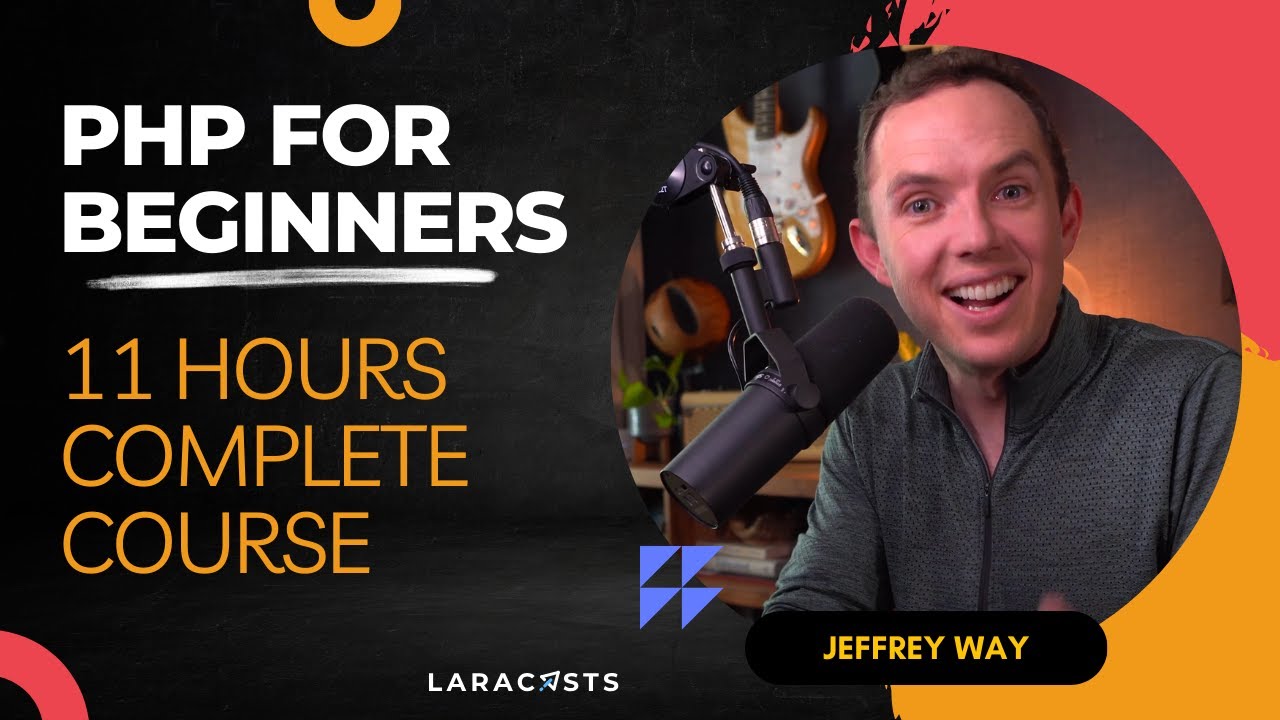

PHP For Beginners - Complete Laracasts Course
BeginnerWe all start somewhere. For programming, this series is the first step. I've designed it specifically for newcomers to, not just PHP, but programming in general. Here, you'll learn the fundamentals of PHP - all the way down to defining basic variables and arrays. Think of this series as a key stepping stone for your programming journey. Source code: https://github.com/laracasts/PHP-For-Beginners-Series Timestamps: 00:00:00 - How to Choose a Programming Language 00:01:21 - Tools of the Trade 00:10:01 - Your First PHP Tag 00:18:11 - Variables 00:25:30 - Conditionals and Booleans 00:36:38 - Arrays 00:45:15 - Associative Arrays 00:52:33 - Functions and Filters 01:04:55 - Lambda Functions 01:17:03 - Separate Logic From the Template 01:25:39 - Technical Check-in #1 (With Quiz) 01:30:34 - Page Links 01:41:34 - PHP Partials 01:50:45 - Superglobals and Current Page Stylings 02:03:42 - Make a PHP Router 02:21:45 - Create a MySQL Database 02:27:55 - PDO First Stepss 02:42:18 - Extract a PHP Database Class 02:52:54 - Environments and Configuration Flexibility 03:05:54 - SQL Injection Vulnerabilities Explained 03:16:52 - Database Tables and Indexes 03:24:43 - Render the Notes and Note Pages 03:39:10 - Introduction to Authorization 03:53:31 - Programming is Rewriting 04:05:48 - Intro to Forms and Request Methods 04:23:56 - Always Escape Untrusted Input 04:32:17 - Intro to Form Validations 04:45:07 - Extract a Simple Validator Class 04:56:51 - Resourceful Naming Conventions 05:03:27 - PHP Autoloading and Extractions 05:23:04 - Namespacing: What, Why, How? 05:34:14 - Handle Multiple Request Methods From a Controller Action? 05:46:27 - Build a Better Router 06:07:10 - One Request, One Controller 06:14:17 - Make Your First Service Containers 06:33:40 - Updating With PATCH Requests 06:54:55 - PHP Sessions 101 07:08:51 - Register a New User 07:27:50 - Introduction to Middleware 07:49:55 - Manage Passwords Like This For The Remainder of Your Career 07:54:46 - Log In and Log Outs 08:20:30 - Extract a Form Validation Object 08:34:06 - Extract an Authenticator Class 08:47:27 - The PRG Pattern (and Session Flashing) 09:08:45 - Flash Old Form Data to the Session 09:14:42 - Automatically Redirect Back Upon Failed Validations 09:40:51 - Composer and Free Autoloading 09:54:02 - Install Two Composer Packages: Collections and PestPHP 10:09:39 - Testing Approaches, Terms, and Considerations 10:27:46 - The Next Step in Your Php Journey Want to watch this series in parts? go to http://phpforbeginners.com/ Watch thousands of videos, track your progress, and participate in a massive Laravel community at Laracasts.com. Laracasts: https://laracasts.com Laracasts Twitter: https://twitter.com/laracasts Jeffrey Way Twitter: https://twitter.com/jeffrey_way

Rails New, a beginner's Ruby on Rails tutorial with Typecraft
BeginnerWelcome to Rails New, a 10-part video tutorial to help you quickly get building with Rails, hosted by @typecraft_dev. Create a functioning productivity app while learning Rails - perfect for beginners curious about Rails.


Elixir: A Comprehensive Introduction
BeginnerReady to level up your programming skills? 🚀 Welcome to the Complete Elixir Programming Course, where you'll master one of the most powerful languages for building scalable, concurrent applications.📚 Course Overview:Master Elixir from the ground up with your instructor, Jacob Luetzow, an experienced Elixir developer. This comprehensive course covers everything you need to become proficient in Elixir programming, from basic syntax to advanced concurrency patterns.🎯 What You'll Learn:• Introduction to Elixir & functional programming• Core language fundamentals• Advanced modules & functions• List manipulation & Enum operations• Control flow mastery• Data management with Structs• Concurrent programming & OTP• Introduction to metaprogramming✨ Course Benefits:• Real-world project examples• Structured learning path• Professional mentorship💪 Perfect For:• Beginners starting their programming journey• Experienced developers looking to add Elixir to their toolkit• Teams transitioning to Elixir for scalable solutions🤝 Community & Support:Join our thriving community of Elixir developers! Get help, share insights, and grow together with fellow learners and experienced mentors.🔗 Connect with me• Website: https://elixirmentor.com/• Discord: https://discord.gg/rsTARfP4xx• YouTube: https://youtube.com/@elixirmentor• More links: https://linktr.ee/jacob_luetzowStart your Elixir journey today and join thousands of developers who are building the future with this powerful language! #ElixirProgramming #Programming #WebDevelopment #CodingCourse #SoftwareEngineering #TechEducation
